Nested Products & Services Grid for Activities

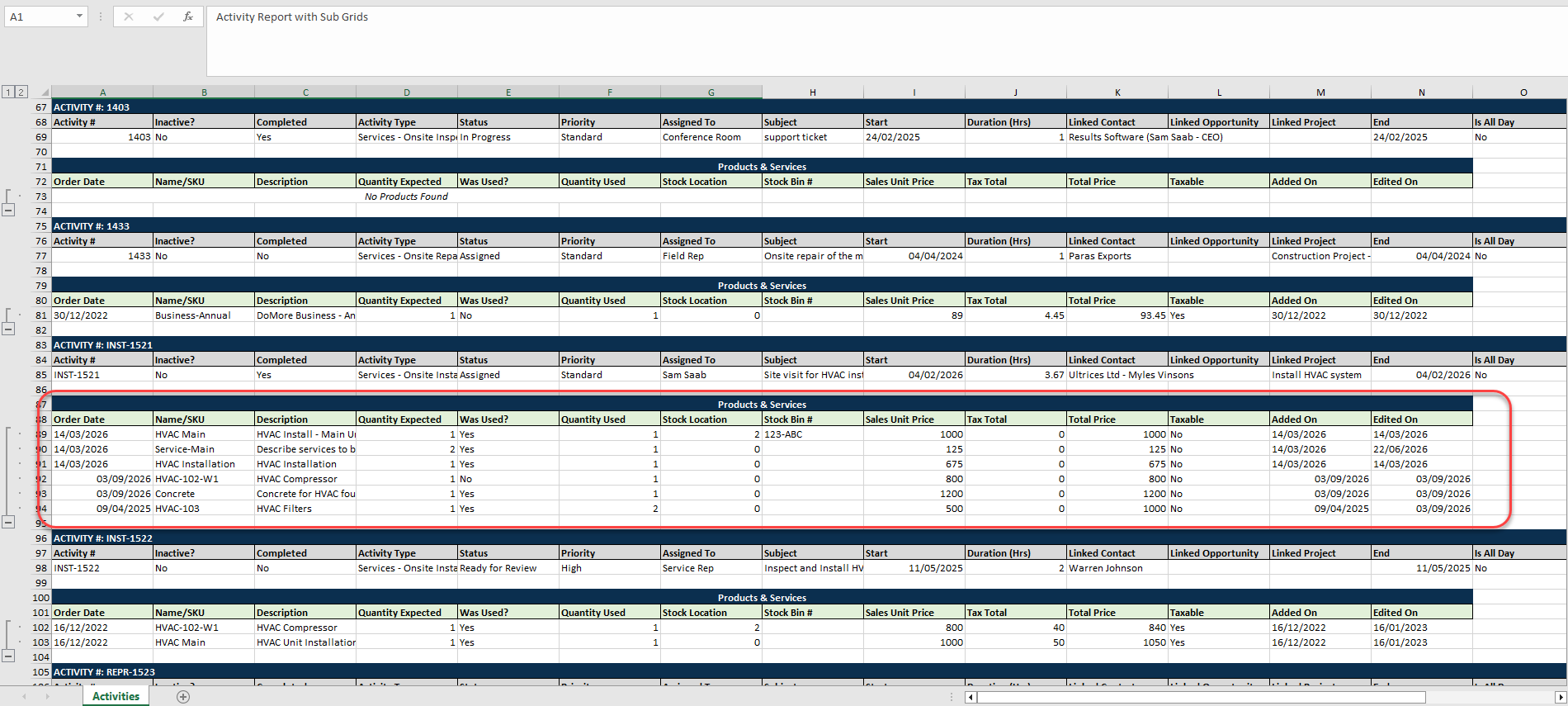
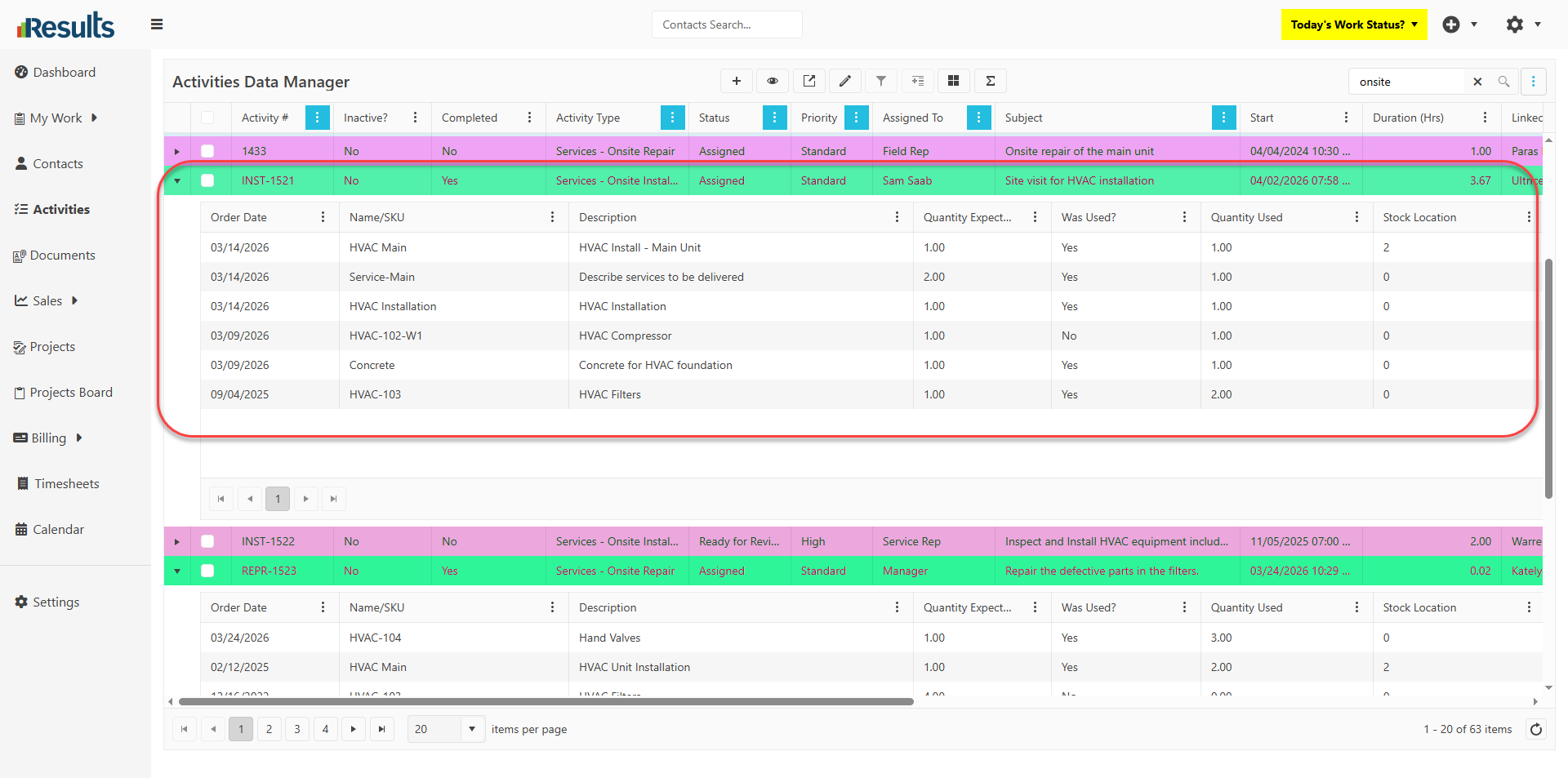
Results has a new nested grid layout within the Activities Data Manager, allowing users to view Products & Services directly beneath each Activity record that they belong to. This enhancement provides greater visibility into activity-related details while making it easier to analyze, export, and personalize data views.

What's New?

  • Nested Products & Services Grid – The Activities Data Manager now supports a nested grid layout that displays the associated Products & Services directly under each Activity record.

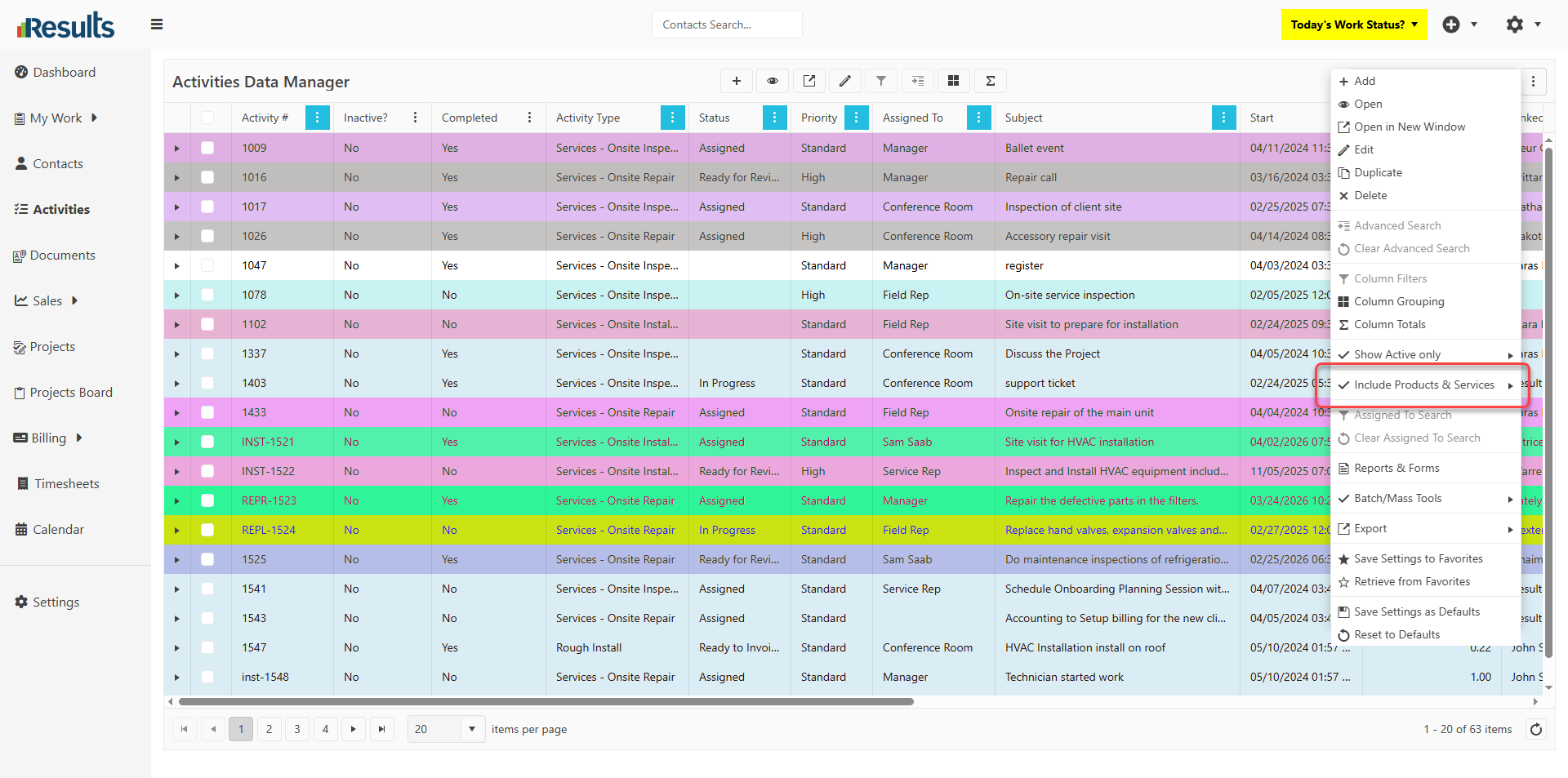
  • Include/Exclude Products & Services Option – A new Include/Exclude Products & Services option is now available in the Activities Data Manager’s 3-dots menu. Selecting Include displays the nested Products & Services sub-grid for each Activity. Selecting Exclude reverts the Data Manager to the standard Activity-only view.

  • Save Your Preferred View – Users can store their chosen layout, including the visibility of the nested Products & Services grid, in their Default Settings or Favorites for quick access to their preferred view.

  • Excel Export Support – Exporting the Activities Data Manager to Excel also includes the nested Products & Services data, offering a more comprehensive dataset for reporting and analysis.
Why This Matters?

  • Improved Data Visibility – Users can view Activity records and their related Products & Services in a single, organized interface without opening each Activity record to review the Products & Services usage for that Activity for simplified billing and usage tracking.

  • Personalized Workspaces – The ability to save the nested grid as a default view or a Favorite lets users tailor the Data Manager to their preferred workflow.

  • Enhanced Reporting – Including the nested Products & Services data in Excel exports makes it easier to analyze, share, and report Activity-related information and Product Usage outside Results.

  • Greater Efficiency – Keeping related data readily available in the Activities Data Manager reduces navigation and helps users access the information they need more quickly.
Standard Payment Receipt Enhancement

Results includes a Standard Payment Receipt in the Payments module, giving users a convenient way to generate and access a standardized receipt for payment records. Standard Payment Receipt –...

FSM Portal Job Card Quick Access Enhancements

Results now provides improved navigation on the FSM Portal with new Quick Access buttons on the Job Card, allowing users to jump directly to key sections of a job. These shortcuts help field service...

Create a QB Job Along with an Opportunity or a Project

Results makes it easier to create QuickBooks (QB) Jobs from Parent Contact records. New menu options let you create a QB Job along with an Opportunity or Project. These enhancements simplify record...

Unit Price and Cost Decimal Precision Enhancements

Greater precision and flexibility in managing financial values with a new setting in Admin Settings > Billing Settings. This enhancement lets users configure up to five decimal places for Unit...

Quantity Decimal Precision Enhancements

Greater precision and flexibility in managing quantities are available in Admin Settings > Billing Settings. This enhancement allows users to configure the number of decimal places displayed for...

Split Activity – Simplifying Team Assignments and Scheduling

The Split Activity feature in Results provides greater flexibility in activity management, allowing users to divide an existing activity into up to three additional activities and assign them to...

Expanded User Permissions and Key Utilities Access

Results provides administrators with greater control over user access to key utilities and integration configurations. New permission options have been added to the Users module, making it easier to...

Streamlined Refund Processing in Results Payments Integration

Results Payments Integration now provides a more streamlined way to process and track Refunds directly from Results. With the new “Issue Refund” functionality and enhanced transaction tracking,...

Generate Payment Links for Deposits

Results Payments Integration now makes it easier to collect Deposit payments directly from Projects. With the new Generate Payment Link for Deposit option, users can generate a secure payment link...

Who’s Working Module Enhancements

Results offers greater flexibility and convenience in the Who’s Working module, with enhancements to how Assigned Activity information is displayed and how users manage settings.Default Assigned...

Enhanced QuickBooks Desktop Re-Export for Invoices & Estimates

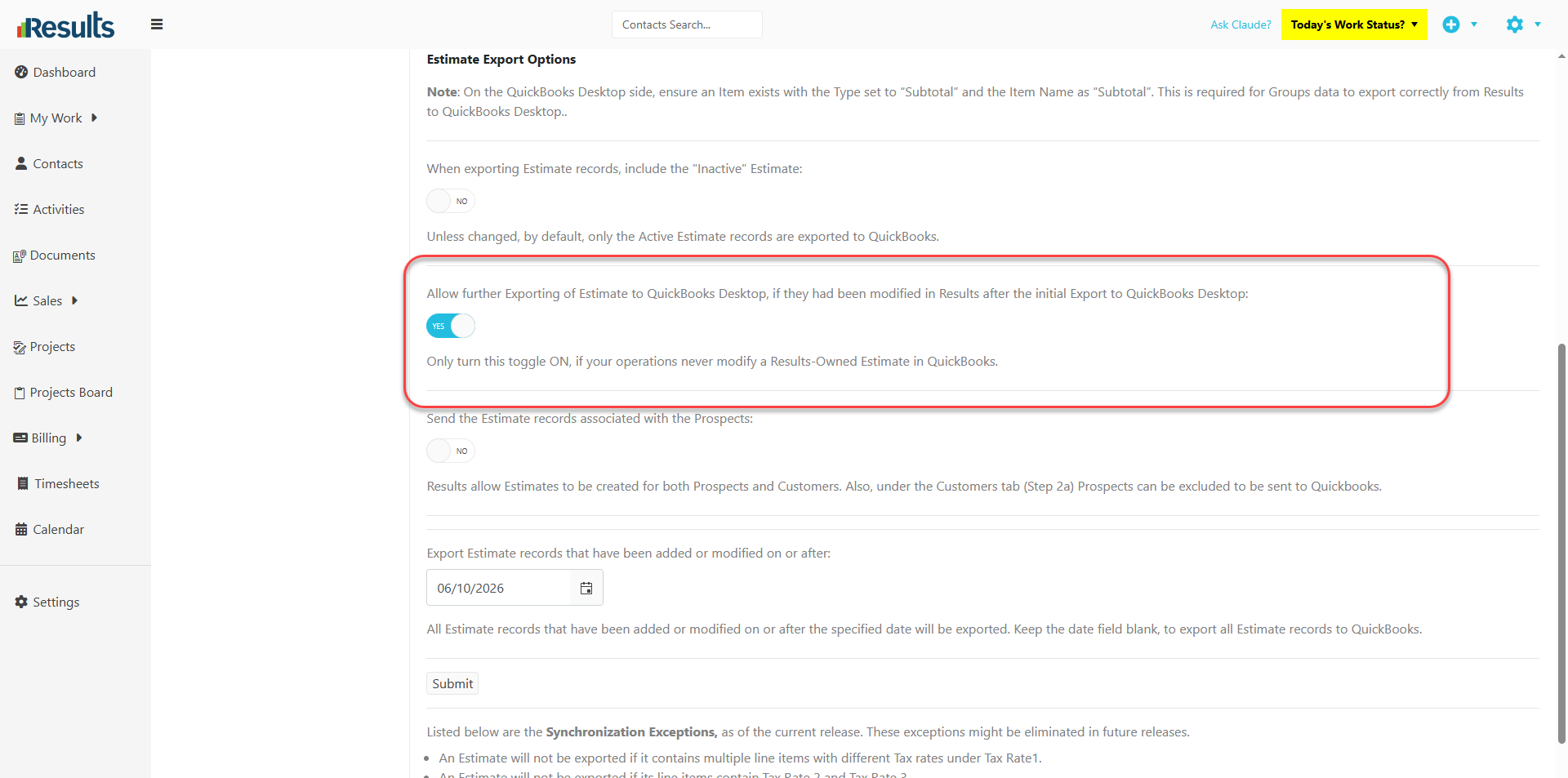
Results provides greater flexibility when working with QuickBooks Desktop by allowing modified Invoices and Estimates to be re-exported after their initial synchronization. New integration settings give administrators full control over whether updated transactions should be re-exported, helping keep QuickBooks Desktop aligned with changes made in Results.

What's New?

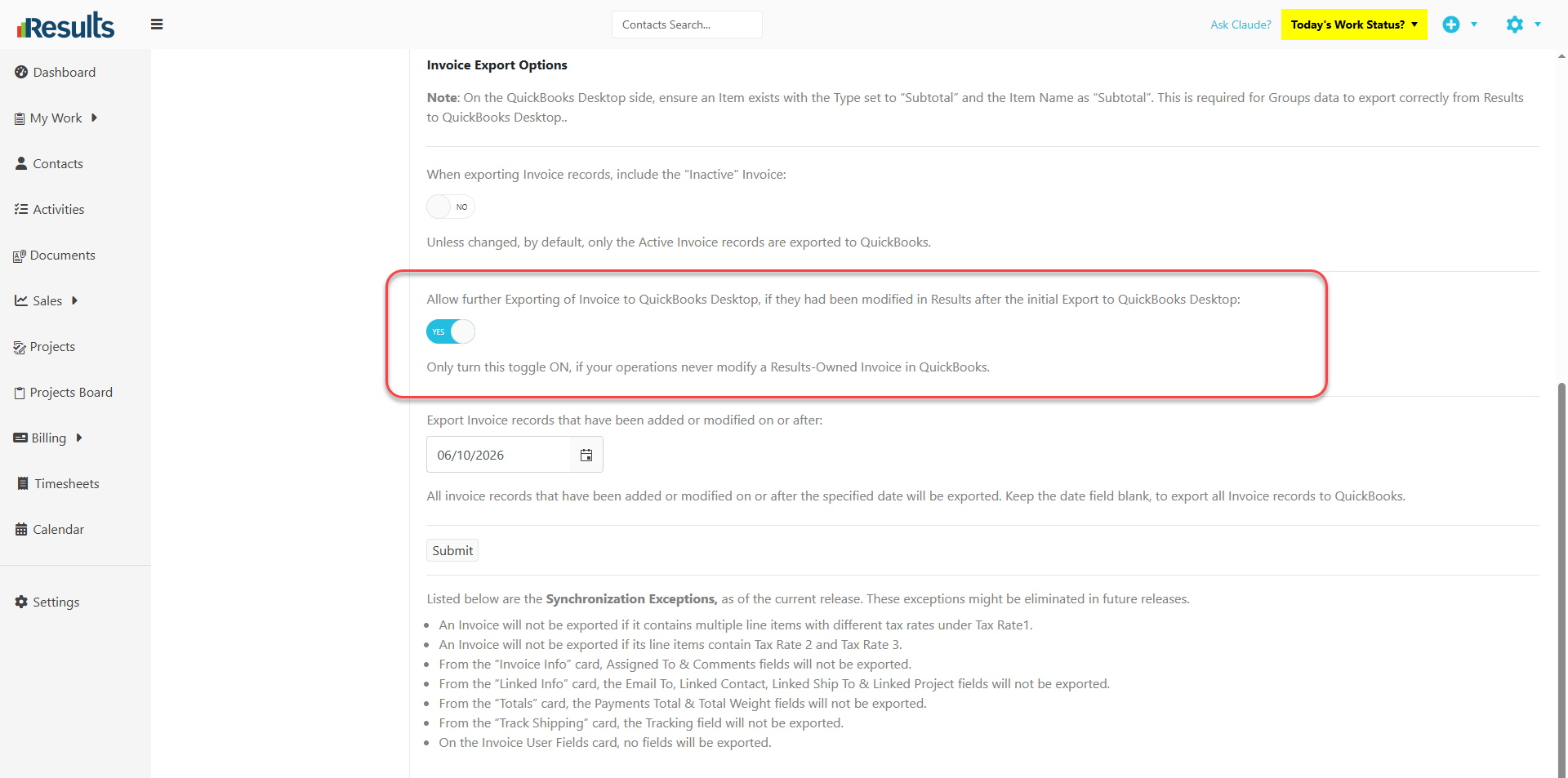
  • Invoice Re-Export Option – A new setting under QuickBooks Desktop Integration → Invoice Export Options enables re-exporting invoices previously modified in Results to QuickBooks Desktop after the initial export. When activated, any invoice updated in Results after its first export can be re-exported to QuickBooks Desktop, ensuring the accounting system stays current with the latest changes.

  • Estimate Re-Export Option – A new setting in QuickBooks Desktop Integration → Estimate Export Options enables exporting of estimates to QuickBooks Desktop that were modified in Results after the first export. This enables modified Estimates to be re-exported following their original synchronization, ensuring QuickBooks Desktop stays current with changes made in Results.

  • Configurable Integration Settings – Both options are configurable on the QuickBooks Desktop Integration page, allowing organizations to decide whether to permit re-exporting modified transactions based on their accounting workflow.

Why This Matters?

  • Keeps Accounting Data Up to Date – Changes to Invoices and Estimates in Results after their initial export are reflected in QuickBooks Desktop without manual workarounds.
  • Greater Workflow Flexibility – Users can confidently make updates in Results, knowing that revised transactions are synchronized as appropriate.
  • Reduced Manual Effort – Eliminates the need to recreate or manually update transactions in QuickBooks Desktop after changes in Results.
  • Configurable Integration Settings – The new integration toggles let businesses enable or disable this functionality to align with their preferred accounting and synchronization processes.

Standard Payment Receipt Enhancement

Results includes a Standard Payment Receipt in the Payments module, giving users a convenient way to generate and access a standardized receipt for payment records. Standard Payment Receipt –...

FSM Portal Job Card Quick Access Enhancements

Results now provides improved navigation on the FSM Portal with new Quick Access buttons on the Job Card, allowing users to jump directly to key sections of a job. These shortcuts help field service...

Create a QB Job Along with an Opportunity or a Project

Results makes it easier to create QuickBooks (QB) Jobs from Parent Contact records. New menu options let you create a QB Job along with an Opportunity or Project. These enhancements simplify record...

Unit Price and Cost Decimal Precision Enhancements

Greater precision and flexibility in managing financial values with a new setting in Admin Settings > Billing Settings. This enhancement lets users configure up to five decimal places for Unit...

Quantity Decimal Precision Enhancements

Greater precision and flexibility in managing quantities are available in Admin Settings > Billing Settings. This enhancement allows users to configure the number of decimal places displayed for...

Split Activity – Simplifying Team Assignments and Scheduling

The Split Activity feature in Results provides greater flexibility in activity management, allowing users to divide an existing activity into up to three additional activities and assign them to...

Expanded User Permissions and Key Utilities Access

Results provides administrators with greater control over user access to key utilities and integration configurations. New permission options have been added to the Users module, making it easier to...

Streamlined Refund Processing in Results Payments Integration

Results Payments Integration now provides a more streamlined way to process and track Refunds directly from Results. With the new “Issue Refund” functionality and enhanced transaction tracking,...

Generate Payment Links for Deposits

Results Payments Integration now makes it easier to collect Deposit payments directly from Projects. With the new Generate Payment Link for Deposit option, users can generate a secure payment link...

Who’s Working Module Enhancements

Results offers greater flexibility and convenience in the Who’s Working module, with enhancements to how Assigned Activity information is displayed and how users manage settings.Default Assigned...

Expanded Project & Sales Opportunity User Fields

Results offers greater flexibility for Project and Sales Opportunity customization by expanding the available User Fields and introducing a new formatting option for Proposal/Opportunity User Fields. These enhancements make it easier to capture more business-specific information and improve the presentation of user-defined fields.

What's New?

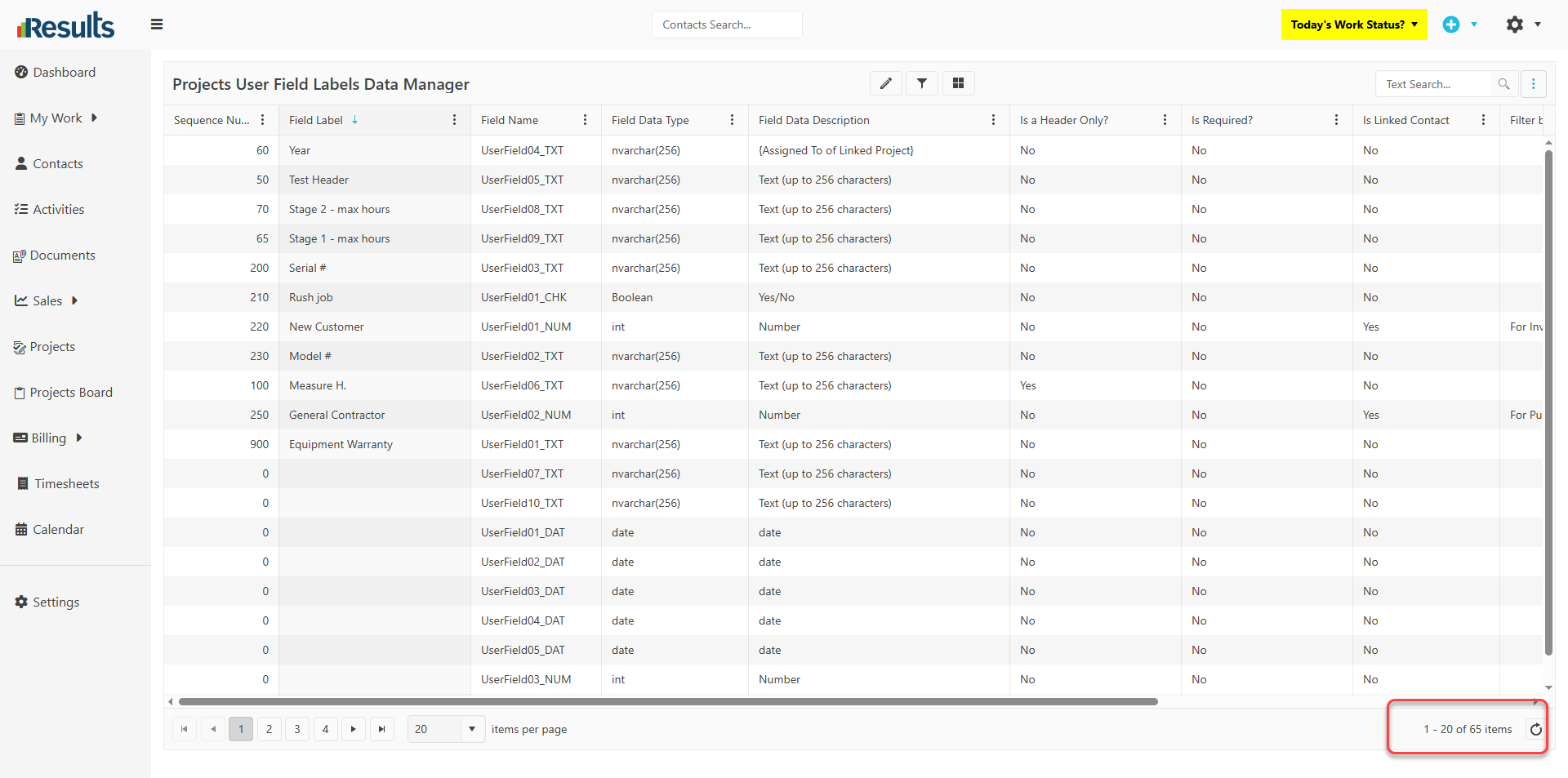
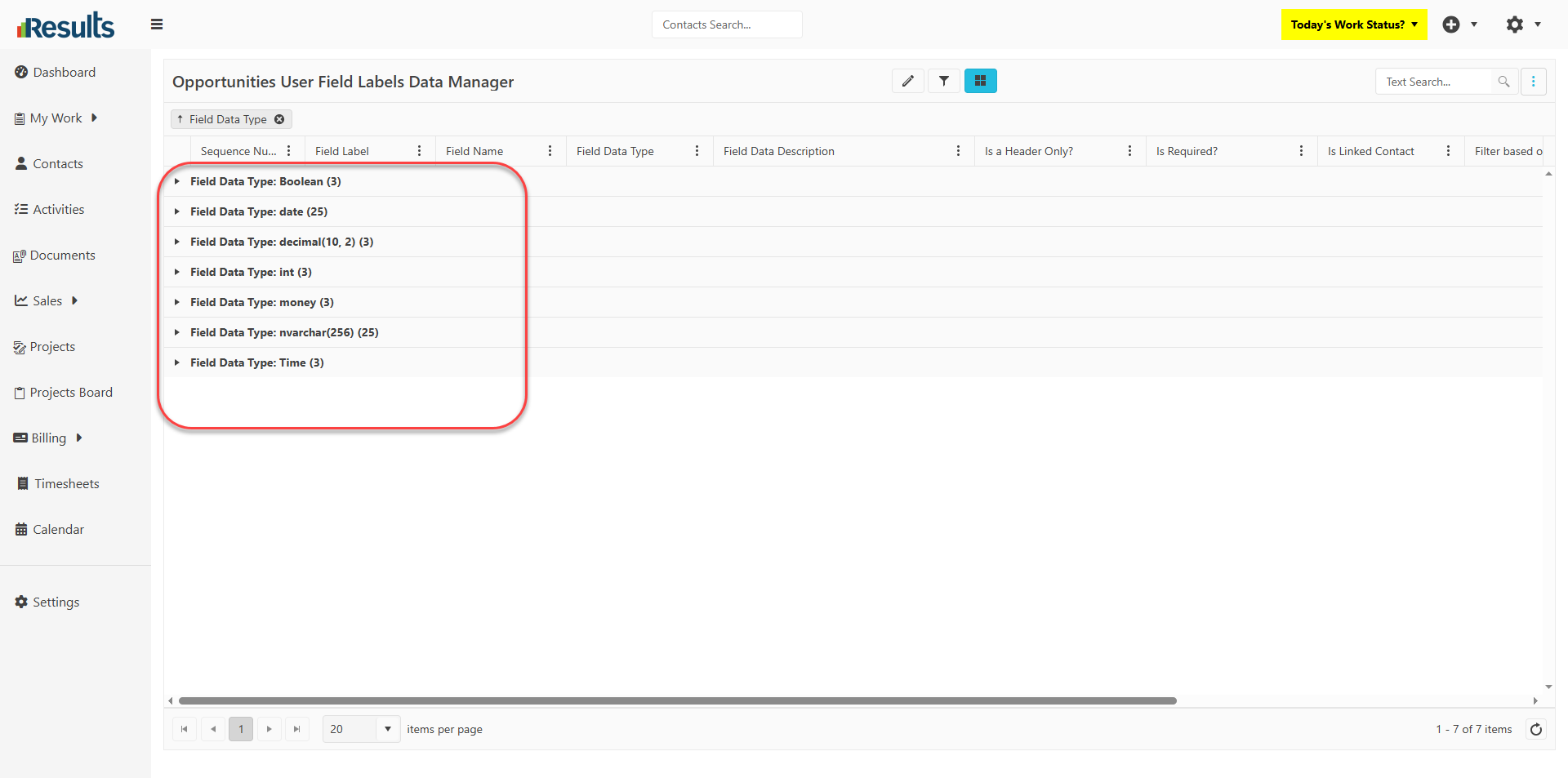
  • Additional User Fields for Projects & Sales Opportunities – The User Fields Data Manager for Projects and Sales Opportunities now supports 20 more Date User Fields and 15 more Text User Fields. This provides significantly greater capacity to store custom project and opportunity information without requiring custom modifications.
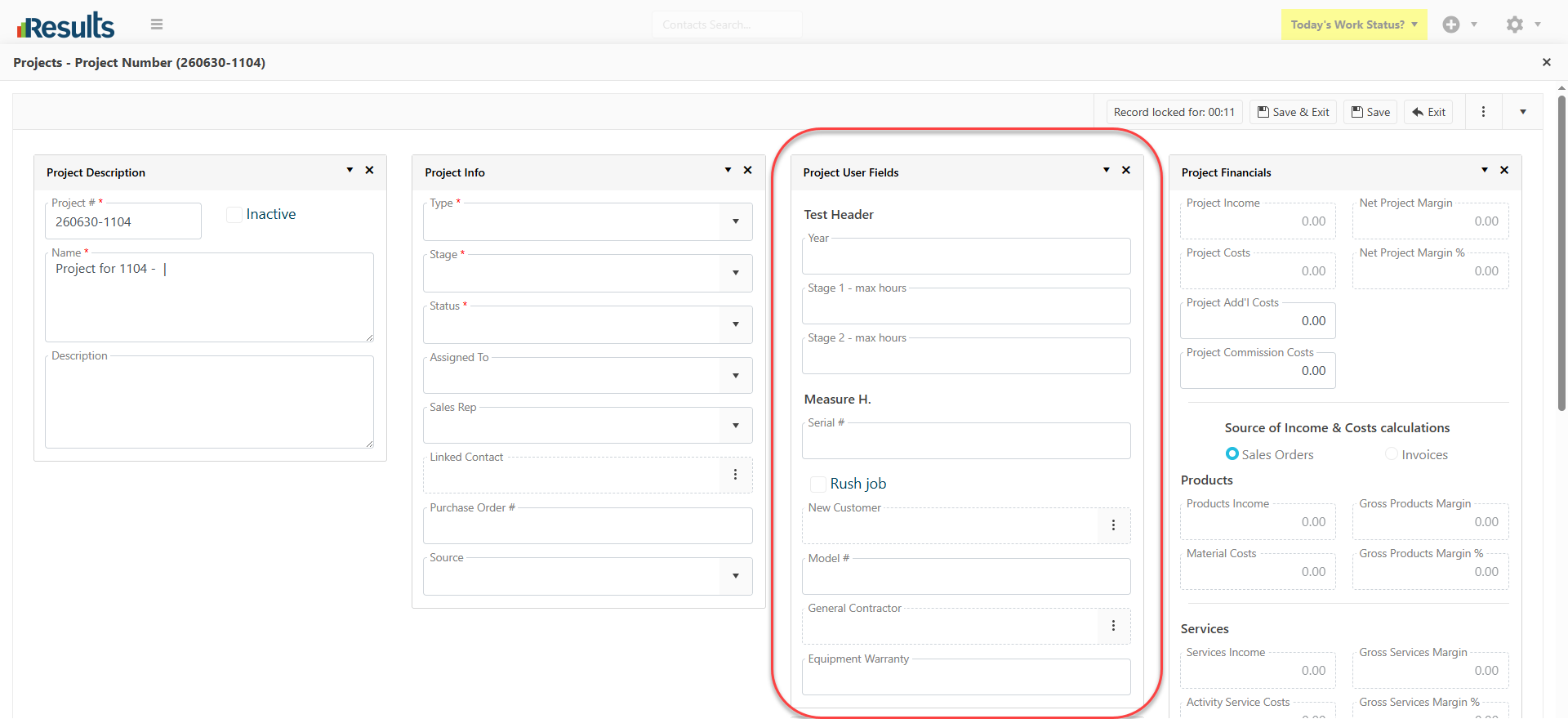
  • Header-Only Option for Project/Opportunity User Fields – A new “Header Only” option is available in the Data Manager for Project/Opportunity User Fields. Enabling this option makes the field label bold, adds extra spacing, and turns the field into a visual section header, helping organize related user fields into clear groups for better readability.

Why This Matters?

  • Greater Customization – Organizations can now capture more project- and opportunity-specific information with the expanded set of Date and Text User Fields.
  • Improved Project Layouts – The new Header Only option lets administrators create well-organized sections within the Project and Opportunity user fields, making data-entry screens easier to navigate.
  • Better User Experience – Clear visual grouping of fields reduces clutter, improves readability, and helps users find and enter information more efficiently.
  • Scalable Configuration – These enhancements provide additional flexibility for businesses with complex workflows, enabling the system to adapt to evolving operational requirements without custom development.

Standard Payment Receipt Enhancement

Results includes a Standard Payment Receipt in the Payments module, giving users a convenient way to generate and access a standardized receipt for payment records. Standard Payment Receipt –...

FSM Portal Job Card Quick Access Enhancements

Results now provides improved navigation on the FSM Portal with new Quick Access buttons on the Job Card, allowing users to jump directly to key sections of a job. These shortcuts help field service...

Create a QB Job Along with an Opportunity or a Project

Results makes it easier to create QuickBooks (QB) Jobs from Parent Contact records. New menu options let you create a QB Job along with an Opportunity or Project. These enhancements simplify record...

Unit Price and Cost Decimal Precision Enhancements

Greater precision and flexibility in managing financial values with a new setting in Admin Settings > Billing Settings. This enhancement lets users configure up to five decimal places for Unit...

Quantity Decimal Precision Enhancements

Greater precision and flexibility in managing quantities are available in Admin Settings > Billing Settings. This enhancement allows users to configure the number of decimal places displayed for...

Split Activity – Simplifying Team Assignments and Scheduling

The Split Activity feature in Results provides greater flexibility in activity management, allowing users to divide an existing activity into up to three additional activities and assign them to...

Expanded User Permissions and Key Utilities Access

Results provides administrators with greater control over user access to key utilities and integration configurations. New permission options have been added to the Users module, making it easier to...

Streamlined Refund Processing in Results Payments Integration

Results Payments Integration now provides a more streamlined way to process and track Refunds directly from Results. With the new “Issue Refund” functionality and enhanced transaction tracking,...

Generate Payment Links for Deposits

Results Payments Integration now makes it easier to collect Deposit payments directly from Projects. With the new Generate Payment Link for Deposit option, users can generate a secure payment link...

Who’s Working Module Enhancements

Results offers greater flexibility and convenience in the Who’s Working module, with enhancements to how Assigned Activity information is displayed and how users manage settings.Default Assigned...
Results May 2026 Newsletter

Results May 2026 Newsletter

The May newsletter highlights enhancements that strengthen communication, improve financial integration, expand administrative control, and introduce built-in AI assistance. Results is pleased to announce Ask Claude, a built-in AI assistant that helps users find information, generate content, and complete tasks without leaving Results. Other key updates include Email Confirmation with Special Instruction validation for safer client communications and automatic activity tracking; enhanced QuickBooks Desktop exports that support Group line items and related financial details; new Activity Type visibility settings for greater control across portals and modules; and direct access to Workflow Status from the My Activities Board for faster activity management. Together, these enhancements improve efficiency, increase visibility, reduce manual effort, and give organizations greater flexibility across daily operations.

Built-In AI Assistant Inside Results – Starting with Ask Claude

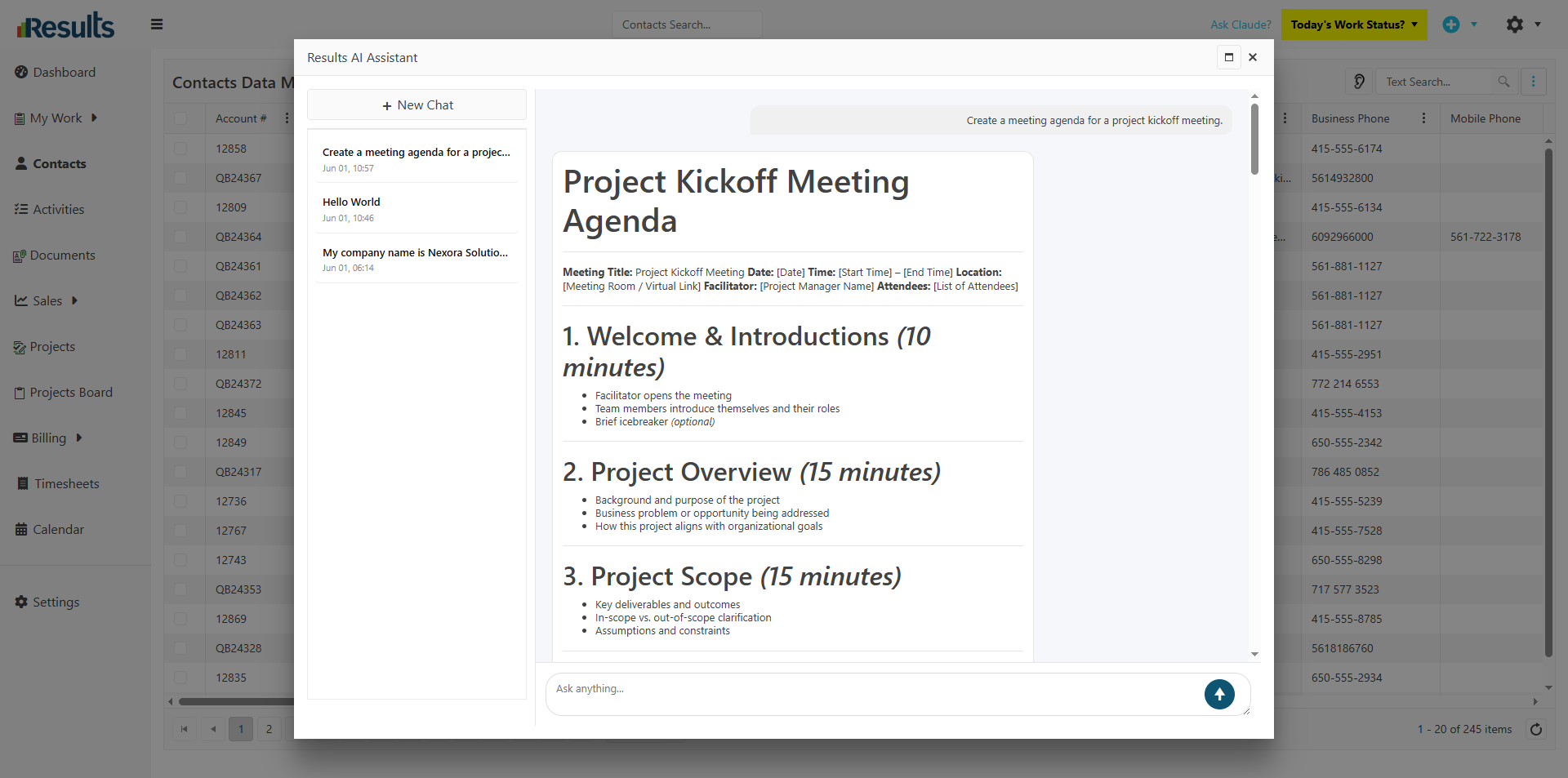
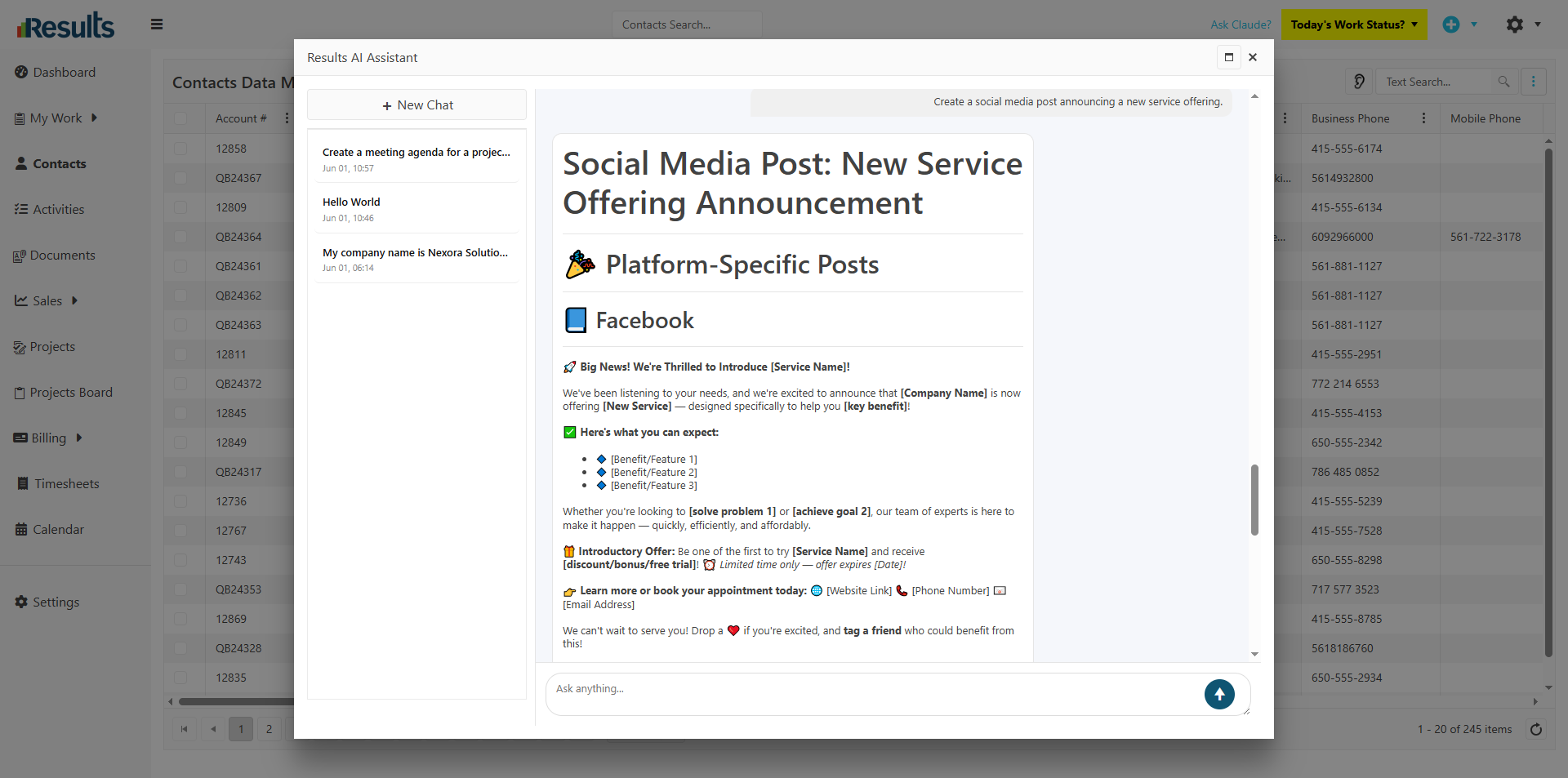
Results introduces Ask Claude, an integrated AI assistant built directly into the platform, giving staff instant access to AI-powered help, insights, and productivity tools without leaving Results.

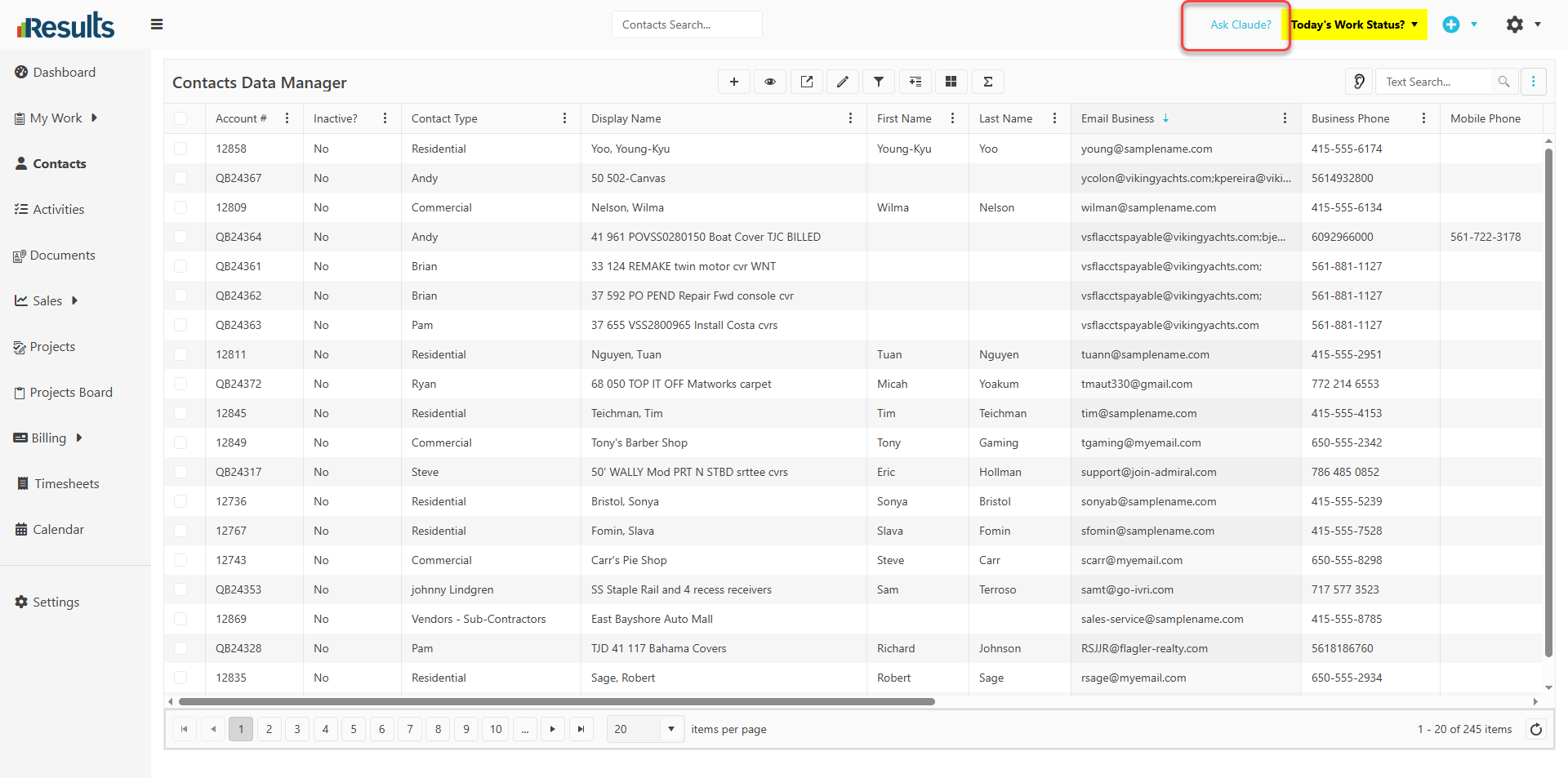
Ask Claude can be accessed as a general-purpose assistant or as a context-aware assistant directly from Contact and Activity records, creating a smarter, more seamless user experience.

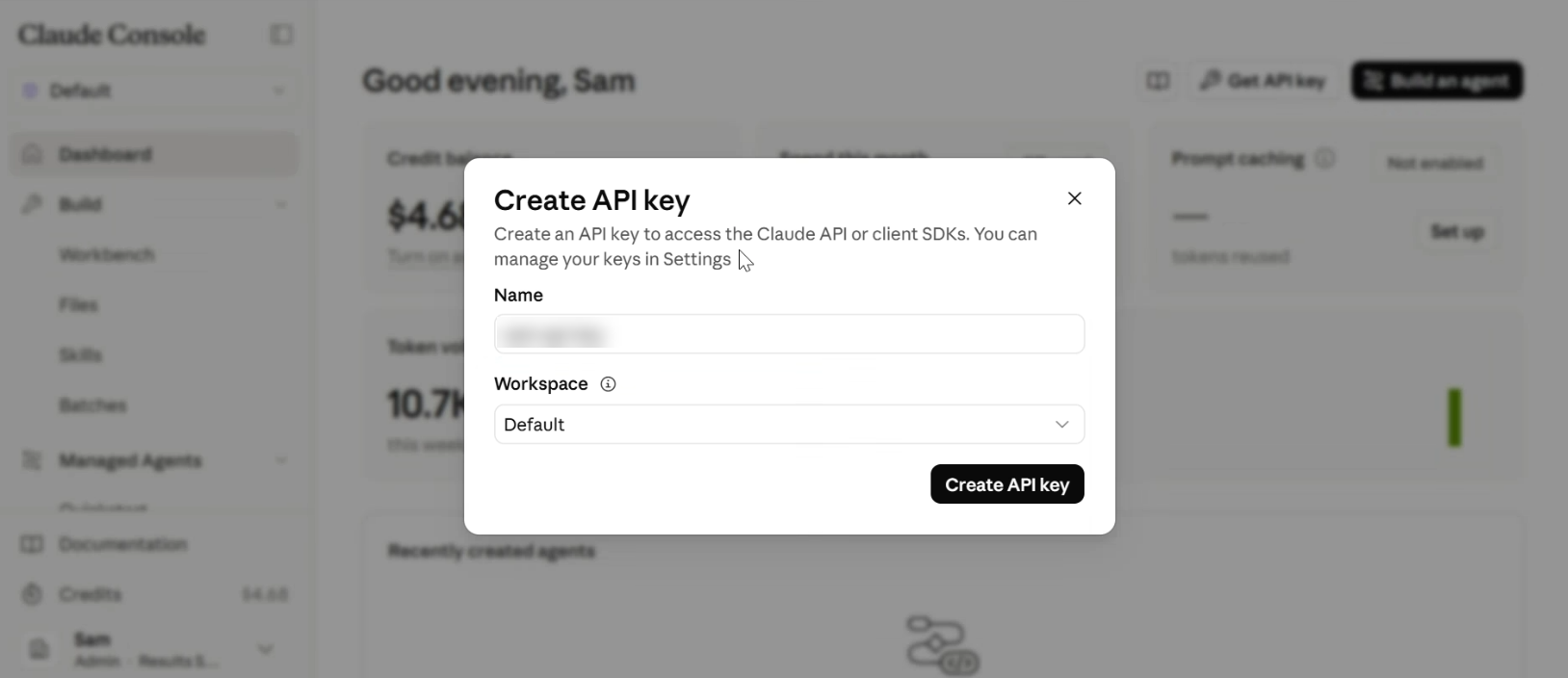
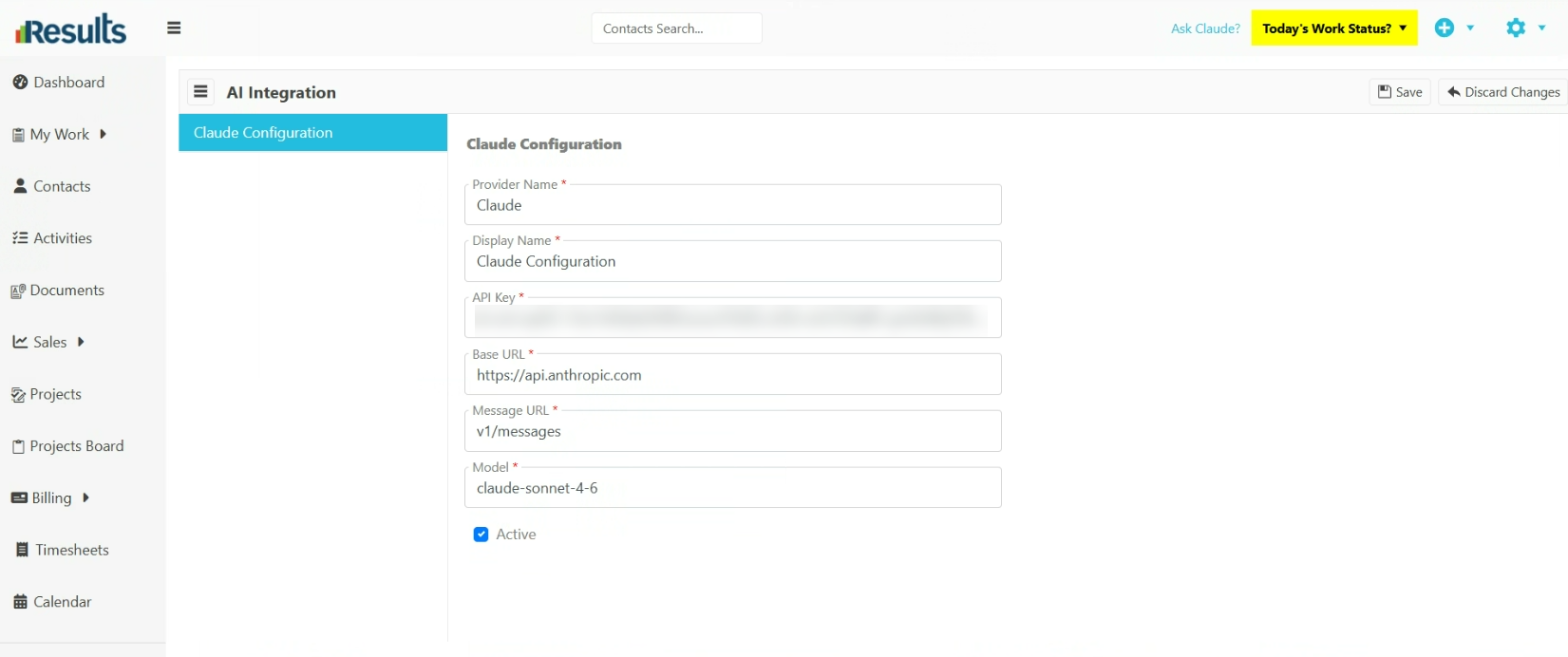
Note: The new Results AI Integration requires a license to use its features, and access to Claude requires an API license from Anthropic (the maker of Claude). Instructions for signing up for the Claude API and configuring the integration are available in Results’ built-in documentation.

What's New?

AI Assistant from the Main Navigation Menu – Users can now launch Ask Claude directly from the main navigation menu as a private AI assistant tied to their Results User account. Staff can use it for:

    1. Business-related questions
    2. Task assistance
    3. Content generation
    4. Process guidance
    5. General personal productivity questions

Each session remains private to the logged-in user.

Future Multi-AI Engine Support – This framework is designed for future expansion to support additional AI engines, including:

    1. ChatGPT
    2. CoPilot
    3. Gemini
    4. Grok
As additional providers become available, users will be able to select their preferred AI engine, and the feature naming and prompts will evolve accordingly.

Why This Matters?

  • Faster Access to Information – Users can get answers, summaries, recommendations, and assistance instantly without leaving Results or switching applications.
  • Improved Operational Efficiency – Teams can save time on research, communication drafting, note summarization, and workflow assistance using AI directly inside their daily processes.
  • Scalable AI Platform for the Future – The new architecture lays the foundation to support multiple AI providers, giving organizations flexibility as AI technology continues to evolve.

Standard Payment Receipt Enhancement

Results includes a Standard Payment Receipt in the Payments module, giving users a convenient way to generate and access a standardized receipt for payment records. Standard Payment Receipt –...

FSM Portal Job Card Quick Access Enhancements

Results now provides improved navigation on the FSM Portal with new Quick Access buttons on the Job Card, allowing users to jump directly to key sections of a job. These shortcuts help field service...

Create a QB Job Along with an Opportunity or a Project

Results makes it easier to create QuickBooks (QB) Jobs from Parent Contact records. New menu options let you create a QB Job along with an Opportunity or Project. These enhancements simplify record...

Unit Price and Cost Decimal Precision Enhancements

Greater precision and flexibility in managing financial values with a new setting in Admin Settings > Billing Settings. This enhancement lets users configure up to five decimal places for Unit...

Quantity Decimal Precision Enhancements

Greater precision and flexibility in managing quantities are available in Admin Settings > Billing Settings. This enhancement allows users to configure the number of decimal places displayed for...

Split Activity – Simplifying Team Assignments and Scheduling

The Split Activity feature in Results provides greater flexibility in activity management, allowing users to divide an existing activity into up to three additional activities and assign them to...

Expanded User Permissions and Key Utilities Access

Results provides administrators with greater control over user access to key utilities and integration configurations. New permission options have been added to the Users module, making it easier to...

Streamlined Refund Processing in Results Payments Integration

Results Payments Integration now provides a more streamlined way to process and track Refunds directly from Results. With the new “Issue Refund” functionality and enhanced transaction tracking,...

Generate Payment Links for Deposits

Results Payments Integration now makes it easier to collect Deposit payments directly from Projects. With the new Generate Payment Link for Deposit option, users can generate a secure payment link...

Who’s Working Module Enhancements

Results offers greater flexibility and convenience in the Who’s Working module, with enhancements to how Assigned Activity information is displayed and how users manage settings.Default Assigned...