
What's New?
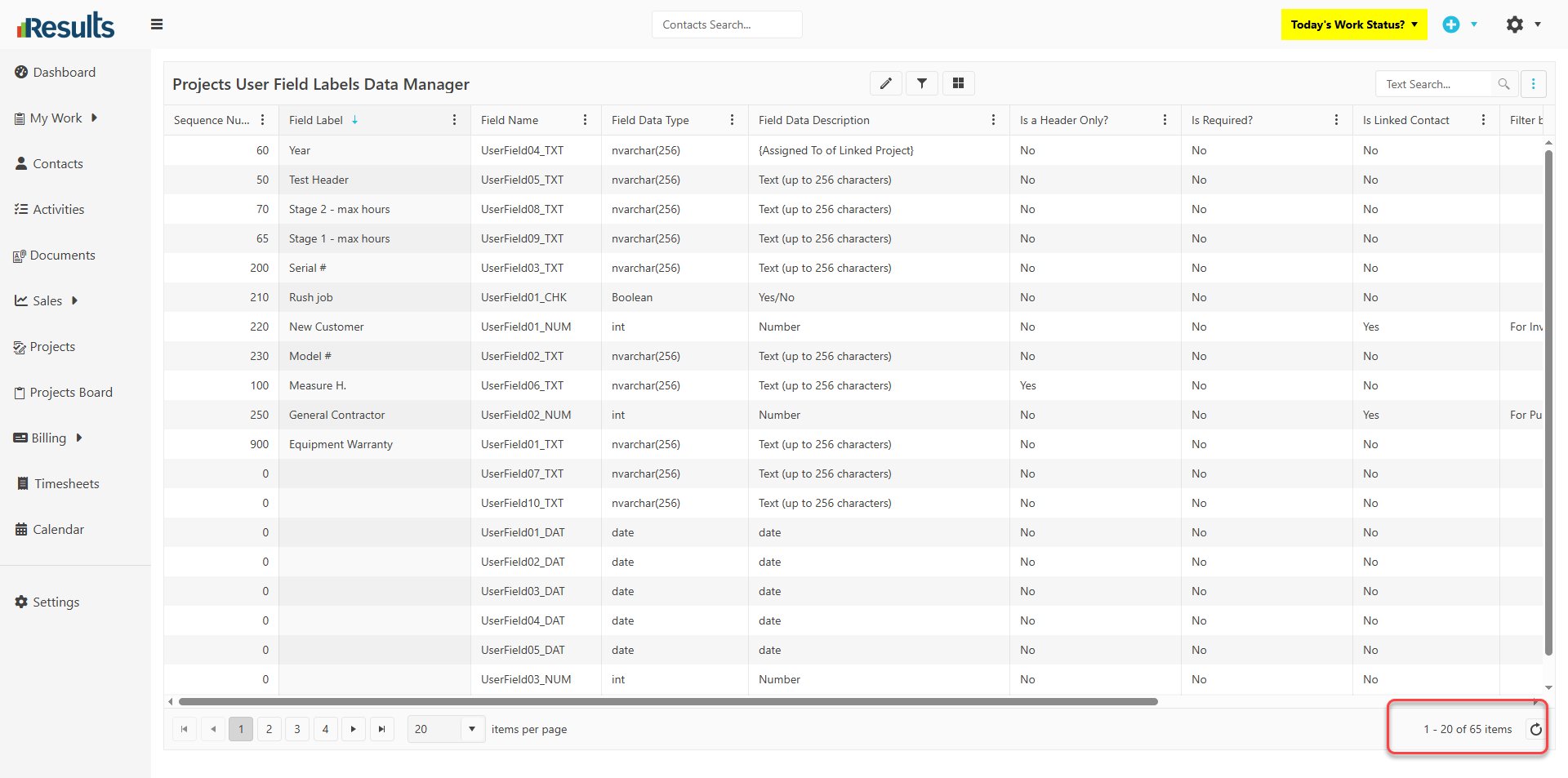
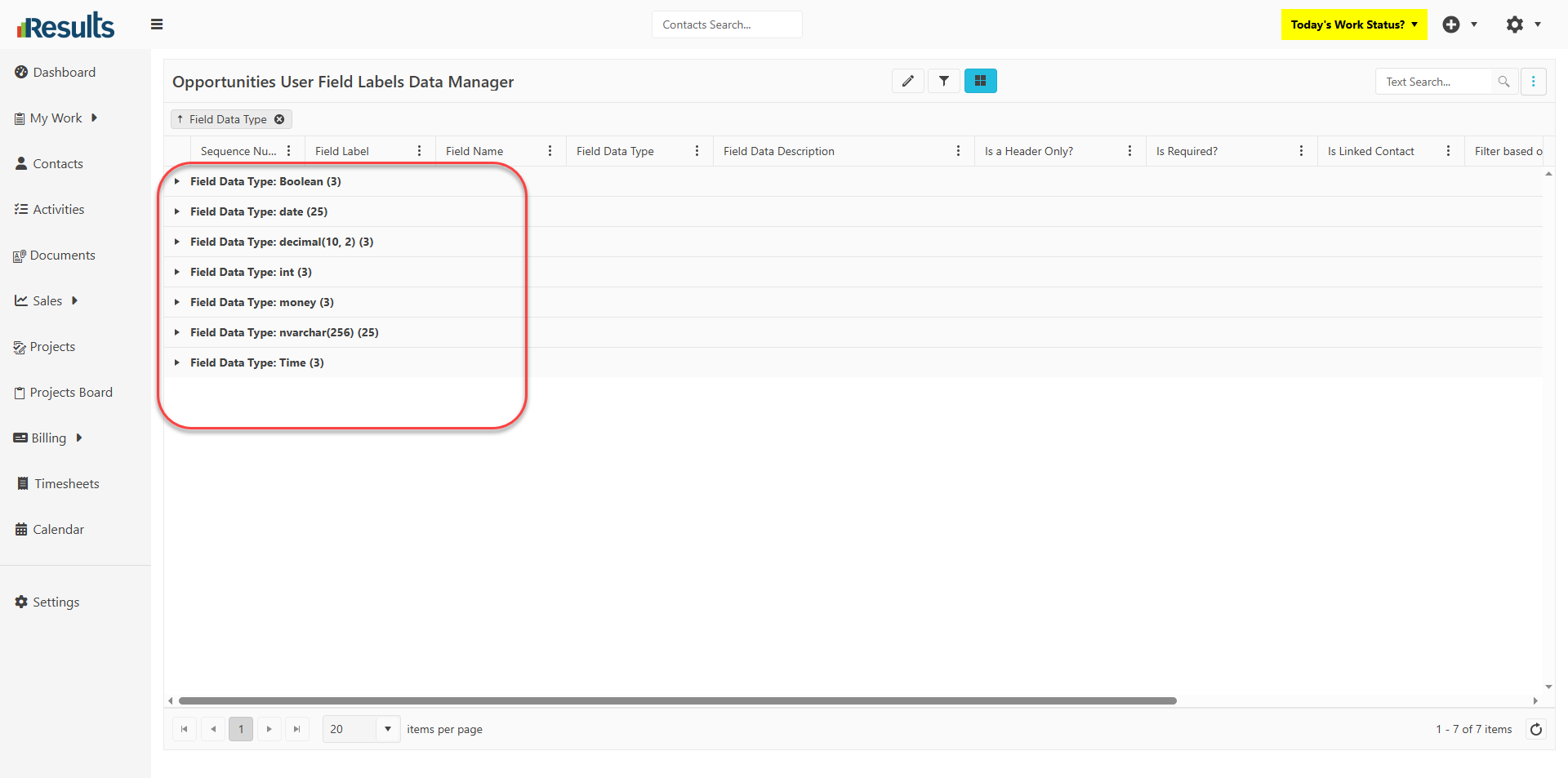
- Additional User Fields for Projects & Sales Opportunities – The User Fields Data Manager for Projects and Sales Opportunities now supports 20 more Date User Fields and 15 more Text User Fields. This provides significantly greater capacity to store custom project and opportunity information without requiring custom modifications.
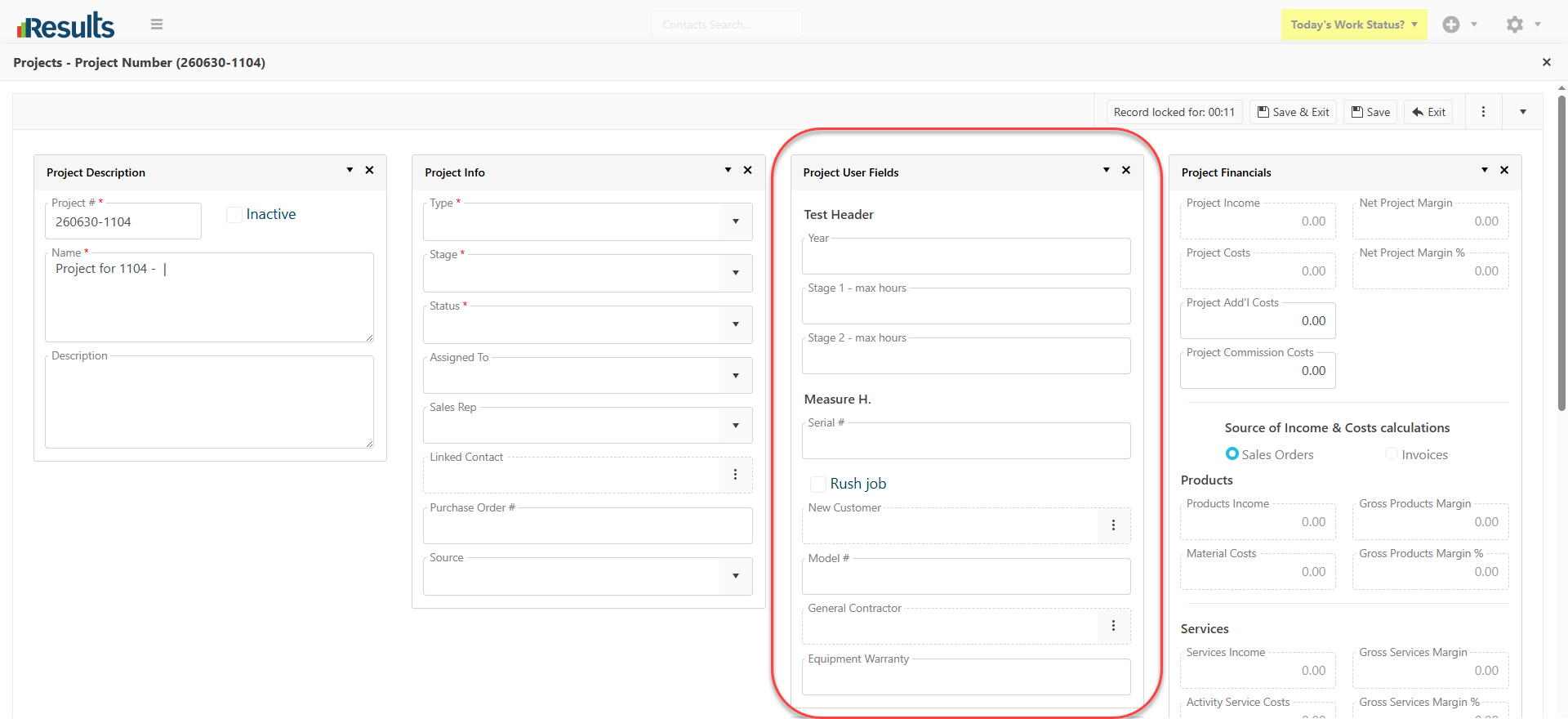
- Header-Only Option for Project/Opportunity User Fields – A new “Header Only” option is available in the Data Manager for Project/Opportunity User Fields. Enabling this option makes the field label bold, adds extra spacing, and turns the field into a visual section header, helping organize related user fields into clear groups for better readability.
Why This Matters?
- Greater Customization – Organizations can now capture more project- and opportunity-specific information with the expanded set of Date and Text User Fields.
- Improved Project Layouts – The new Header Only option lets administrators create well-organized sections within the Project and Opportunity user fields, making data-entry screens easier to navigate.
- Better User Experience – Clear visual grouping of fields reduces clutter, improves readability, and helps users find and enter information more efficiently.
- Scalable Configuration – These enhancements provide additional flexibility for businesses with complex workflows, enabling the system to adapt to evolving operational requirements without custom development.