Nested Products & Services Grid for Activities

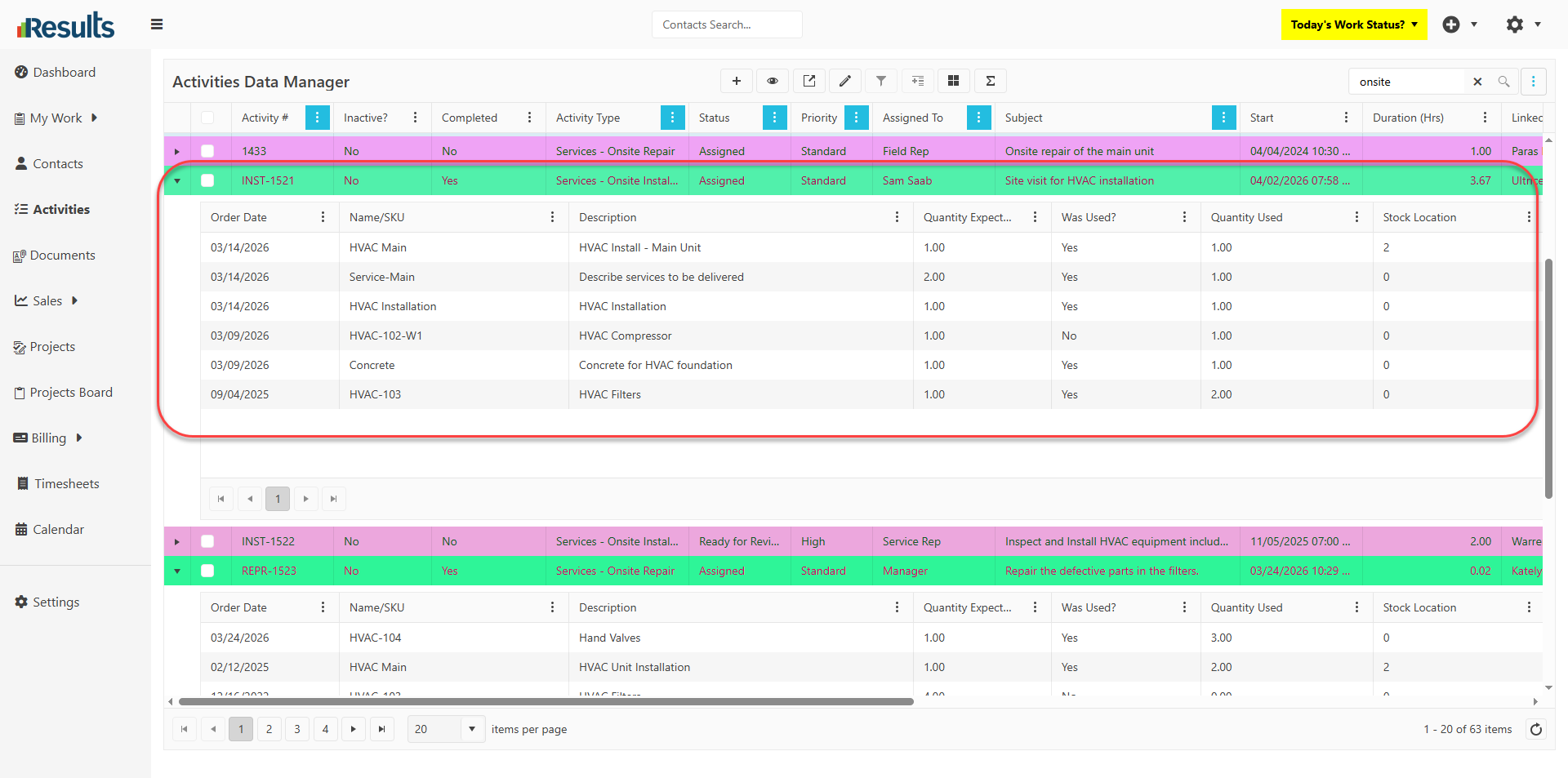
Results has a new nested grid layout within the Activities Data Manager, allowing users to view Products & Services directly beneath each Activity record that they belong to. This enhancement provides greater visibility into activity-related details while making it easier to analyze, export, and personalize data views.

What's New?

  • Nested Products & Services Grid – The Activities Data Manager now supports a nested grid layout that displays the associated Products & Services directly under each Activity record.

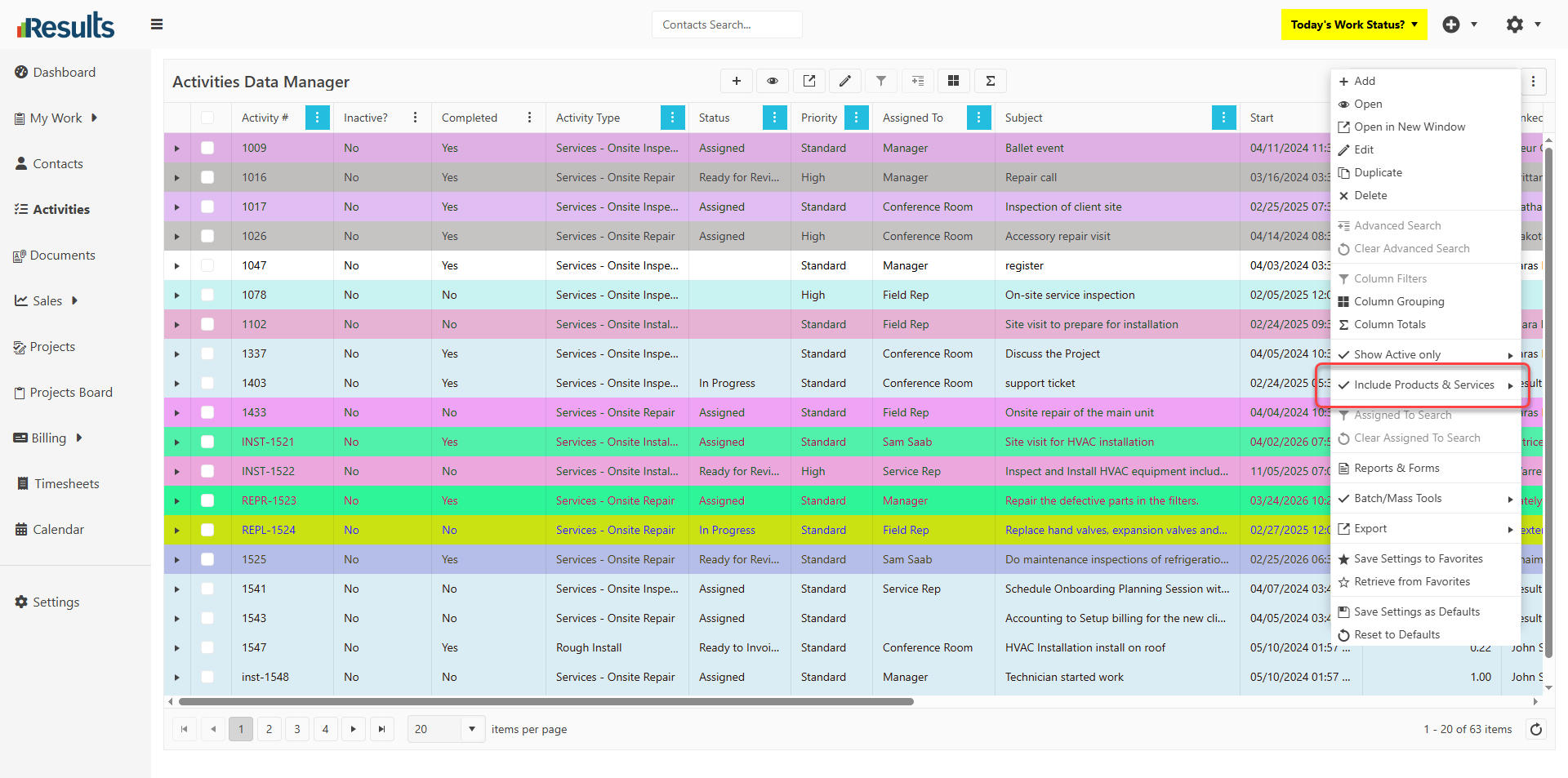
  • Include/Exclude Products & Services Option – A new Include/Exclude Products & Services option is now available in the Activities Data Manager’s 3-dots menu. Selecting Include displays the nested Products & Services sub-grid for each Activity. Selecting Exclude reverts the Data Manager to the standard Activity-only view.

  • Save Your Preferred View – Users can store their chosen layout, including the visibility of the nested Products & Services grid, in their Default Settings or Favorites for quick access to their preferred view.

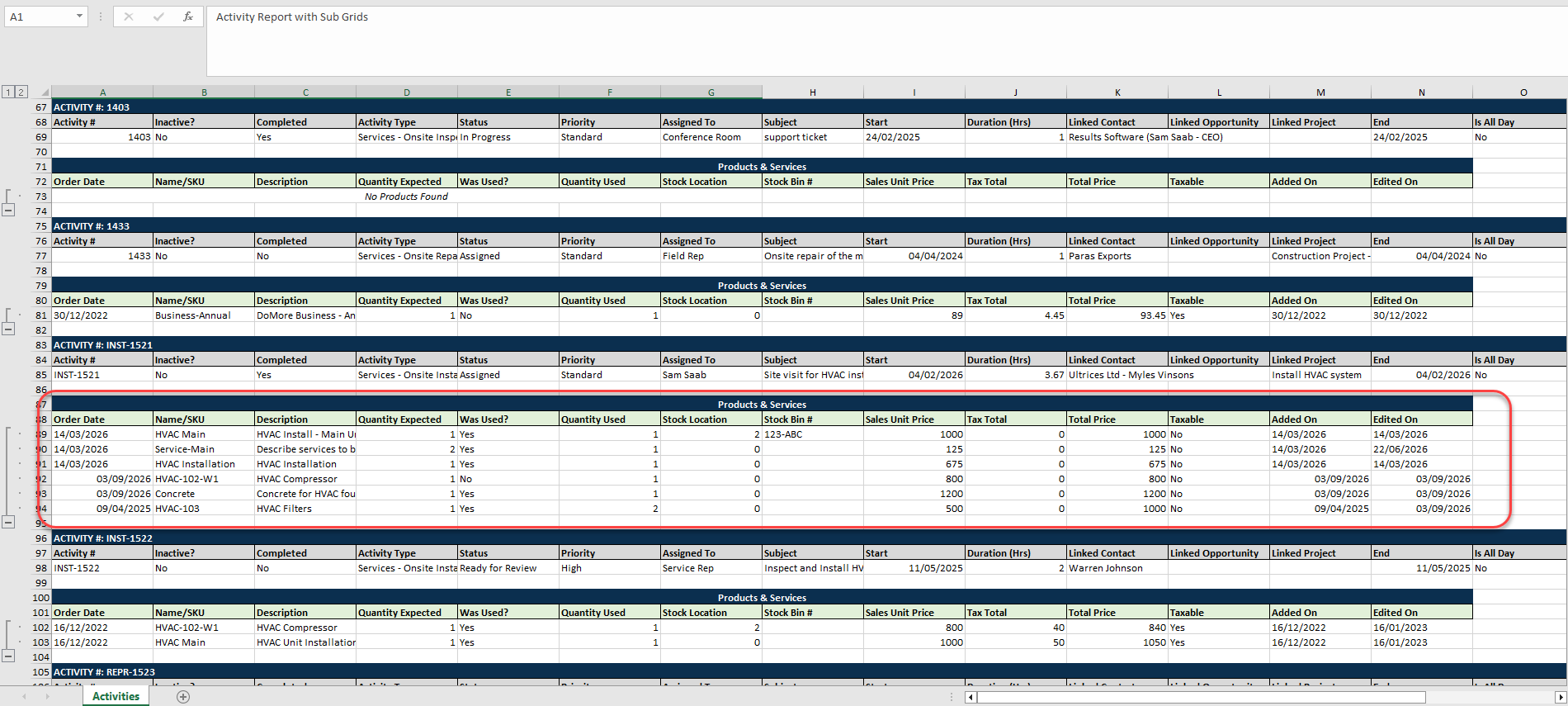
  • Excel Export Support – Exporting the Activities Data Manager to Excel also includes the nested Products & Services data, offering a more comprehensive dataset for reporting and analysis.
Why This Matters?

  • Improved Data Visibility – Users can view Activity records and their related Products & Services in a single, organized interface without opening each Activity record to review the Products & Services usage for that Activity for simplified billing and usage tracking.

  • Personalized Workspaces – The ability to save the nested grid as a default view or a Favorite lets users tailor the Data Manager to their preferred workflow.

  • Enhanced Reporting – Including the nested Products & Services data in Excel exports makes it easier to analyze, share, and report Activity-related information and Product Usage outside Results.

  • Greater Efficiency – Keeping related data readily available in the Activities Data Manager reduces navigation and helps users access the information they need more quickly.

Enhanced Product & Service Selection in the FSM Portal

The Products & Services tab in the FSM and Team Portal provides users with more flexible options for adding Products and Services to a Job. In addition to the existing quick entry method, users...

Configurable Time Display Format for Timesheets

Timesheet Settings offer greater flexibility by allowing organizations to choose how time is displayed, enabling users to view it either in the traditional decimal format or in a more user-friendly...

Maximize & Restore View for Tab Data Managers & Line-Item Grids

The Maximize/Restore option across Tab Data Managers and Financial Line-Item Grids makes it easier to work with large datasets by expanding the grid to display more records at once. In addition, the...

Enhanced QuickBooks Desktop Re-Export for Invoices & Estimates

Results provides greater flexibility when working with QuickBooks Desktop by allowing modified Invoices and Estimates to be re-exported after their initial synchronization. New integration settings...

Expanded Project & Sales Opportunity User Fields

Results offers greater flexibility for Project and Sales Opportunity customization by expanding the available User Fields and introducing a new formatting option for Proposal/Opportunity User...

Built-In AI Assistant Inside Results – Starting with Ask Claude

Results introduces Ask Claude, an integrated AI assistant built directly into the platform, giving staff instant access to AI-powered help, insights, and productivity tools without leaving Results....

Workflow Status Button Added to My Activities Board

Results includes a Workflow Status button directly on Activity cards within the My Activities Board, giving users quicker access to workflow information and actions. The enhancement brings the My...

New Visibility Controls Added to Activity Types

Results includes new visibility settings within Activity Type configuration, giving administrators greater control over where Activities appear throughout the platform. These settings help...

Enhanced QuickBooks Desktop Export for Financial Group Line Items

Results can now export Group line items and all associated line items within those Groups directly to QuickBooks Desktop across supported Financial records. The enhancement improves synchronization...

Email Confirmation with Special Instructions Validation

Results includes a new Email Confirmation option in the Linked Contact menu on an Activities data entry screen, giving users a faster way to communicate with clients while maintaining compliance...