Workflow Status Button Added to My Activities Board

Results includes a Workflow Status button directly on Activity cards within the My Activities Board, giving users quicker access to workflow information and actions. The enhancement brings the My Activities Board in line with the FSM & Team Portal Board, creating a more consistent experience across activity management tools.

Users can now review workflow status details and manage activity progression directly from the board without opening individual Activity records.

What's New?

  • Workflow Status Button on Activity Cards – A new Workflow Status button appears on Activity cards within the My Activities Board. Users can:

    • View current workflow status information
    • Access workflow-related actions directly from the card
    • Manage activity progression without opening the Activity record

  • Consistent Functionality Across Boards – The My Activities Board now provides the same Workflow Status functionality available in the FSM & Team Portal Board.
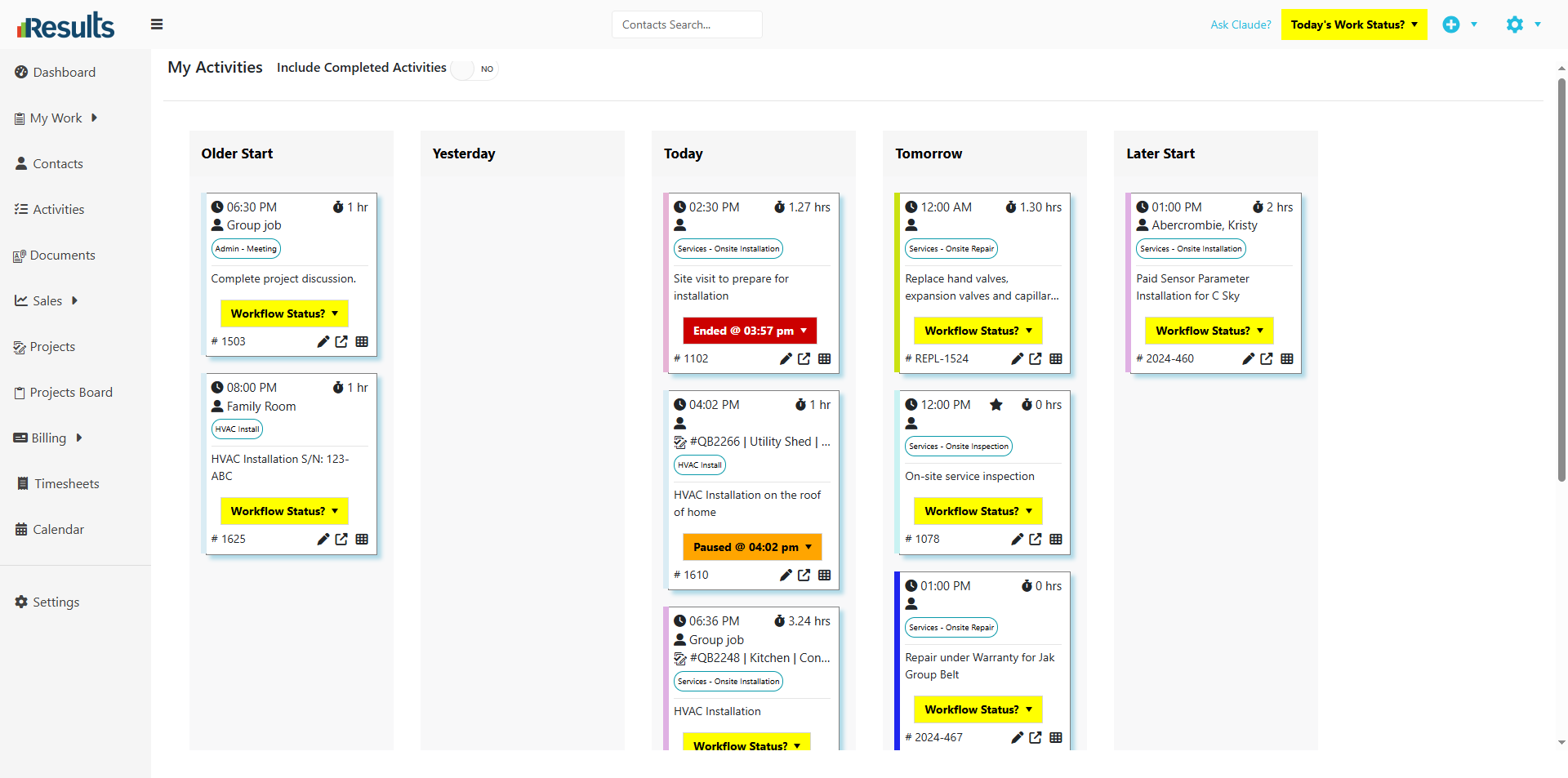
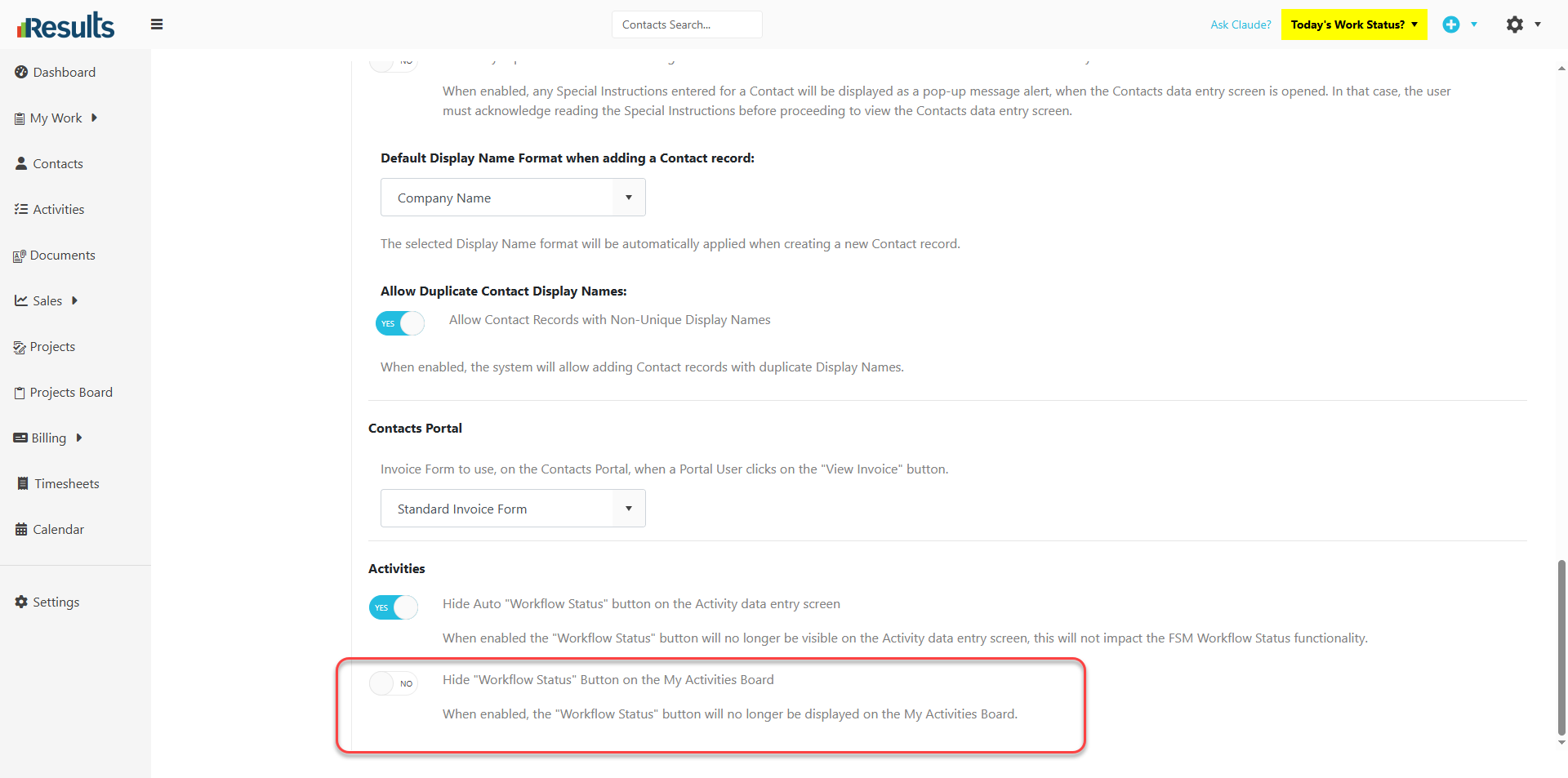
  • New Administrative Setting – Results includes a new administrative option: Hide Workflow Status Button from My Activities. Admins can set the Default Value to Yes to remove the Workflow Status button from the My Activities Board.
  • Why This Matters?

    • Improved User Experience – Users see only the Activities that are relevant to their role, reducing clutter and improving navigation.
    • Better Portal Control – Workflow controls at the board level help users update and track Activities more quickly throughout the day.
    • Consistent User Experience – Matching functionality across boards creates a more intuitive and predictable workflow.
    • Greater Administrative Flexibility – Organizations can decide whether Workflow Status controls appear on the My Activities Board based on their operational preferences.
    Standard Payment Receipt Enhancement

    Results includes a Standard Payment Receipt in the Payments module, giving users a convenient way to generate and access a standardized receipt for payment records. Standard Payment Receipt –...

    FSM Portal Job Card Quick Access Enhancements

    Results now provides improved navigation on the FSM Portal with new Quick Access buttons on the Job Card, allowing users to jump directly to key sections of a job. These shortcuts help field service...

    Create a QB Job Along with an Opportunity or a Project

    Results makes it easier to create QuickBooks (QB) Jobs from Parent Contact records. New menu options let you create a QB Job along with an Opportunity or Project. These enhancements simplify record...

    Unit Price and Cost Decimal Precision Enhancements

    Greater precision and flexibility in managing financial values with a new setting in Admin Settings > Billing Settings. This enhancement lets users configure up to five decimal places for Unit...

    Quantity Decimal Precision Enhancements

    Greater precision and flexibility in managing quantities are available in Admin Settings > Billing Settings. This enhancement allows users to configure the number of decimal places displayed for...

    Split Activity – Simplifying Team Assignments and Scheduling

    The Split Activity feature in Results provides greater flexibility in activity management, allowing users to divide an existing activity into up to three additional activities and assign them to...

    Expanded User Permissions and Key Utilities Access

    Results provides administrators with greater control over user access to key utilities and integration configurations. New permission options have been added to the Users module, making it easier to...

    Streamlined Refund Processing in Results Payments Integration

    Results Payments Integration now provides a more streamlined way to process and track Refunds directly from Results. With the new “Issue Refund” functionality and enhanced transaction tracking,...

    Generate Payment Links for Deposits

    Results Payments Integration now makes it easier to collect Deposit payments directly from Projects. With the new Generate Payment Link for Deposit option, users can generate a secure payment link...

    Who’s Working Module Enhancements

    Results offers greater flexibility and convenience in the Who’s Working module, with enhancements to how Assigned Activity information is displayed and how users manage settings.Default Assigned...

    New Visibility Controls Added to Activity Types

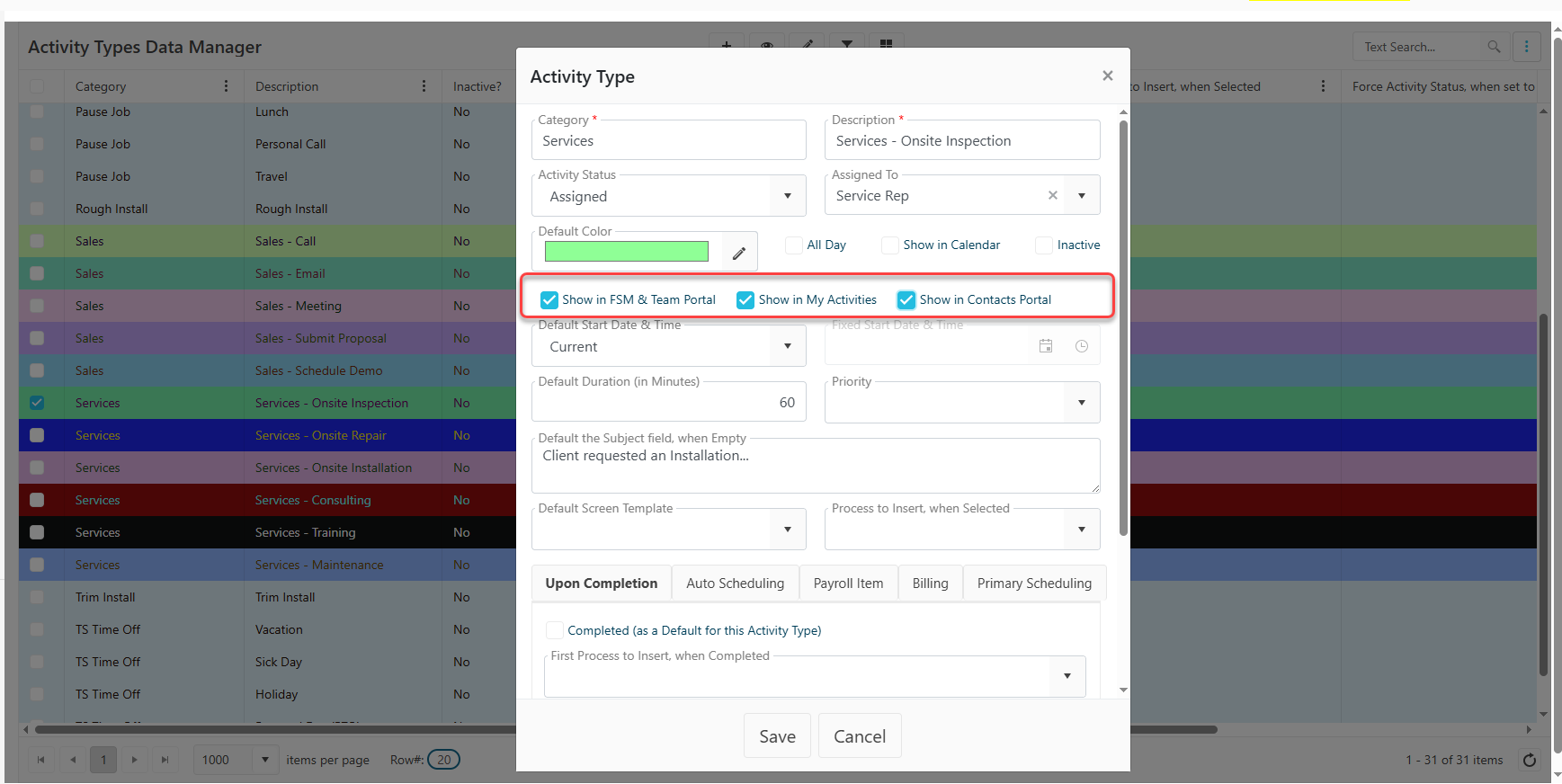
    Results includes new visibility settings within Activity Type configuration, giving administrators greater control over where Activities appear throughout the platform. These settings help organizations tailor Activity visibility based on user roles, workflows, and portal requirements.

    Administrators can now decide which Activity Types appear in employee-facing modules and which remain available through external-facing portals, creating a more focused user experience across the system.

    What's New?

    • New Activity Type Visibility Settings – Results includes three new visibility options on the Activity Type setup screen:
      • Show in FSM & Team Portal
      • Show in My Activities
      • Show in Contact Portal
    • Flexible Visibility Management – Administrators can configure Activity Types independently for:
      • FSM & Team Portal
      • My Activities views
      • Contact Portal access

    Why This Matters?

    • Improved User Experience – Users see only the Activities that are relevant to their role, reducing clutter and improving navigation.
    • Better Portal Control – Organizations can manage which Activity Types appear in external portals and which remain internal.
    • More Efficient Activity Management – Targeted visibility settings help teams focus on the Activities that support their daily workflows.
    • Increased Administrative Flexibility – Additional configuration options allow organizations to align Activity behavior with operational and security requirements.

    Standard Payment Receipt Enhancement

    Results includes a Standard Payment Receipt in the Payments module, giving users a convenient way to generate and access a standardized receipt for payment records. Standard Payment Receipt –...

    FSM Portal Job Card Quick Access Enhancements

    Results now provides improved navigation on the FSM Portal with new Quick Access buttons on the Job Card, allowing users to jump directly to key sections of a job. These shortcuts help field service...

    Create a QB Job Along with an Opportunity or a Project

    Results makes it easier to create QuickBooks (QB) Jobs from Parent Contact records. New menu options let you create a QB Job along with an Opportunity or Project. These enhancements simplify record...

    Unit Price and Cost Decimal Precision Enhancements

    Greater precision and flexibility in managing financial values with a new setting in Admin Settings > Billing Settings. This enhancement lets users configure up to five decimal places for Unit...

    Quantity Decimal Precision Enhancements

    Greater precision and flexibility in managing quantities are available in Admin Settings > Billing Settings. This enhancement allows users to configure the number of decimal places displayed for...

    Split Activity – Simplifying Team Assignments and Scheduling

    The Split Activity feature in Results provides greater flexibility in activity management, allowing users to divide an existing activity into up to three additional activities and assign them to...

    Expanded User Permissions and Key Utilities Access

    Results provides administrators with greater control over user access to key utilities and integration configurations. New permission options have been added to the Users module, making it easier to...

    Streamlined Refund Processing in Results Payments Integration

    Results Payments Integration now provides a more streamlined way to process and track Refunds directly from Results. With the new “Issue Refund” functionality and enhanced transaction tracking,...

    Generate Payment Links for Deposits

    Results Payments Integration now makes it easier to collect Deposit payments directly from Projects. With the new Generate Payment Link for Deposit option, users can generate a secure payment link...

    Who’s Working Module Enhancements

    Results offers greater flexibility and convenience in the Who’s Working module, with enhancements to how Assigned Activity information is displayed and how users manage settings.Default Assigned...

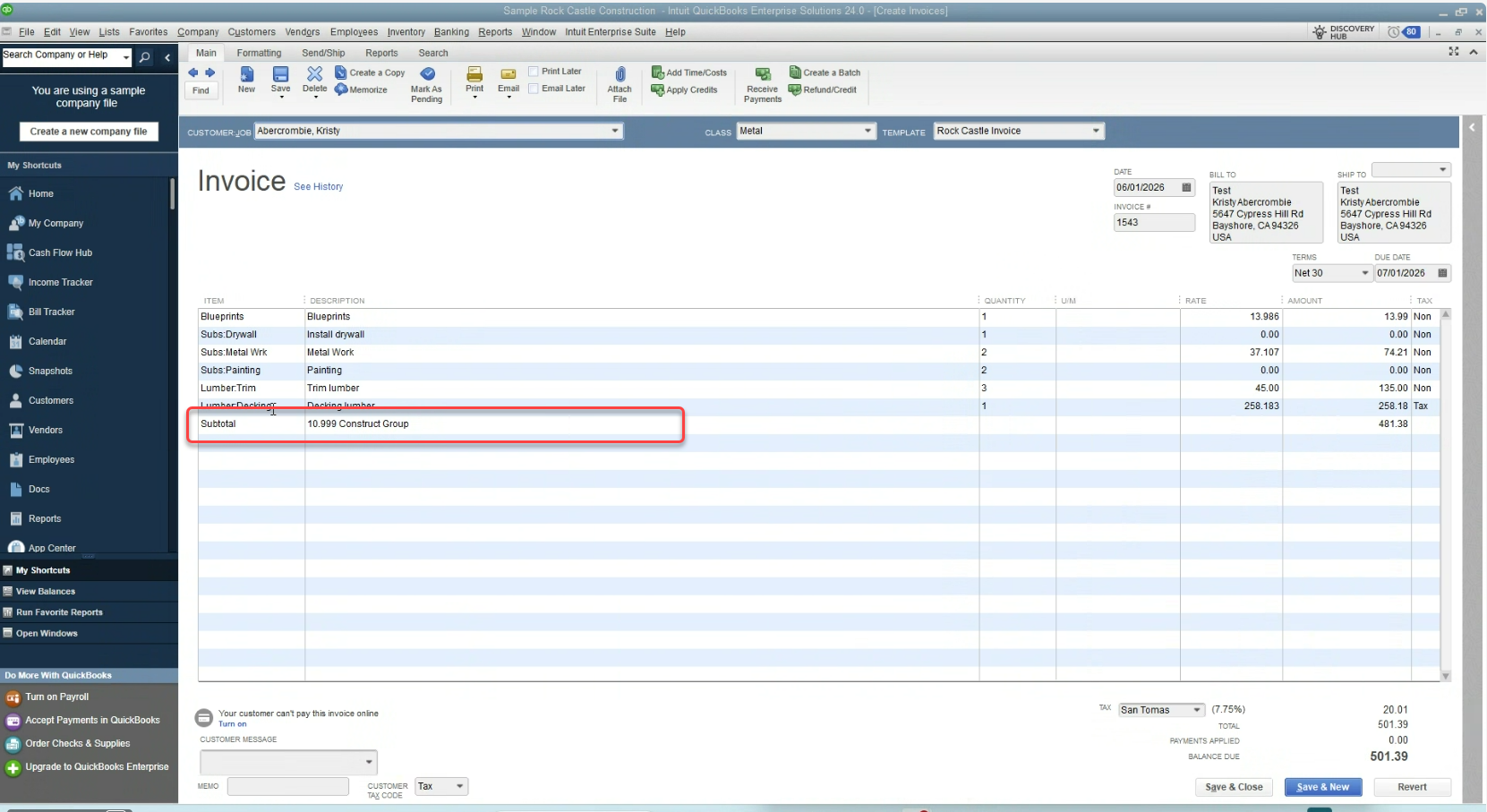
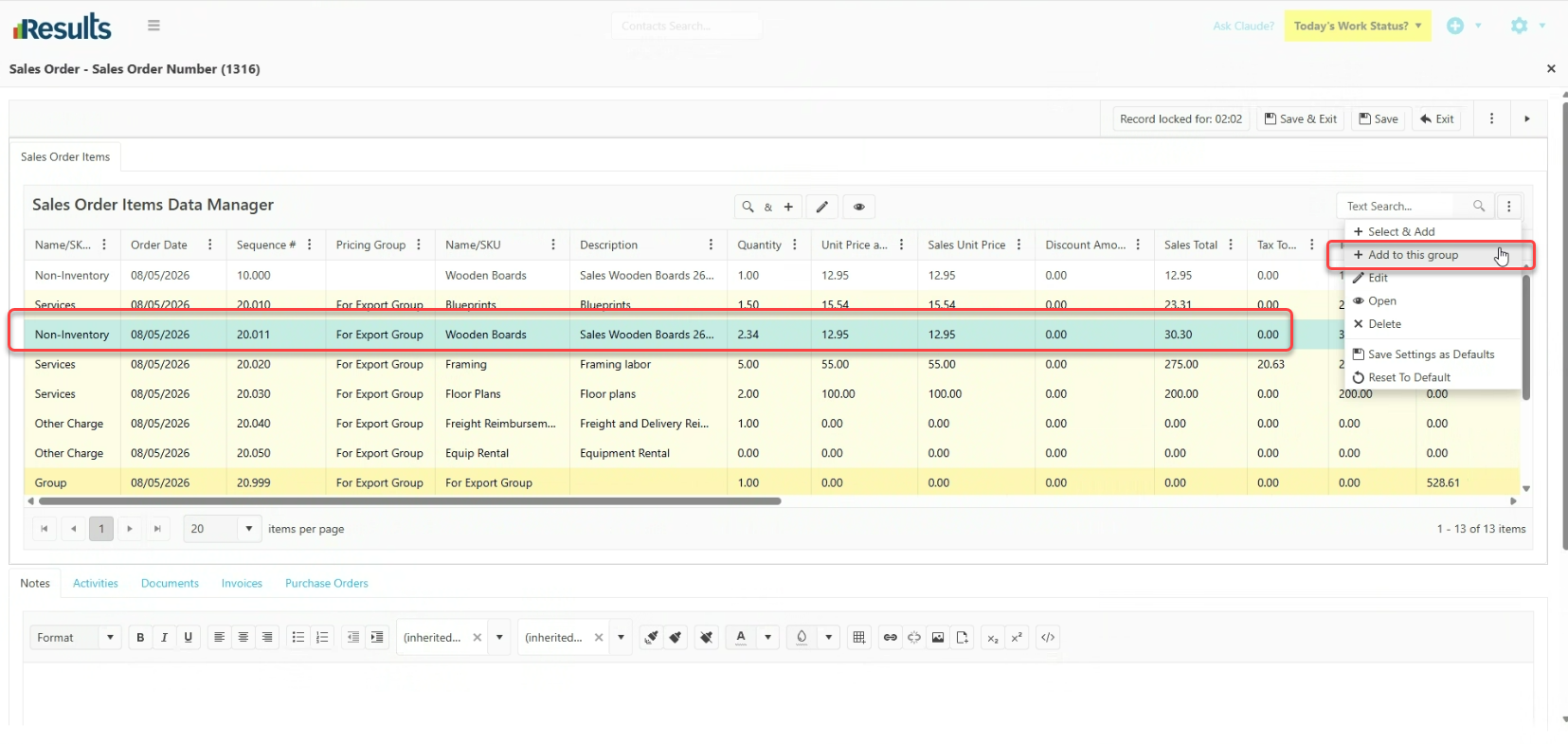
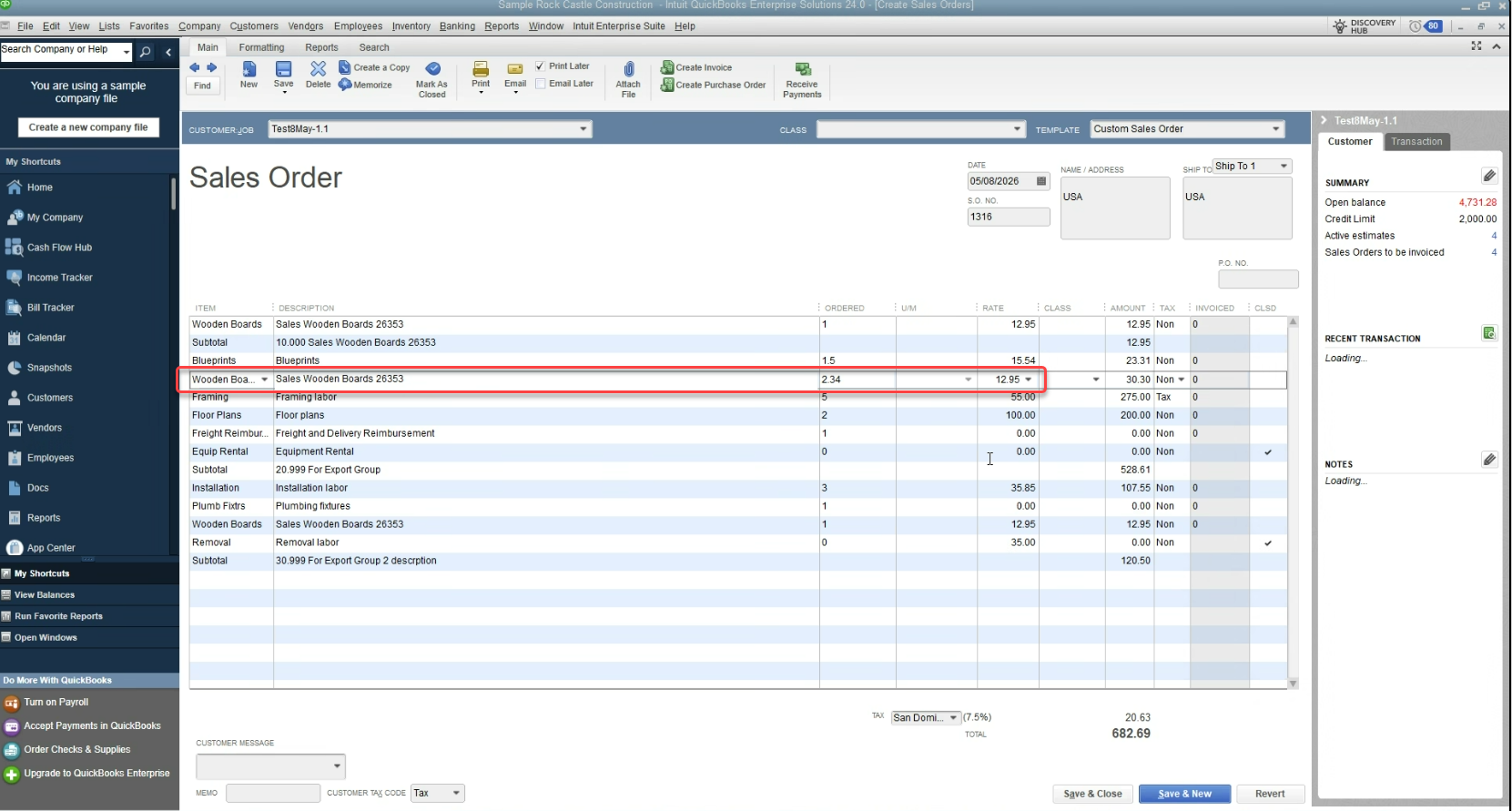
    Enhanced QuickBooks Desktop Export for Financial Group Line Items

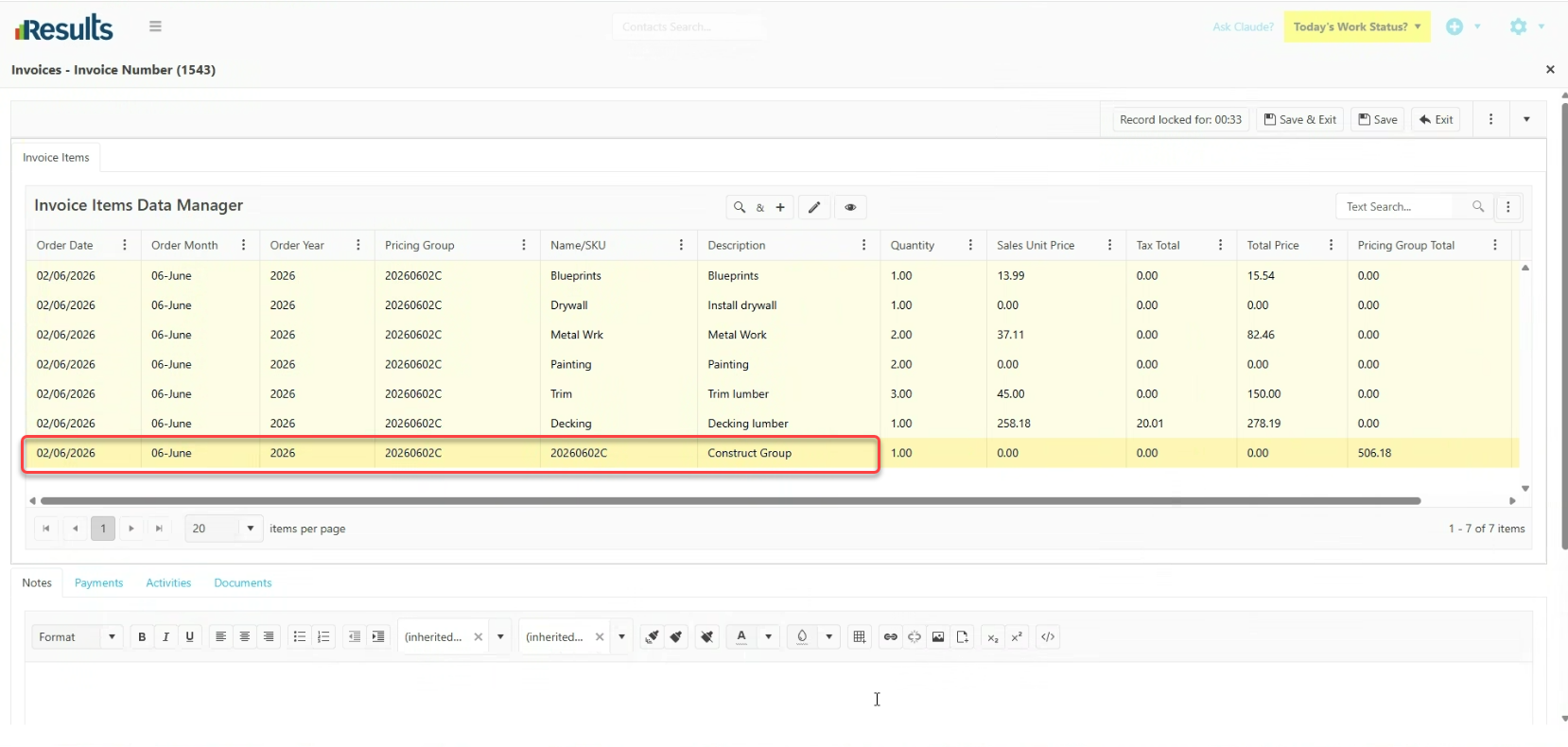
    Results can now export Group line items and all associated line items within those Groups directly to QuickBooks Desktop across supported Financial records. The enhancement improves synchronization between Results and QuickBooks Desktop by ensuring grouped financial data transfers with complete detail.

    By including all Group-related line items during export, Results reduces the need for manual accounting adjustments and helps maintain consistency between operational and financial systems.

    What's New?

    • Group Line-Item Export Support – Results exports Financial records that contain Group line items directly to QuickBooks Desktop.
    • Additional Group Line Items Included – Any line items created within a Group transfer as part of the export process, ensuring complete financial detail.
    • Support Across Financial Records – This functionality applies to supported Financial record types that integrate with QuickBooks Desktop.

    Why This Matters?

    • More Accurate Financial Synchronization – Complete Group exports help maintain consistency between Results and QuickBooks Desktop.
    • Reduced Manual Accounting Work – Accounting teams no longer need to recreate or adjust Group line items after export.
    • Improved Reporting Integrity – Exporting all Group-related details helps preserve accurate financial records and reporting across systems.
    • Better Workflow Efficiency – A more complete export process reduces reconciliation issues and supports smoother accounting operations.

    Standard Payment Receipt Enhancement

    Results includes a Standard Payment Receipt in the Payments module, giving users a convenient way to generate and access a standardized receipt for payment records. Standard Payment Receipt –...

    FSM Portal Job Card Quick Access Enhancements

    Results now provides improved navigation on the FSM Portal with new Quick Access buttons on the Job Card, allowing users to jump directly to key sections of a job. These shortcuts help field service...

    Create a QB Job Along with an Opportunity or a Project

    Results makes it easier to create QuickBooks (QB) Jobs from Parent Contact records. New menu options let you create a QB Job along with an Opportunity or Project. These enhancements simplify record...

    Unit Price and Cost Decimal Precision Enhancements

    Greater precision and flexibility in managing financial values with a new setting in Admin Settings > Billing Settings. This enhancement lets users configure up to five decimal places for Unit...

    Quantity Decimal Precision Enhancements

    Greater precision and flexibility in managing quantities are available in Admin Settings > Billing Settings. This enhancement allows users to configure the number of decimal places displayed for...

    Split Activity – Simplifying Team Assignments and Scheduling

    The Split Activity feature in Results provides greater flexibility in activity management, allowing users to divide an existing activity into up to three additional activities and assign them to...

    Expanded User Permissions and Key Utilities Access

    Results provides administrators with greater control over user access to key utilities and integration configurations. New permission options have been added to the Users module, making it easier to...

    Streamlined Refund Processing in Results Payments Integration

    Results Payments Integration now provides a more streamlined way to process and track Refunds directly from Results. With the new “Issue Refund” functionality and enhanced transaction tracking,...

    Generate Payment Links for Deposits

    Results Payments Integration now makes it easier to collect Deposit payments directly from Projects. With the new Generate Payment Link for Deposit option, users can generate a secure payment link...

    Who’s Working Module Enhancements

    Results offers greater flexibility and convenience in the Who’s Working module, with enhancements to how Assigned Activity information is displayed and how users manage settings.Default Assigned...

    Email Confirmation with Special Instructions Validation

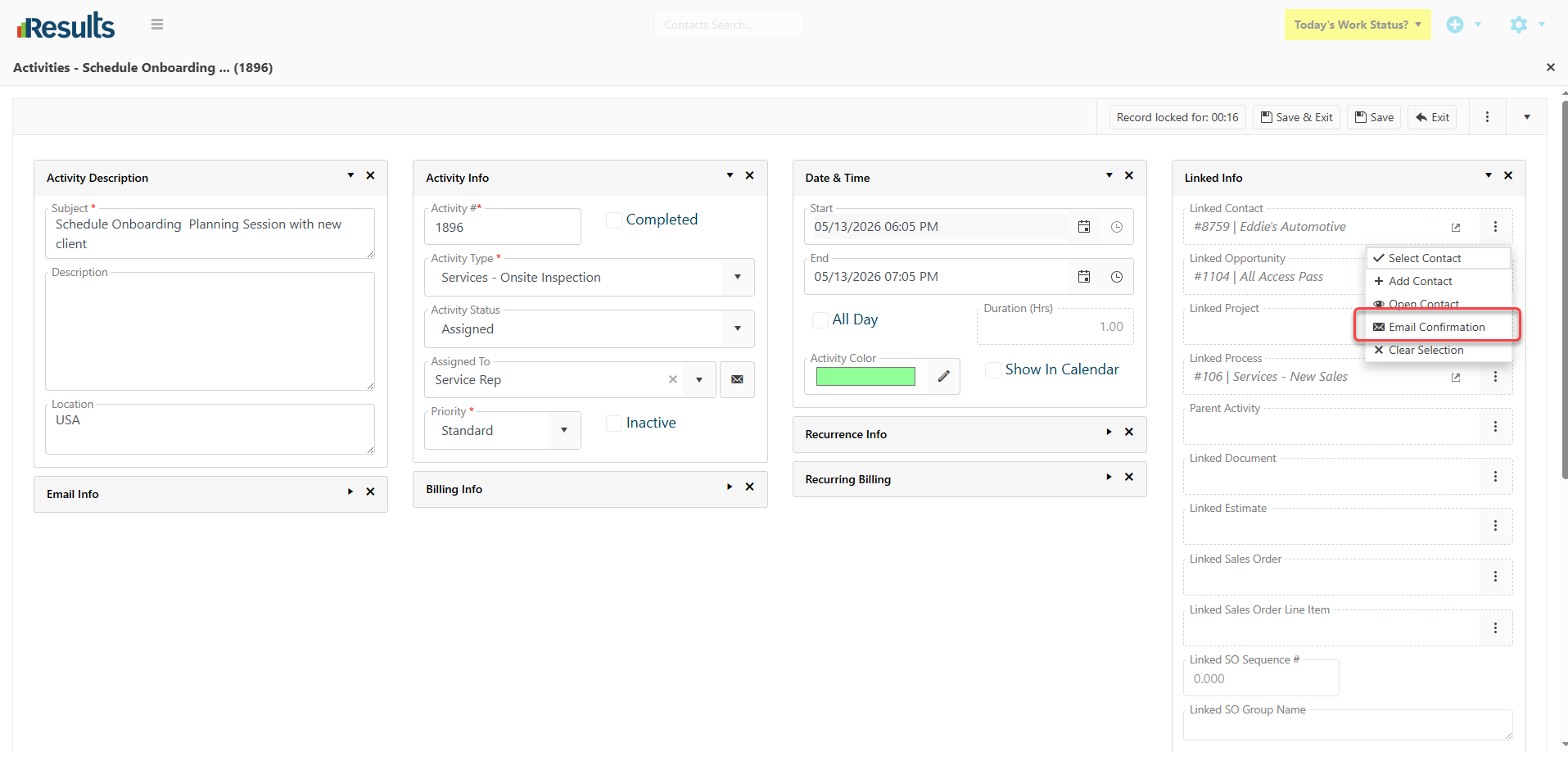
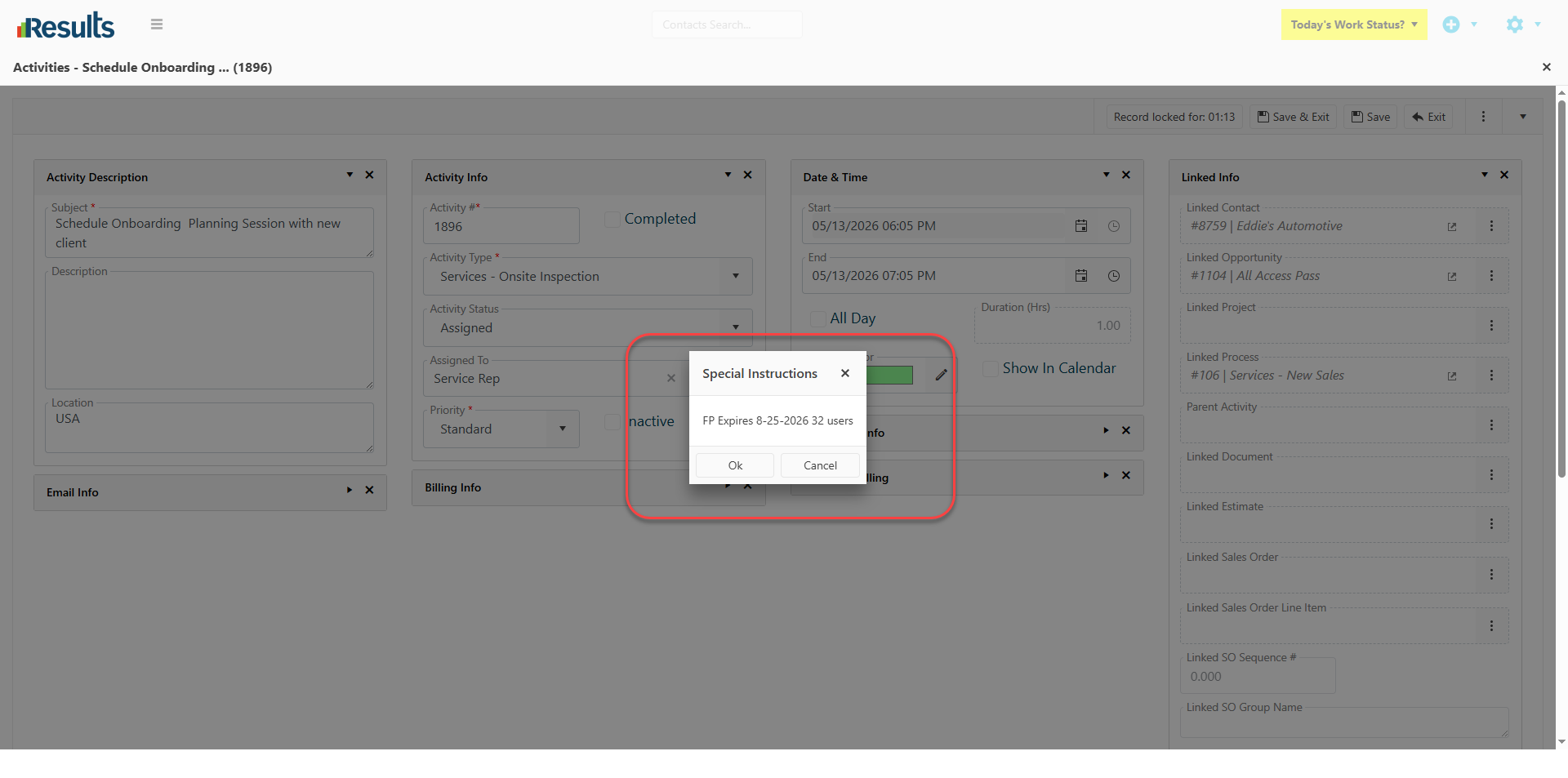
    Results includes a new Email Confirmation option in the Linked Contact menu on an Activities data entry screen, giving users a faster way to communicate with clients while maintaining compliance with communication requirements. Before sending an email, Results validates Special Instructions on the Contact record, helping users identify communication restrictions before a confirmation message is sent.

    The enhancement also streamlines communication tracking by attaching sent emails directly to the related Activity record, creating a complete history of client interactions without additional administrative effort.

    What's New?

    • Email Confirmation from Activities – Users can send email confirmations directly from the Linked Contact menu within an Activity data entry screen.
    • Special Instruction Validation – Before the email process begins, Results checks the Contact record for Special Instructions. If communication restrictions or alerts exist, and Results is configured to display any Special Instructions to the User, the system displays a warning message that requires user acknowledgment before proceeding.
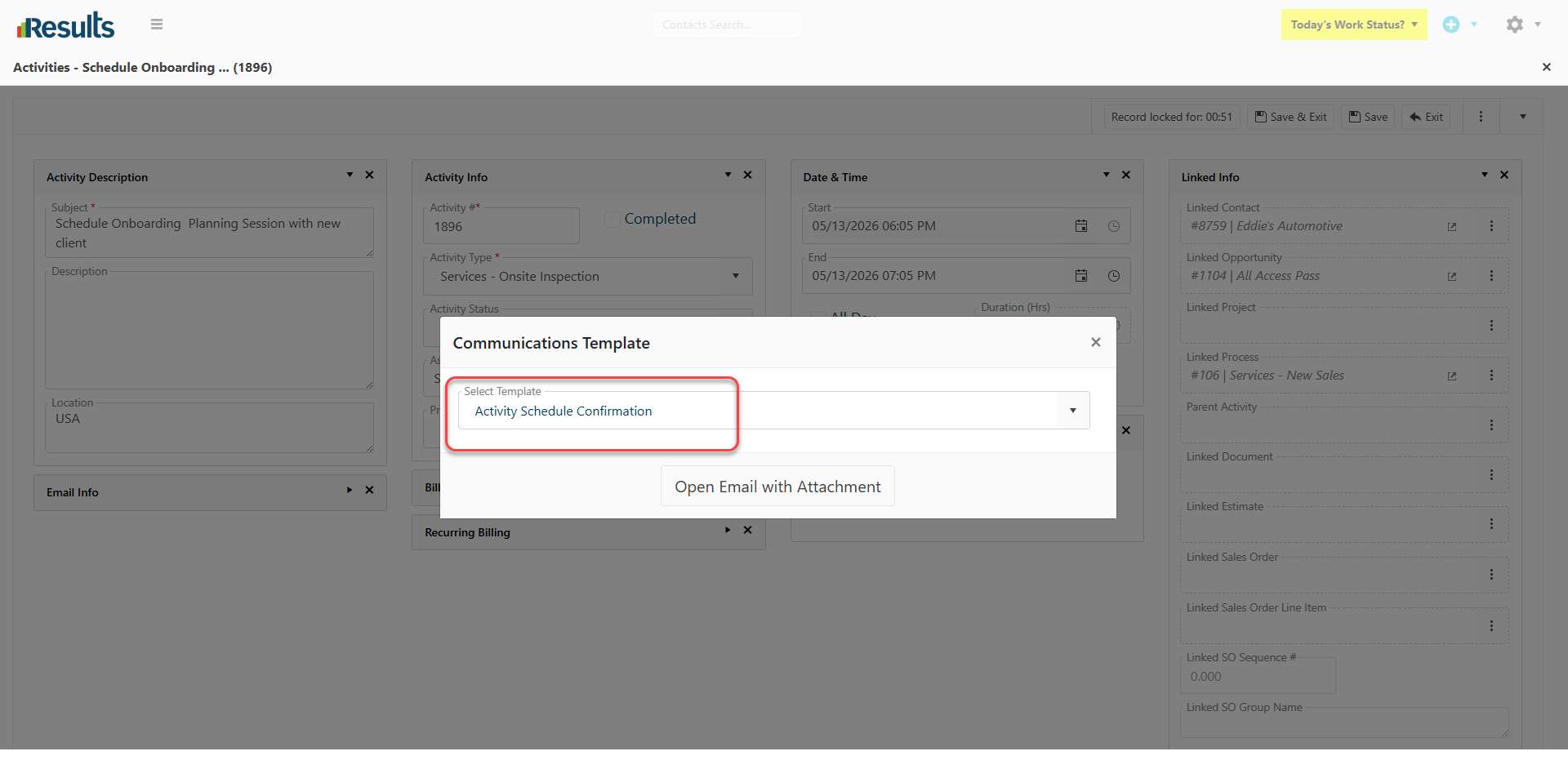
    • Activity Communication Templates – Users can select from available Activity Communication Templates that support merge fields, making it easy to create personalized and consistent communications.
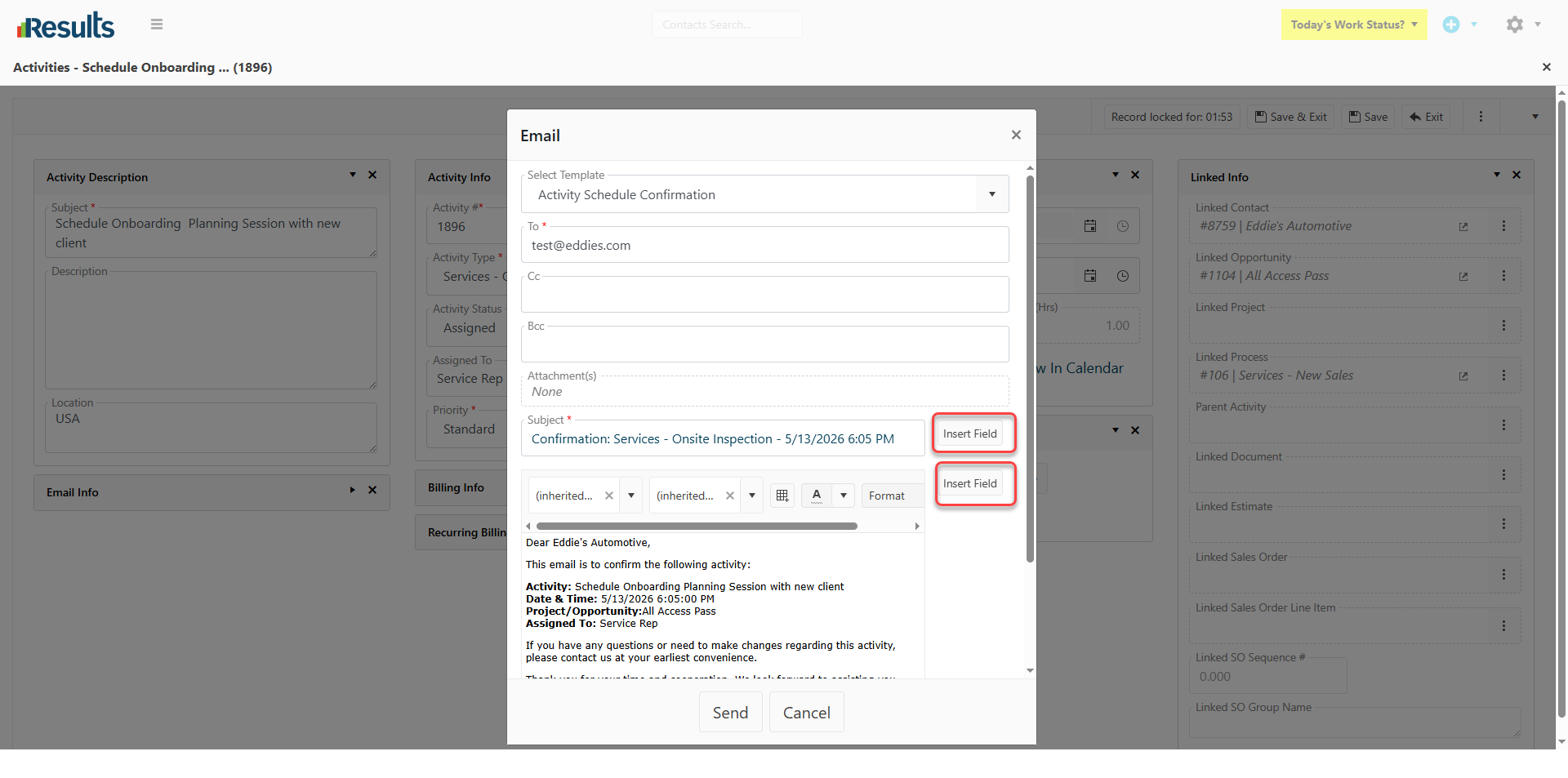
    • Direct Contact Email Delivery – Results sends confirmation emails to the email address(es) stored on the Contact record without opening the Linked Contact first, while maintaining full access to the Activity details for which the confirmation is being sent.
    • Automatic Communication Logging – Results attaches and logs the sent communication under the related Activity record automatically, providing complete visibility into client interactions.

    Why This Matters?

    • Improved Communication Control – Special Instruction validation helps prevent communications that may violate client-specific instructions, requirements or restrictions.
    • Faster, More Consistent Client Emails – Predefined templates and merge field support reduce manual effort while maintaining consistent messaging.
    • Better Activity Tracking – Automatic communication logging ensures Activity records contain a complete history of related client communications.
    • Reduced Risk of Errors – Results validates communication requirements before sending and delivers emails directly to Contact record email addresses, helping reduce the risk of unauthorized or misdirected communication.

    Standard Payment Receipt Enhancement

    Results includes a Standard Payment Receipt in the Payments module, giving users a convenient way to generate and access a standardized receipt for payment records. Standard Payment Receipt –...

    FSM Portal Job Card Quick Access Enhancements

    Results now provides improved navigation on the FSM Portal with new Quick Access buttons on the Job Card, allowing users to jump directly to key sections of a job. These shortcuts help field service...

    Create a QB Job Along with an Opportunity or a Project

    Results makes it easier to create QuickBooks (QB) Jobs from Parent Contact records. New menu options let you create a QB Job along with an Opportunity or Project. These enhancements simplify record...

    Unit Price and Cost Decimal Precision Enhancements

    Greater precision and flexibility in managing financial values with a new setting in Admin Settings > Billing Settings. This enhancement lets users configure up to five decimal places for Unit...

    Quantity Decimal Precision Enhancements

    Greater precision and flexibility in managing quantities are available in Admin Settings > Billing Settings. This enhancement allows users to configure the number of decimal places displayed for...

    Split Activity – Simplifying Team Assignments and Scheduling

    The Split Activity feature in Results provides greater flexibility in activity management, allowing users to divide an existing activity into up to three additional activities and assign them to...

    Expanded User Permissions and Key Utilities Access

    Results provides administrators with greater control over user access to key utilities and integration configurations. New permission options have been added to the Users module, making it easier to...

    Streamlined Refund Processing in Results Payments Integration

    Results Payments Integration now provides a more streamlined way to process and track Refunds directly from Results. With the new “Issue Refund” functionality and enhanced transaction tracking,...

    Generate Payment Links for Deposits

    Results Payments Integration now makes it easier to collect Deposit payments directly from Projects. With the new Generate Payment Link for Deposit option, users can generate a secure payment link...

    Who’s Working Module Enhancements

    Results offers greater flexibility and convenience in the Who’s Working module, with enhancements to how Assigned Activity information is displayed and how users manage settings.Default Assigned...

    Results April 2026 Newsletter

    Results April 2026 Newsletter

    The April newsletter highlights enhancements that streamline workflows through automation, smarter search, and expanded field and back-office capabilities. Key updates include a QuickBooks Desktop Payroll integration for accurate, automated timesheet syncing; Advanced Search in the Calendar for faster activity tracking; improved workflow status visibility and control in the Back Office; the new FSM Plus License, which enables on-site estimates, invoicing, and payments; and dynamic date filtering for quicker, more accurate searches. Together, these improvements reduce manual effort, boost productivity, and enhance accuracy across scheduling, payroll, and field service operations.