Built-In AI Assistant Inside Results – Starting with Ask Claude

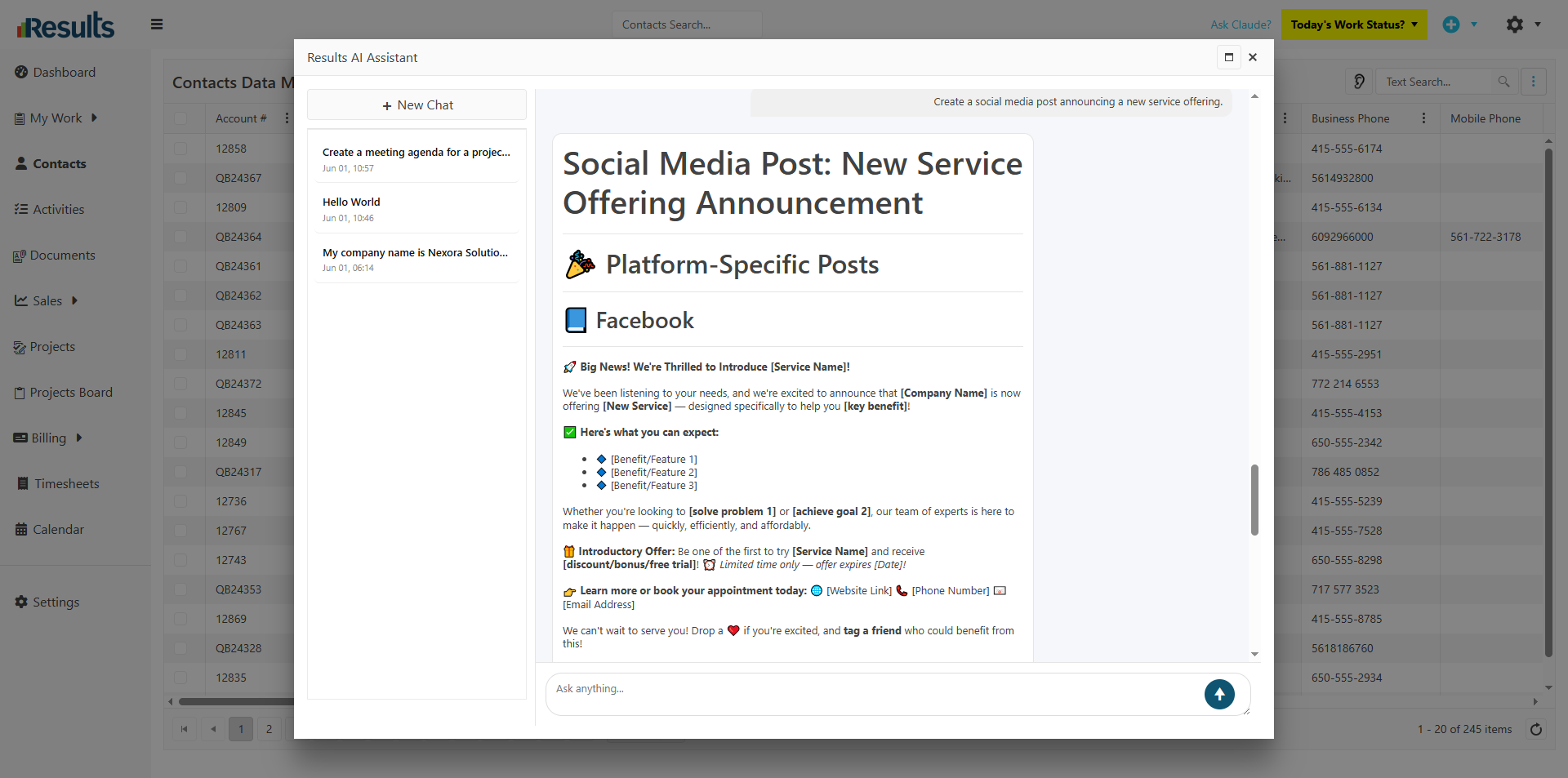
Results introduces Ask Claude, an integrated AI assistant built directly into the platform, giving staff instant access to AI-powered help, insights, and productivity tools without leaving Results.

Ask Claude can be accessed as a general-purpose assistant or as a context-aware assistant directly from Contact and Activity records, creating a smarter, more seamless user experience.

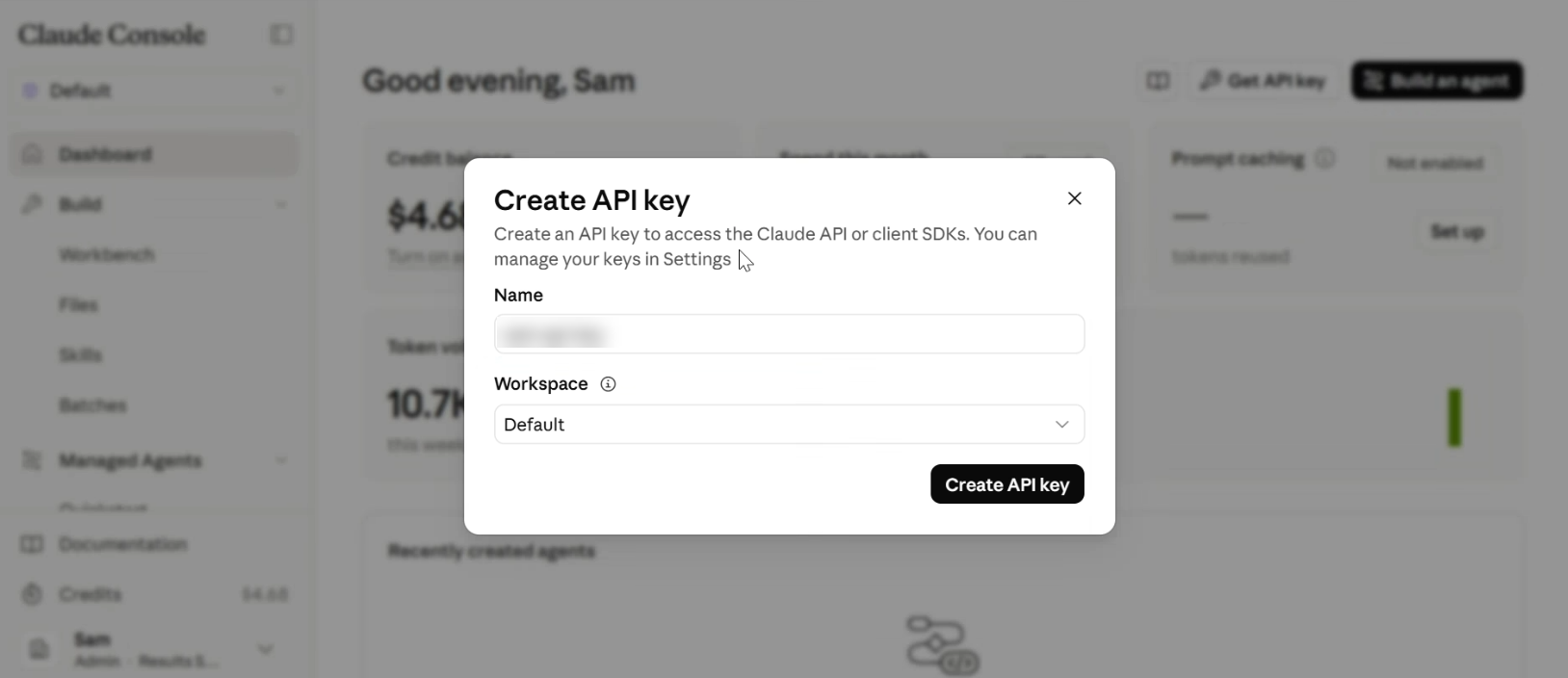
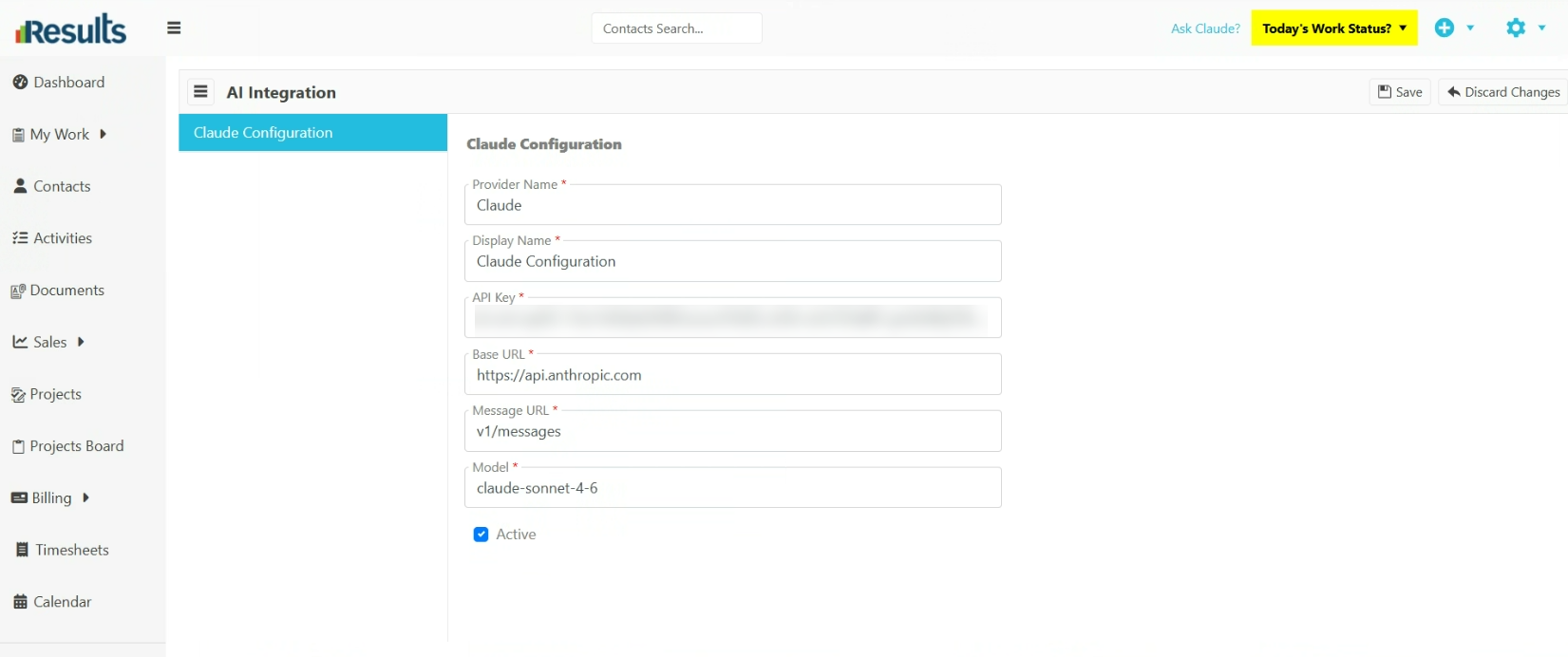
Note: The new Results AI Integration requires a license to use its features, and access to Claude requires an API license from Anthropic (the maker of Claude). Instructions for signing up for the Claude API and configuring the integration are available in Results’ built-in documentation.

What's New?

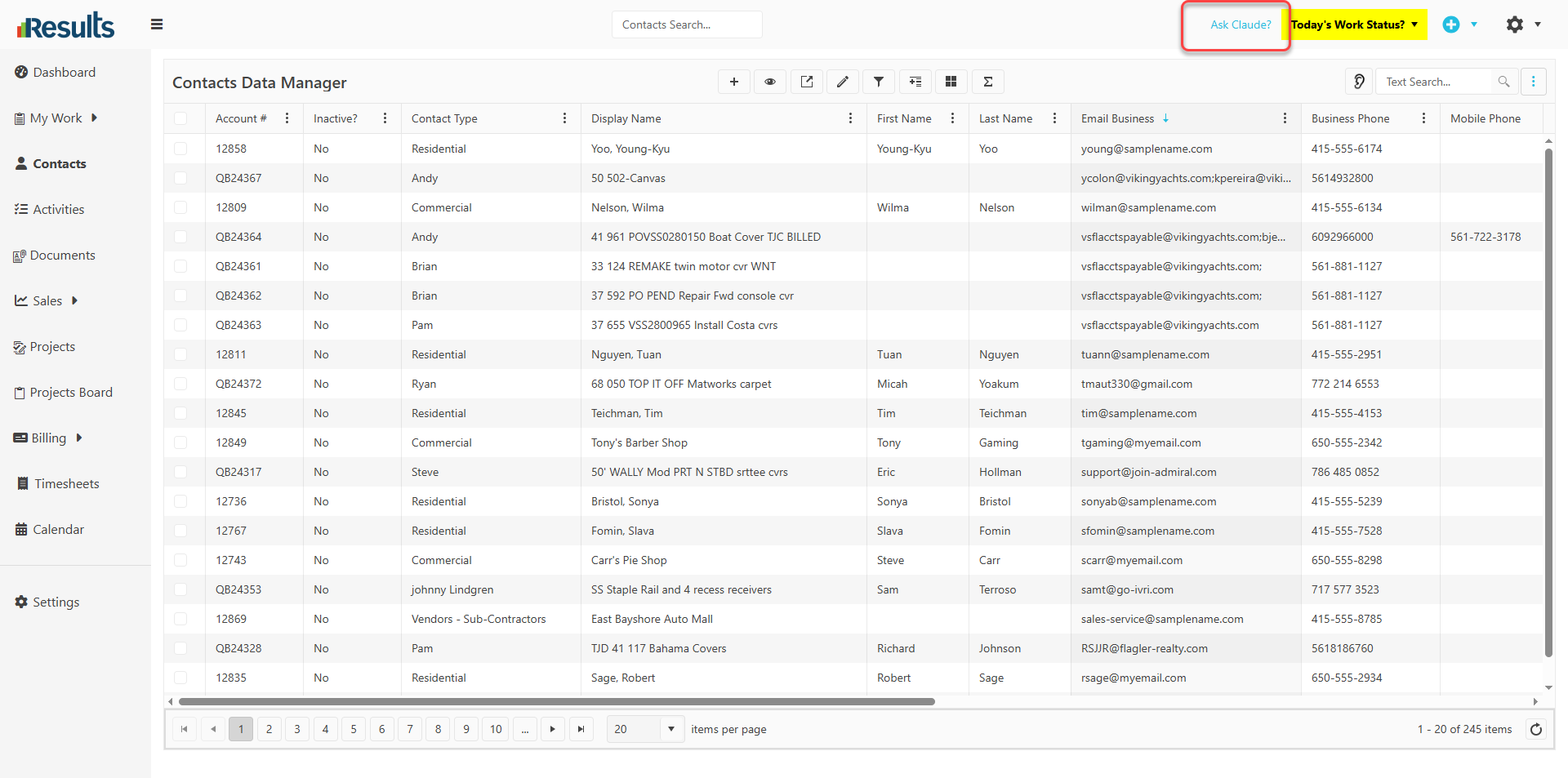
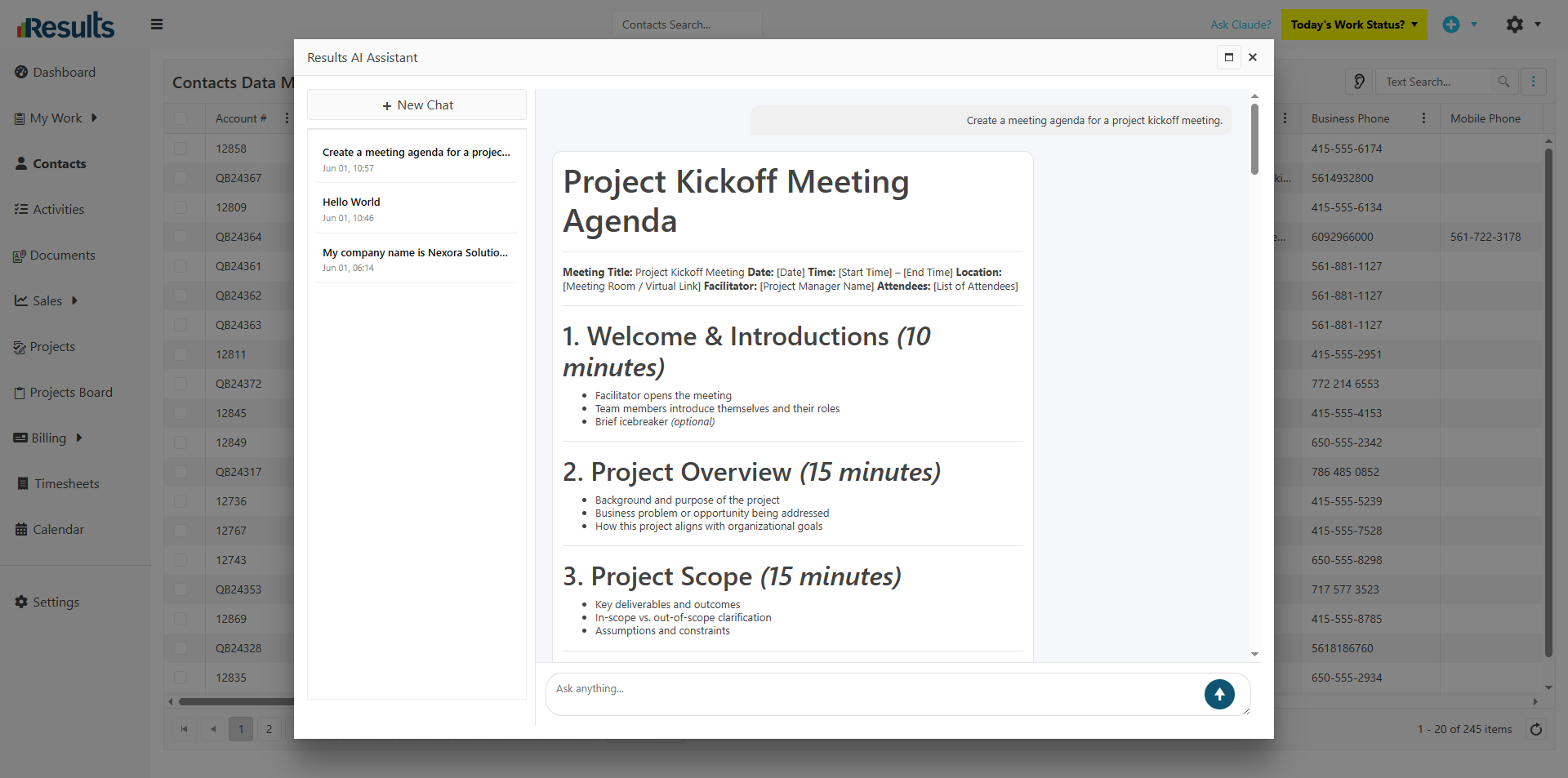
AI Assistant from the Main Navigation Menu – Users can now launch Ask Claude directly from the main navigation menu as a private AI assistant tied to their Results User account. Staff can use it for:

    1. Business-related questions
    2. Task assistance
    3. Content generation
    4. Process guidance
    5. General personal productivity questions

Each session remains private to the logged-in user.

Future Multi-AI Engine Support This framework is designed for future expansion to support additional AI engines, including:

    1. ChatGPT
    2. CoPilot
    3. Gemini
    4. Grok
As additional providers become available, users will be able to select their preferred AI engine, and the feature naming and prompts will evolve accordingly.

Why This Matters?

  • Faster Access to Information Users can get answers, summaries, recommendations, and assistance instantly without leaving Results or switching applications.
  • Improved Operational Efficiency Teams can save time on research, communication drafting, note summarization, and workflow assistance using AI directly inside their daily processes.
  • Scalable AI Platform for the Future The new architecture lays the foundation to support multiple AI providers, giving organizations flexibility as AI technology continues to evolve.

Workflow Status Button Added to My Activities Board

Results includes a Workflow Status button directly on Activity cards within the My Activities Board, giving users quicker access to workflow information and actions. The enhancement brings the My...

New Visibility Controls Added to Activity Types

Results includes new visibility settings within Activity Type configuration, giving administrators greater control over where Activities appear throughout the platform. These settings help...

Enhanced QuickBooks Desktop Export for Financial Group Line Items

Results can now export Group line items and all associated line items within those Groups directly to QuickBooks Desktop across supported Financial records. The enhancement improves synchronization...

Email Confirmation with Special Instructions Validation

Results includes a new Email Confirmation option in the Linked Contact menu on an Activities data entry screen, giving users a faster way to communicate with clients while maintaining compliance...

Introducing FSM Plus License for Enhanced Field Service Capabilities

The Field Service Management (FSM) Plus License gives organizations greater control and flexibility to manage financial operations, including Estimates, Invoices, and Payments, for specific users...

Enhanced Workflow Status Visibility & Control from Back Office

A key enhancement improves viewing and managing the Workflow Status from the Back Office, giving users better visibility and control over activity progress within the Activities Data Manager. These...

Advanced Search Now Available in Calendar Module

A new, robust integration with the Calendar module is the Advanced Search feature, which allows users to swiftly filter activities directly within the Calendar view. This improvement makes the...

Smarter Date Filtering with Dynamic Weekly Search Keywords

A new, powerful dynamic date search enables keyword searches in the Advanced Search engine, making it easier to filter records by relative timeframes without manually calculating and updating date...

Seamless Timesheet Integration with QuickBooks Desktop Payroll

An improved integration with QuickBooks® Desktop Payroll helps businesses simplify timesheet management and payroll processing across systems. This feature ensures precise synchronization of...