What's New?
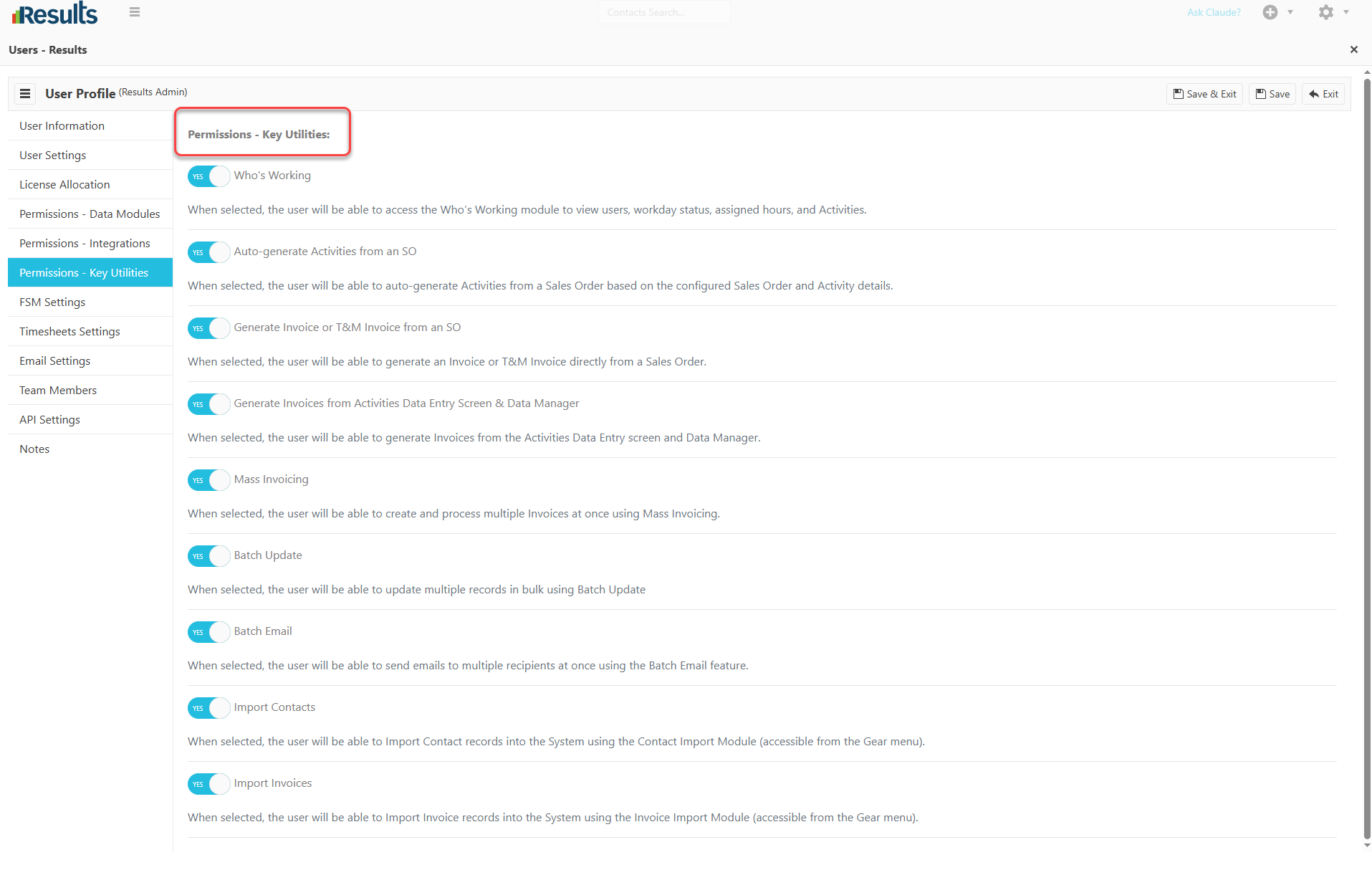
Permissions: Key Utilities – A new Permissions: Key Utilities section has been added to the Users module. Administrators can now control which User has access to the following features:
-
- Who’s Working
- Auto-generate Activities from a Sales Order
- Generate Invoice or T&M Invoice from an SO
- Generate Invoices from the Activities Data Entry screen and Data Manager
- Mass Invoicing
- Batch Update
- Batch Email
- Import Contacts
- Import Invoices
These permissions give administrators more granular control over access to tools that perform bulk actions, generate records, or import data.
Integration Permissions Moved – All Integration Configuration access has been consolidated under a dedicated “Permissions – Integrations” section/tab. This provides a centralized location for administrators to manage users’ access to integration configuration settings.
Why This Matters?
-
Greater Access Control – Administrators can determine exactly which users have access to key utilities and actions within Results.
-
Improved Security – Restricting access to bulk operations, imports, invoicing, and other powerful utilities helps ensure only authorized users can use these functions.
-
Simplified Permission Management – Key utility permissions are now grouped together, making it easier for administrators to review and manage user access.
-
Centralized Integration Access – Moving Integration Configuration permissions to the Permissions – Integrations tab creates a clearer and more organized permission structure.
-
Better Role-Based Administration – The enhanced permission structure allows organizations to align Results access more closely with each user’s responsibilities.