Enhanced QuickBooks Desktop Export for Financial Group Line Items

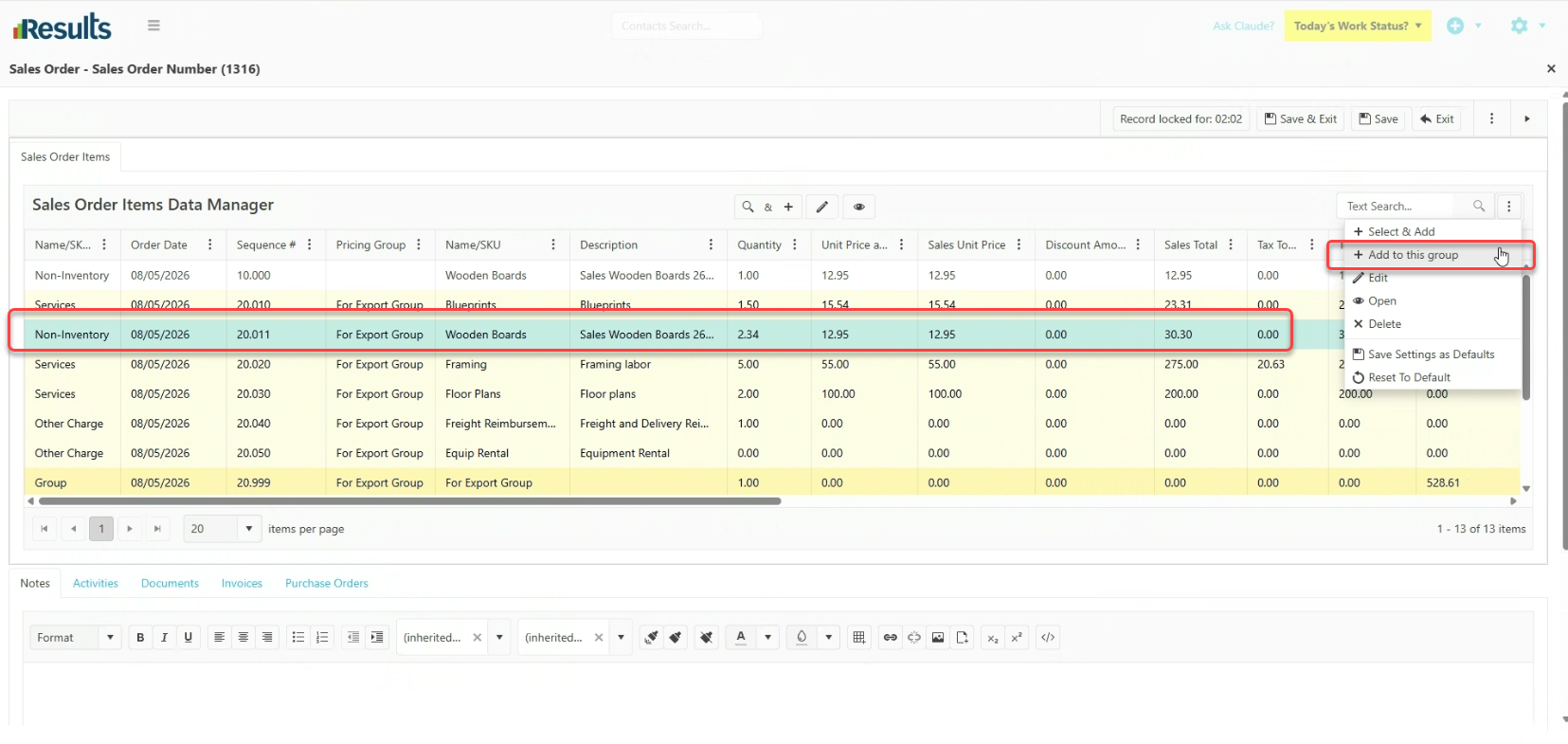
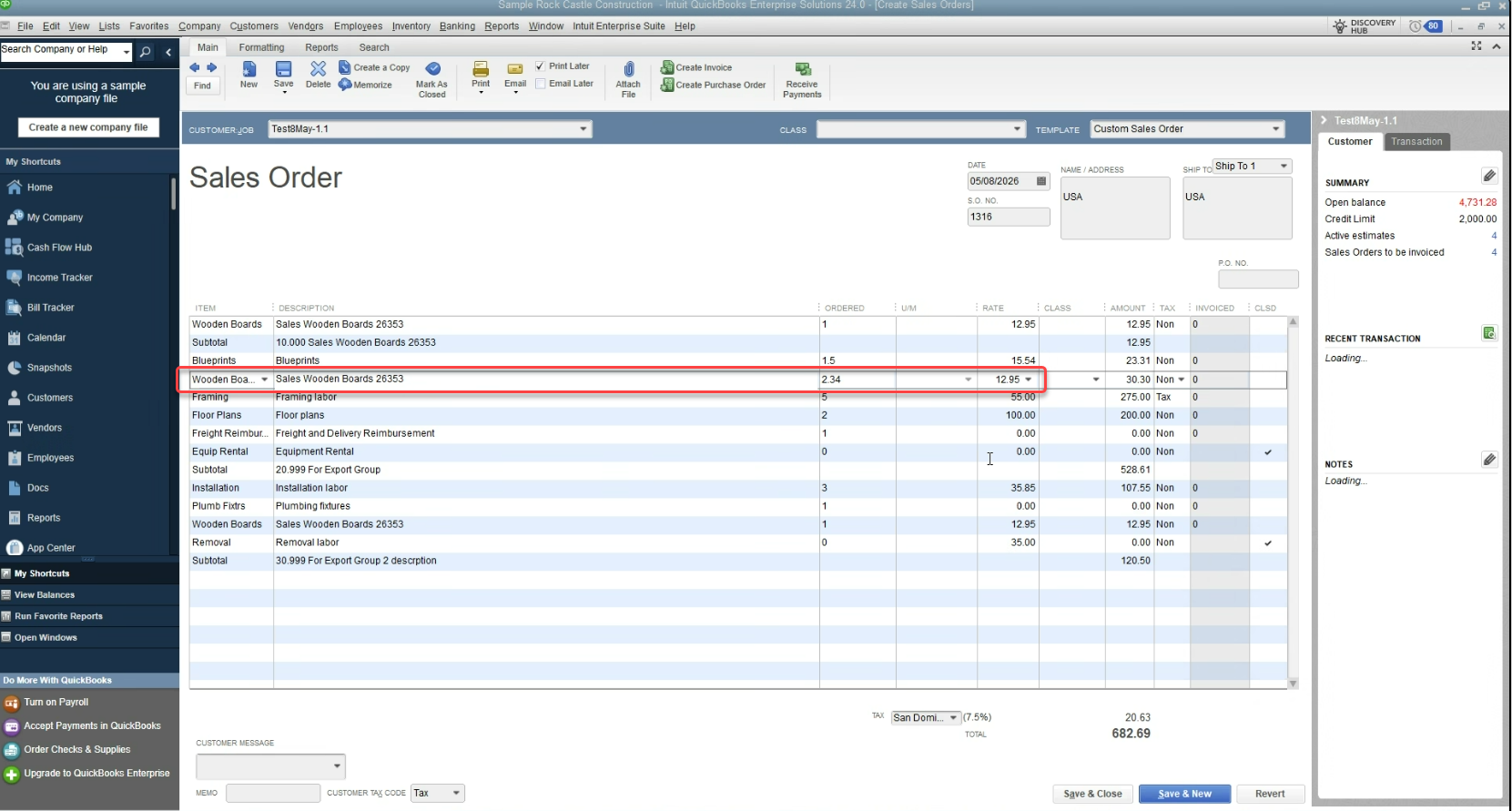
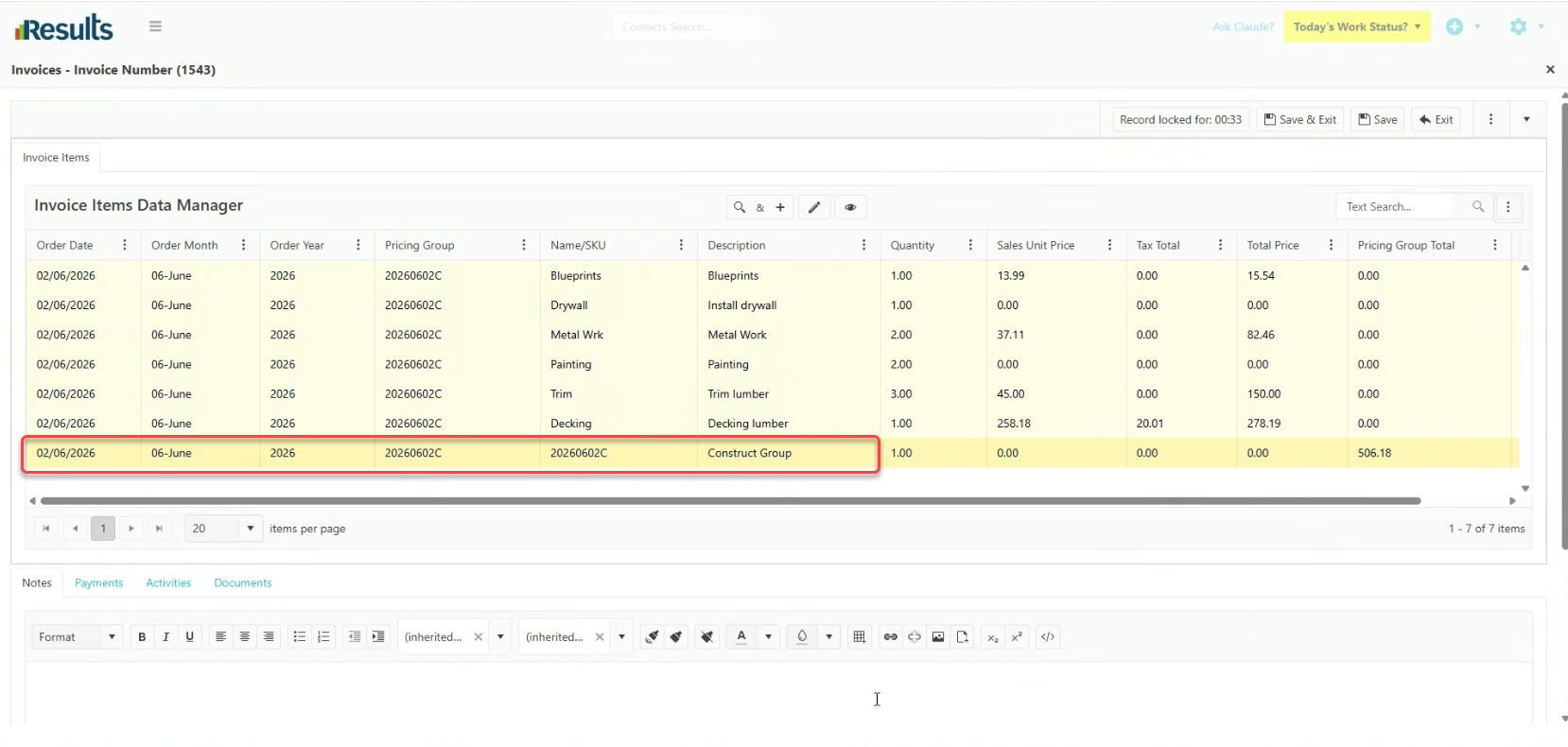
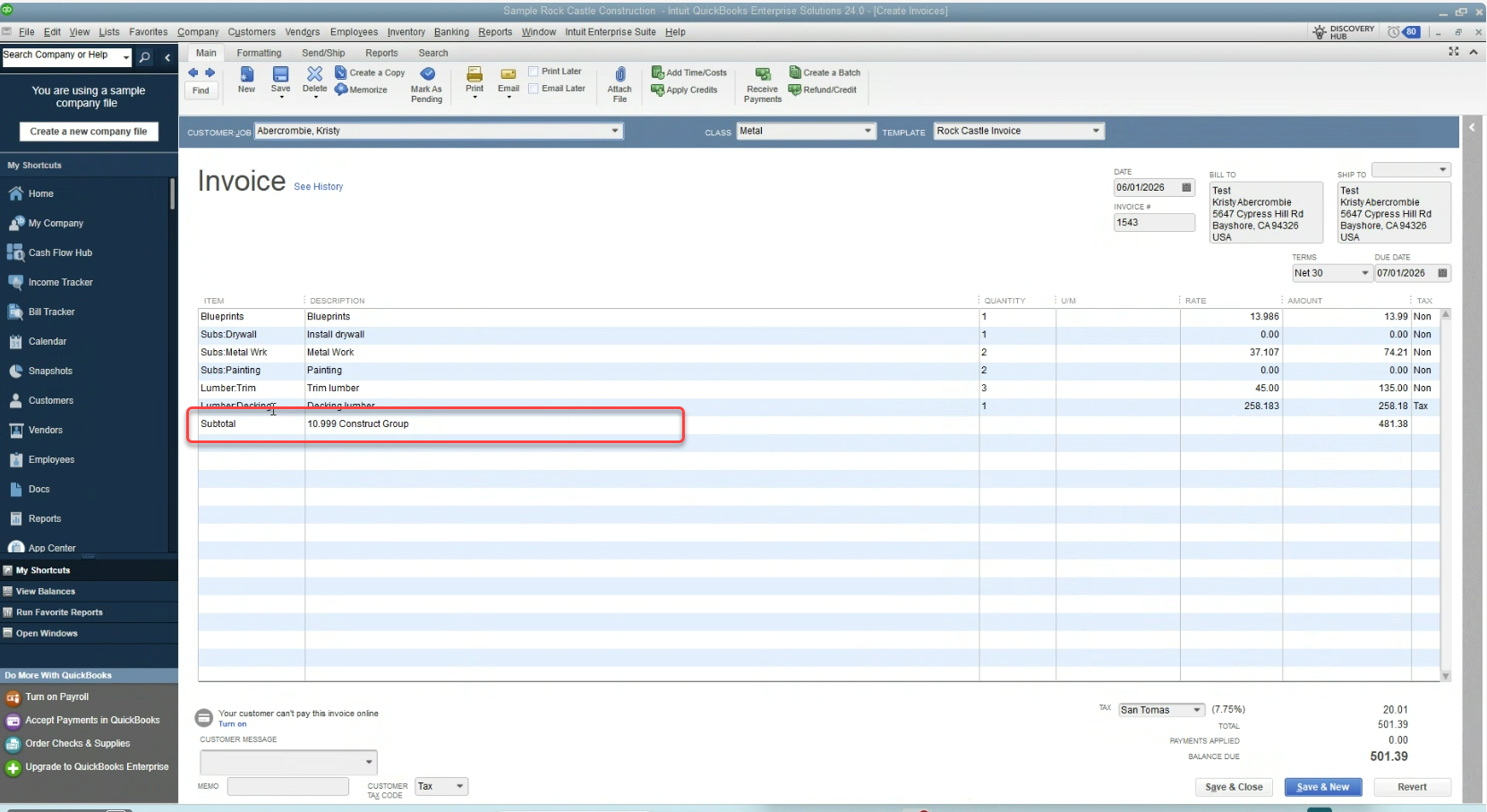
Results can now export Group line items and all associated line items within those Groups directly to QuickBooks Desktop across supported Financial records. The enhancement improves synchronization between Results and QuickBooks Desktop by ensuring grouped financial data transfers with complete detail.

By including all Group-related line items during export, Results reduces the need for manual accounting adjustments and helps maintain consistency between operational and financial systems.

What's New?

  • Group Line-Item Export Support – Results exports Financial records that contain Group line items directly to QuickBooks Desktop.
  • Additional Group Line Items Included – Any line items created within a Group transfer as part of the export process, ensuring complete financial detail.
  • Support Across Financial Records – This functionality applies to supported Financial record types that integrate with QuickBooks Desktop.
Why This Matters?

  • More Accurate Financial Synchronization – Complete Group exports help maintain consistency between Results and QuickBooks Desktop.
  • Reduced Manual Accounting Work – Accounting teams no longer need to recreate or adjust Group line items after export.
  • Improved Reporting Integrity – Exporting all Group-related details helps preserve accurate financial records and reporting across systems.
  • Better Workflow Efficiency – A more complete export process reduces reconciliation issues and supports smoother accounting operations.

Built-In AI Assistant Inside Results – Starting with Ask Claude

Results introduces Ask Claude, an integrated AI assistant built directly into the platform, giving staff instant access to AI-powered help, insights, and productivity tools without leaving Results....

Workflow Status Button Added to My Activities Board

Results includes a Workflow Status button directly on Activity cards within the My Activities Board, giving users quicker access to workflow information and actions. The enhancement brings the My...

New Visibility Controls Added to Activity Types

Results includes new visibility settings within Activity Type configuration, giving administrators greater control over where Activities appear throughout the platform. These settings help...

Email Confirmation with Special Instructions Validation

Results includes a new Email Confirmation option in the Linked Contact menu on an Activities data entry screen, giving users a faster way to communicate with clients while maintaining compliance...

Introducing FSM Plus License for Enhanced Field Service Capabilities

The Field Service Management (FSM) Plus License gives organizations greater control and flexibility to manage financial operations, including Estimates, Invoices, and Payments, for specific users...

Enhanced Workflow Status Visibility & Control from Back Office

A key enhancement improves viewing and managing the Workflow Status from the Back Office, giving users better visibility and control over activity progress within the Activities Data Manager. These...

Advanced Search Now Available in Calendar Module

A new, robust integration with the Calendar module is the Advanced Search feature, which allows users to swiftly filter activities directly within the Calendar view. This improvement makes the...

Smarter Date Filtering with Dynamic Weekly Search Keywords

A new, powerful dynamic date search enables keyword searches in the Advanced Search engine, making it easier to filter records by relative timeframes without manually calculating and updating date...

Seamless Timesheet Integration with QuickBooks Desktop Payroll

An improved integration with QuickBooks® Desktop Payroll helps businesses simplify timesheet management and payroll processing across systems. This feature ensures precise synchronization of...