Results July 2026 Newsletter

Results July 2026 Newsletter

The July newsletter introduces enhancements that speed up data entry, streamline documentation, automate lead capture, simplify time tracking, and improve payment sync across Results. Key updates include multi-select SKU support for adding multiple products to Estimates, Sales Orders, Invoices, and Purchase Orders at once; a Documents tab and Linked Pricing field for better organization; expanded JotForm integration supporting up to six forms with automatic Contact creation and triggers; a standalone Timesheets Portal independent of a BackOffice or FSM Results license; and a redesigned QuickBooks Desktop Payments Sync with better payment matching, performance, and reliability. These improvements reduce manual effort, improve data accuracy and access, and help organizations manage transactions, documentation, leads, employee time, and payments more efficiently.
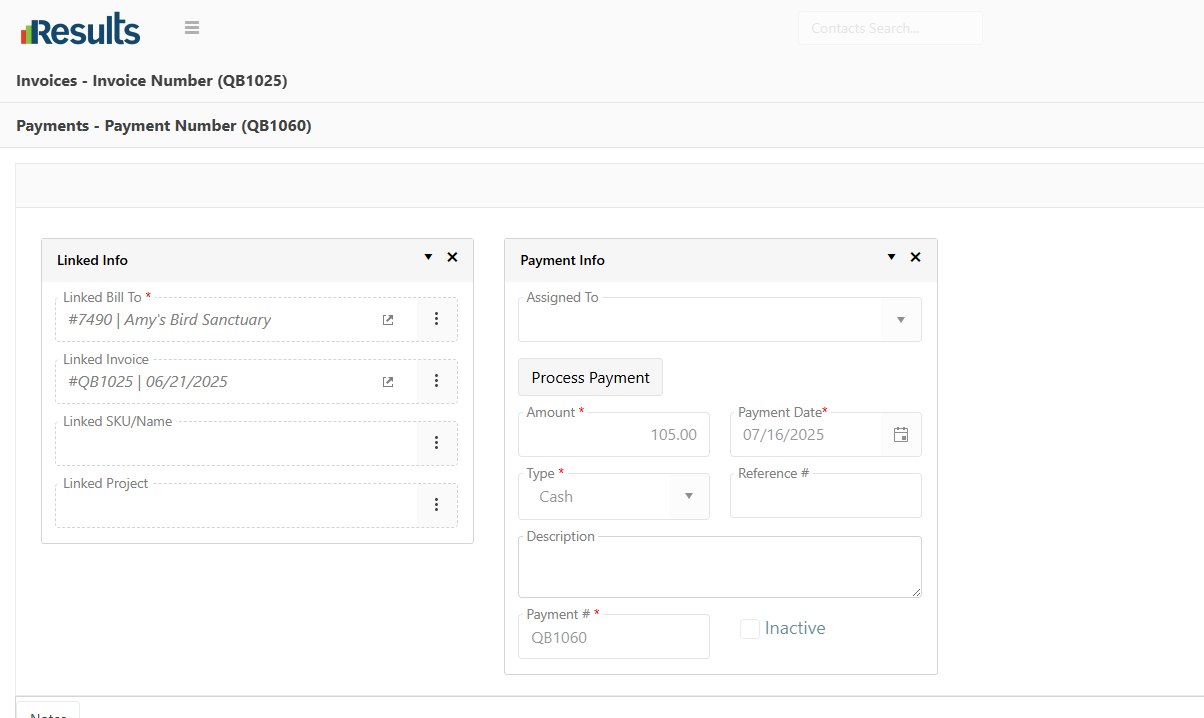
QuickBooks® Desktop Payments Sync Redesign

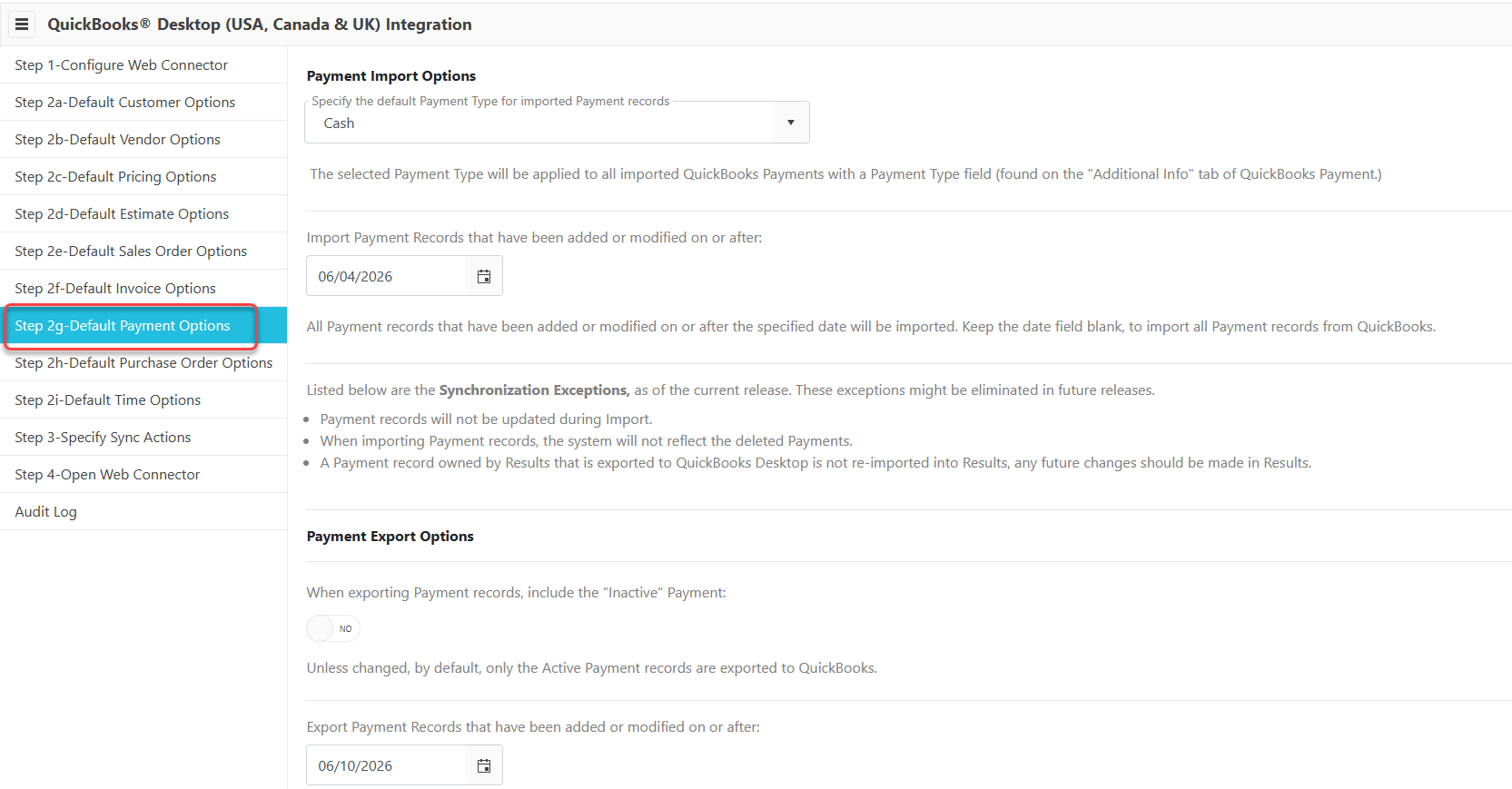
The QuickBooks® Desktop Payments Sync process has been redesigned to provide greater flexibility and accuracy when synchronizing customer payments between Results and QuickBooks Desktop.

What's New?

  • Redesigned Payments Synchronization – The QuickBooks Desktop Payments Sync process has been redesigned with an updated synchronization framework.
  • Enhanced Payment Matching – The updated synchronization logic provides more reliable matching of payment records, helping ensure payments are correctly associated with their corresponding invoices and customers.
  • Improved Synchronization Performance – The redesigned process streamlines payment synchronization, reducing manual intervention and improving the efficiency of ongoing sync operations.

Why This Matters?

  • More Accurate Financial Data – Improved payment matching helps maintain consistency between Results and QuickBooks Desktop, reducing reconciliation issues.

  • Reduced Manual Effort – The enhanced synchronization process minimizes the need for manual corrections and payment adjustments.

  • Improved Reliability – The redesigned architecture delivers a more dependable synchronization experience for customer payments.

  • Improved Workforce Accessibility – With simple browser-based access using the /TS endpoint, employees can quickly access the Timesheets Portal whenever they need to enter their hours.

Standard Payment Receipt Enhancement

Results includes a Standard Payment Receipt in the Payments module, giving users a convenient way to generate and access a standardized receipt for payment records. Standard Payment Receipt –...

FSM Portal Job Card Quick Access Enhancements

Results now provides improved navigation on the FSM Portal with new Quick Access buttons on the Job Card, allowing users to jump directly to key sections of a job. These shortcuts help field service...

Create a QB Job Along with an Opportunity or a Project

Results makes it easier to create QuickBooks (QB) Jobs from Parent Contact records. New menu options let you create a QB Job along with an Opportunity or Project. These enhancements simplify record...

Unit Price and Cost Decimal Precision Enhancements

Greater precision and flexibility in managing financial values with a new setting in Admin Settings > Billing Settings. This enhancement lets users configure up to five decimal places for Unit...

Quantity Decimal Precision Enhancements

Greater precision and flexibility in managing quantities are available in Admin Settings > Billing Settings. This enhancement allows users to configure the number of decimal places displayed for...

Split Activity – Simplifying Team Assignments and Scheduling

The Split Activity feature in Results provides greater flexibility in activity management, allowing users to divide an existing activity into up to three additional activities and assign them to...

Expanded User Permissions and Key Utilities Access

Results provides administrators with greater control over user access to key utilities and integration configurations. New permission options have been added to the Users module, making it easier to...

Streamlined Refund Processing in Results Payments Integration

Results Payments Integration now provides a more streamlined way to process and track Refunds directly from Results. With the new “Issue Refund” functionality and enhanced transaction tracking,...

Generate Payment Links for Deposits

Results Payments Integration now makes it easier to collect Deposit payments directly from Projects. With the new Generate Payment Link for Deposit option, users can generate a secure payment link...

Who’s Working Module Enhancements

Results offers greater flexibility and convenience in the Who’s Working module, with enhancements to how Assigned Activity information is displayed and how users manage settings.Default Assigned...

New Timesheets Portal for Stand-Alone Timesheet Users

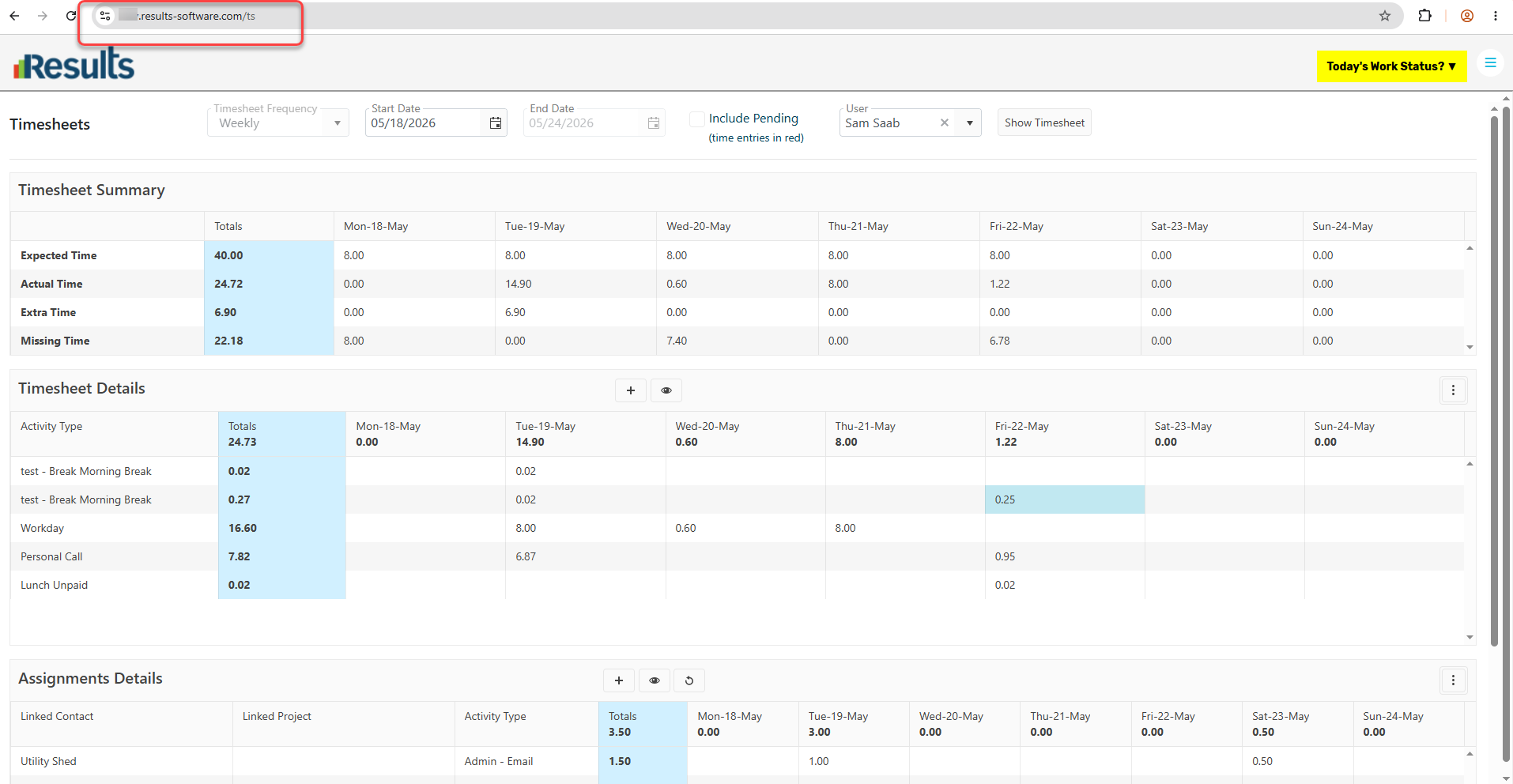
With the dedicated Timesheets Portal for organizations, employees can record and manage timesheets without requiring a BackOffice or an FSM Results license. Accessible through a simple web address, the portal provides a streamlined experience focused solely on timesheet entry.

What's New?

  • Dedicated Timesheets Portal – A new Timesheets Portal has been introduced specifically for stand-alone Timesheet users.
  • No BackOffice or FSM Results License Required – Employees who only need to enter timesheets can now access the portal without requiring a BackOffice or FSM Results license.
  • Simple Portal Access – Users can launch the Timesheets Portal by appending /TS to their Results web address, providing quick and convenient access to timesheet functionality.
  • Purpose-Built User Experience – The portal delivers a focused interface designed specifically for timesheet entry and management, making it easier for employees to submit their time.
  • Automatic Process Triggering – Fully supports automatic Process execution based on the assigned Contact Type, enabling workflows such as notifications, follow-ups, task creation, and other automated actions to begin immediately after the Contact is created.

Why This Matters?

  • Lower Licensing Costs – Provide timesheet access to employees who do not require the full BackOffice or FSM application, helping optimize licensing requirements.

  • Simplified Time Entry – A dedicated portal allows users to focus on entering and submitting timesheets without navigating unnecessary features.

  • Faster User Adoption – The streamlined interface reduces complexity and makes it easier for occasional users to record their time accurately.

  • Improved Workforce Accessibility – With simple browser-based access using the /TS endpoint, employees can quickly access the Timesheets Portal whenever they need to enter their hours.

Standard Payment Receipt Enhancement

Results includes a Standard Payment Receipt in the Payments module, giving users a convenient way to generate and access a standardized receipt for payment records. Standard Payment Receipt –...

FSM Portal Job Card Quick Access Enhancements

Results now provides improved navigation on the FSM Portal with new Quick Access buttons on the Job Card, allowing users to jump directly to key sections of a job. These shortcuts help field service...

Create a QB Job Along with an Opportunity or a Project

Results makes it easier to create QuickBooks (QB) Jobs from Parent Contact records. New menu options let you create a QB Job along with an Opportunity or Project. These enhancements simplify record...

Unit Price and Cost Decimal Precision Enhancements

Greater precision and flexibility in managing financial values with a new setting in Admin Settings > Billing Settings. This enhancement lets users configure up to five decimal places for Unit...

Quantity Decimal Precision Enhancements

Greater precision and flexibility in managing quantities are available in Admin Settings > Billing Settings. This enhancement allows users to configure the number of decimal places displayed for...

Split Activity – Simplifying Team Assignments and Scheduling

The Split Activity feature in Results provides greater flexibility in activity management, allowing users to divide an existing activity into up to three additional activities and assign them to...

Expanded User Permissions and Key Utilities Access

Results provides administrators with greater control over user access to key utilities and integration configurations. New permission options have been added to the Users module, making it easier to...

Streamlined Refund Processing in Results Payments Integration

Results Payments Integration now provides a more streamlined way to process and track Refunds directly from Results. With the new “Issue Refund” functionality and enhanced transaction tracking,...

Generate Payment Links for Deposits

Results Payments Integration now makes it easier to collect Deposit payments directly from Projects. With the new Generate Payment Link for Deposit option, users can generate a secure payment link...

Who’s Working Module Enhancements

Results offers greater flexibility and convenience in the Who’s Working module, with enhancements to how Assigned Activity information is displayed and how users manage settings.Default Assigned...

JotForm Integration with Multi-Form Support

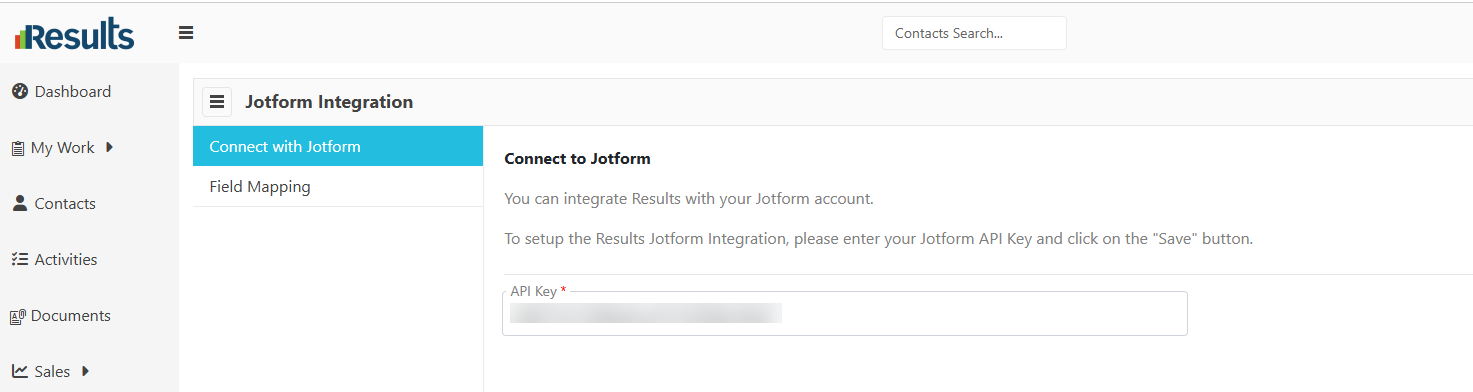
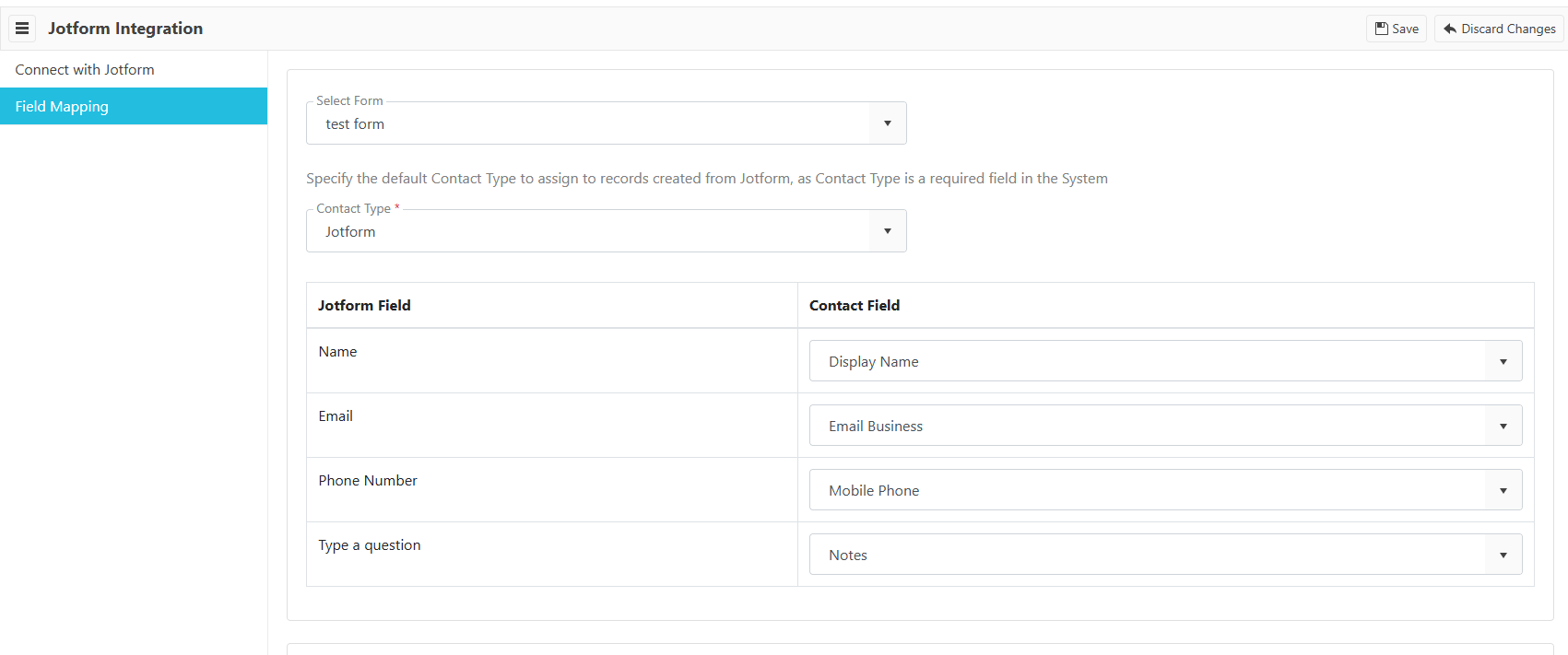
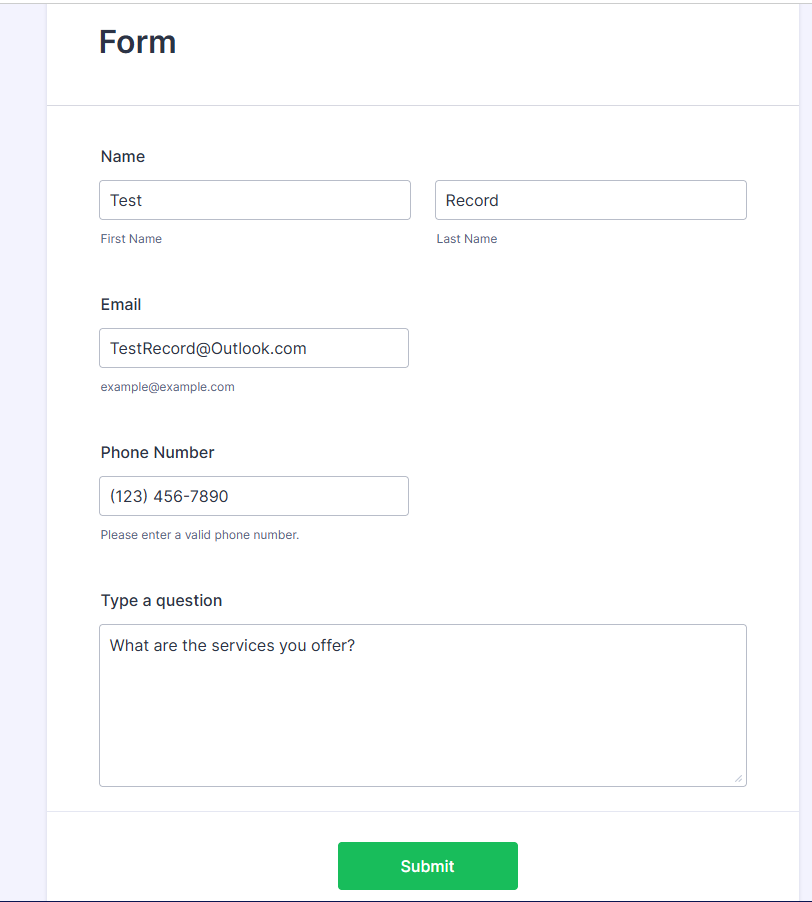
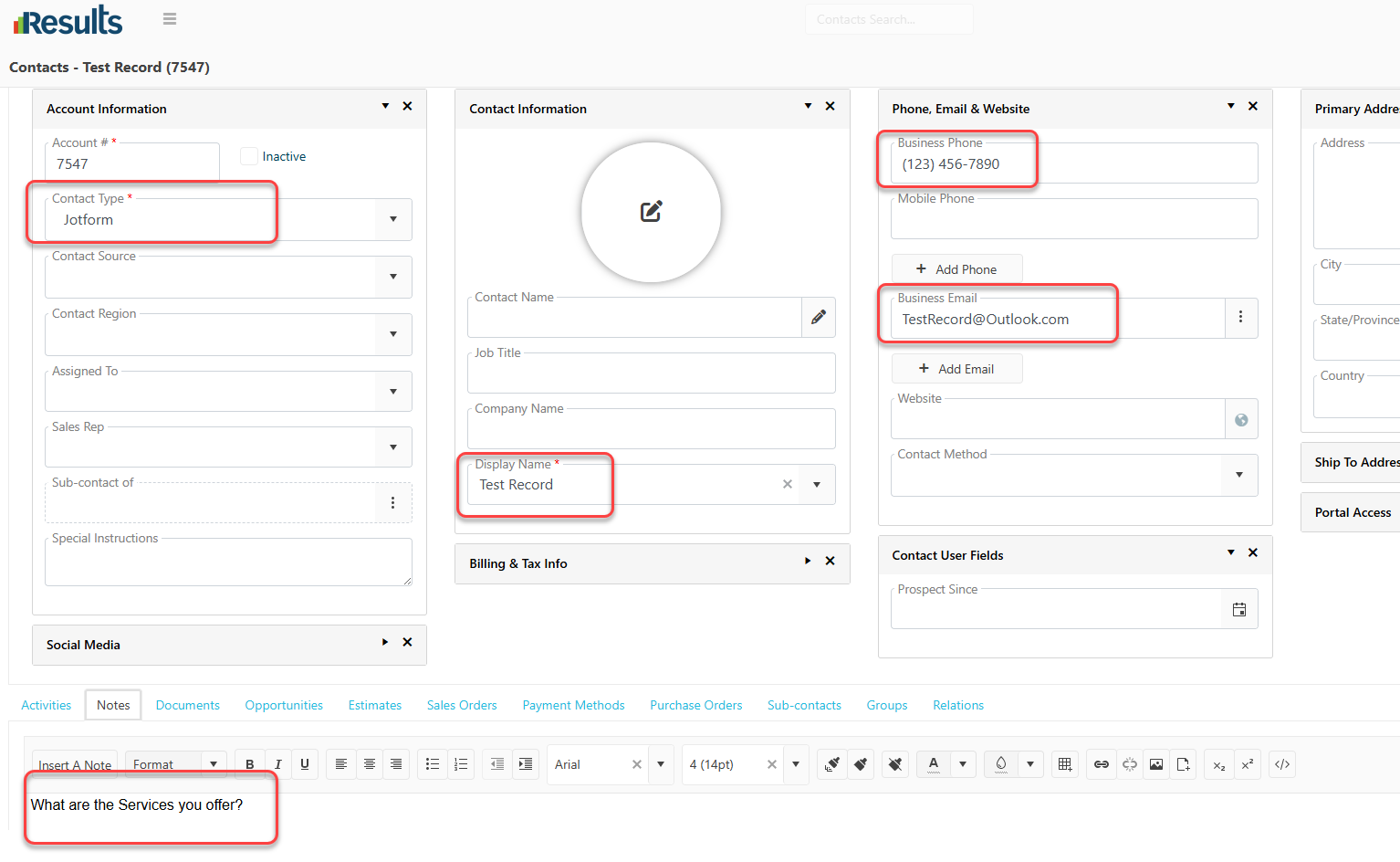
An enhanced JotForm Integration allows organizations to connect up to six separate JotForm forms and automatically create Contact records as soon as a form is submitted. Each form can be independently configured with its own field mappings, Contact Type, and automated business processes, making it easy to streamline lead capture and customer onboarding.

What's New?

      • Support for Up to Six JotForm Forms – Configure and connect up to six distinct JotForm forms, each with its own integration settings.
      • Comprehensive Field Mapping – Map as many fields as each JotForm form contains, including various User Fields with different data types, ensuring all submitted information is captured accurately within Results.
      • Automatic Contact Creation – A new Contact record is created immediately whenever a JotForm form is submitted, regardless of where the form is published, such as your website or landing pages.
      • Configurable Contact Types – Assign a specific Contact Type to each JotForm submitted form, allowing different forms to create different types of Contacts based on your specific form design and business requirements.
      • Automatic Process Triggering – Fully supports automatic Process execution based on the assigned Contact Type, enabling workflows such as notifications, follow-ups, task creation, and other automated actions to begin immediately after the Contact is created.

    Why This Matters?

    • Capture Leads Instantly – New inquiries submitted through JotForm are automatically added to Results without manual data entry.

    • Flexible Form Configuration – Each JotForm can be configured independently with its own mappings and Contact Type, supporting multiple business processes from a single Results environment.

    • Eliminate Manual Entry – Automatically transferring submitted form data into Results reduces administrative work and minimizes the risk of data entry errors.

    • Accelerate Business Processes – By automatically triggering Processes based on the assigned Contact Type, your team can respond faster to new inquiries, ensuring timely follow-up and a more efficient customer experience.

    Standard Payment Receipt Enhancement

    Results includes a Standard Payment Receipt in the Payments module, giving users a convenient way to generate and access a standardized receipt for payment records. Standard Payment Receipt –...

    FSM Portal Job Card Quick Access Enhancements

    Results now provides improved navigation on the FSM Portal with new Quick Access buttons on the Job Card, allowing users to jump directly to key sections of a job. These shortcuts help field service...

    Create a QB Job Along with an Opportunity or a Project

    Results makes it easier to create QuickBooks (QB) Jobs from Parent Contact records. New menu options let you create a QB Job along with an Opportunity or Project. These enhancements simplify record...

    Unit Price and Cost Decimal Precision Enhancements

    Greater precision and flexibility in managing financial values with a new setting in Admin Settings > Billing Settings. This enhancement lets users configure up to five decimal places for Unit...

    Quantity Decimal Precision Enhancements

    Greater precision and flexibility in managing quantities are available in Admin Settings > Billing Settings. This enhancement allows users to configure the number of decimal places displayed for...

    Split Activity – Simplifying Team Assignments and Scheduling

    The Split Activity feature in Results provides greater flexibility in activity management, allowing users to divide an existing activity into up to three additional activities and assign them to...

    Expanded User Permissions and Key Utilities Access

    Results provides administrators with greater control over user access to key utilities and integration configurations. New permission options have been added to the Users module, making it easier to...

    Streamlined Refund Processing in Results Payments Integration

    Results Payments Integration now provides a more streamlined way to process and track Refunds directly from Results. With the new “Issue Refund” functionality and enhanced transaction tracking,...

    Generate Payment Links for Deposits

    Results Payments Integration now makes it easier to collect Deposit payments directly from Projects. With the new Generate Payment Link for Deposit option, users can generate a secure payment link...

    Who’s Working Module Enhancements

    Results offers greater flexibility and convenience in the Who’s Working module, with enhancements to how Assigned Activity information is displayed and how users manage settings.Default Assigned...

    Documents Tab Now Available on Pricing Records

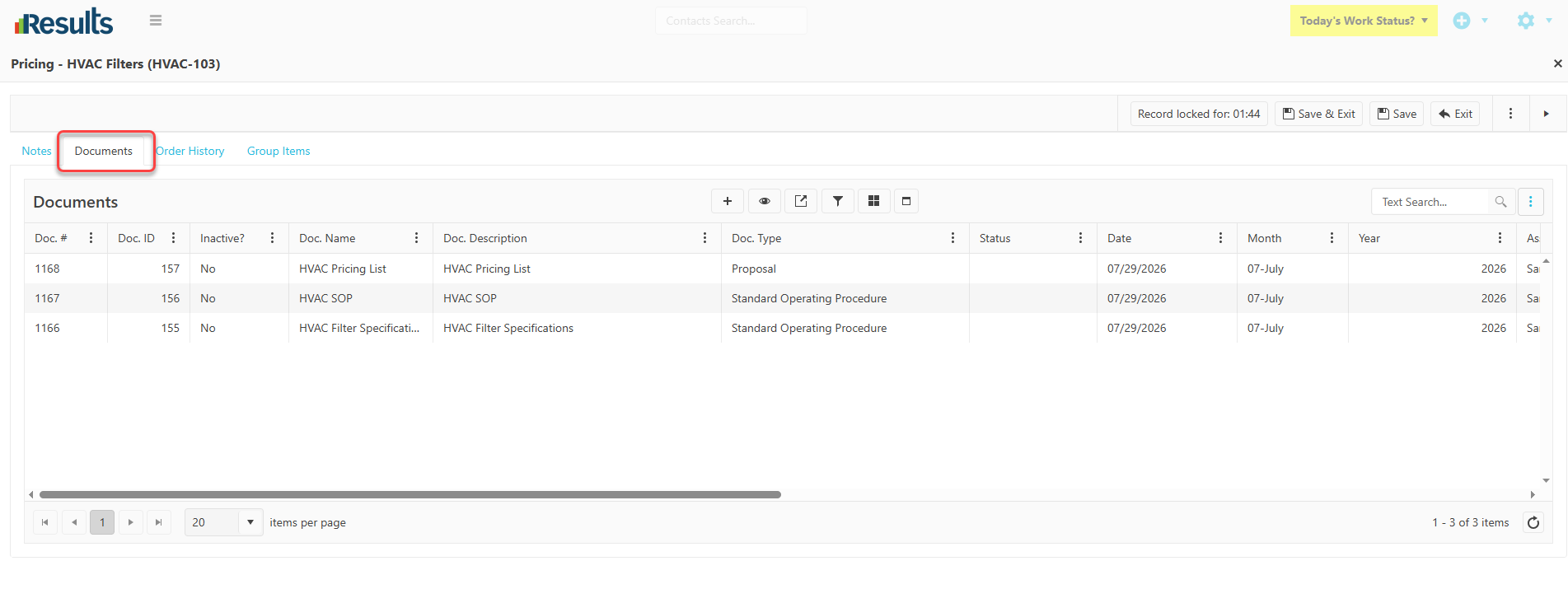
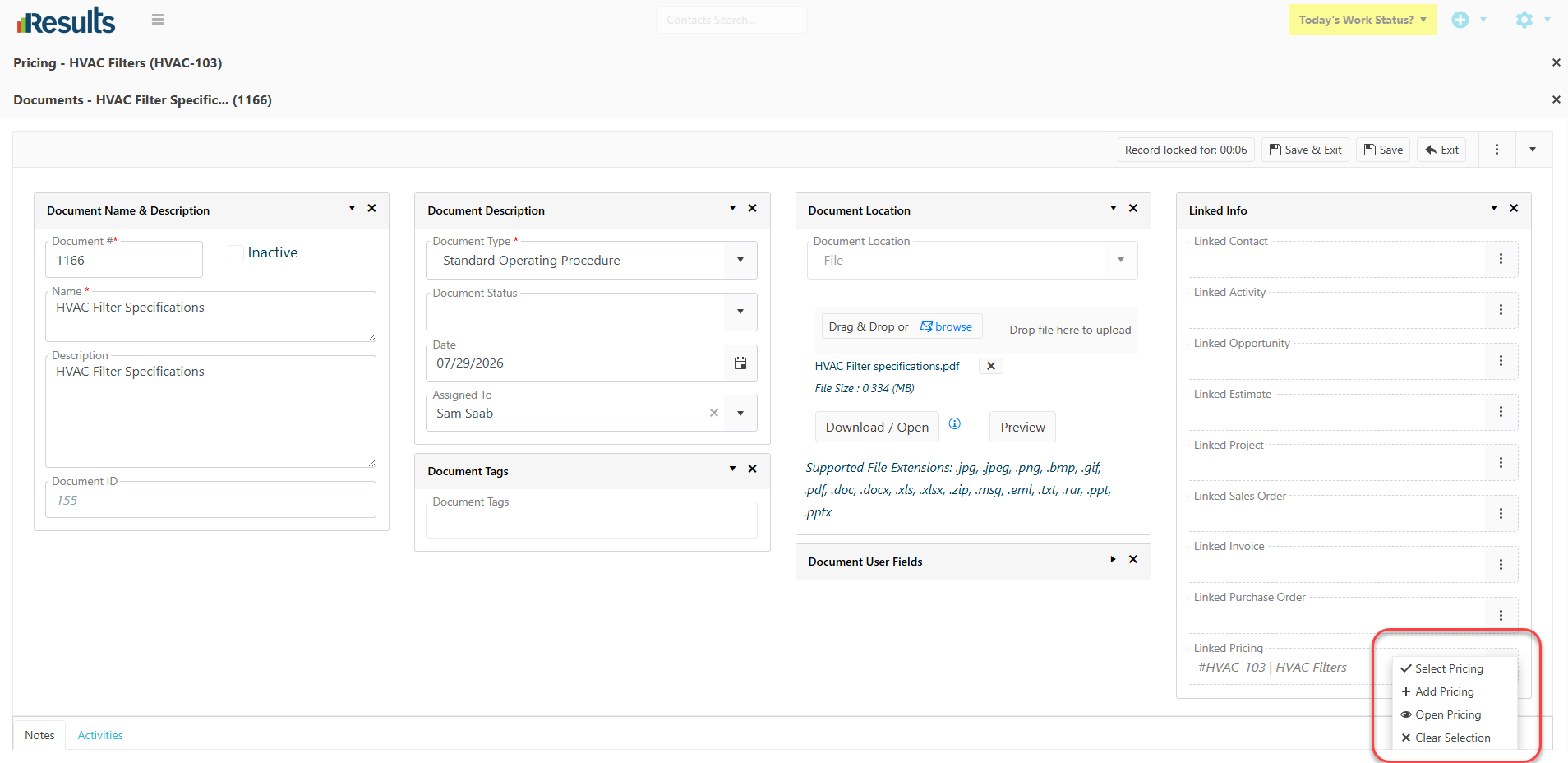
    Easily manage pricing-related documentation with a dedicated Documents tab on any Pricing record. In addition, documents can now be directly linked back to their associated Pricing record from the Documents data entry screen, improving visibility and document management.

    What's New?

      • Documents Tab on any Pricing Records – A new Documents tab has been added to the Pricing record, allowing users to:
        • View all documents associated with a Pricing record in one location.
        • Attach and manage supporting files without leaving the Pricing record.
      • Linked Pricing Field on Documents – The Documents data entry screen now includes a Linked Pricing field, enabling users to:
        • Associate a document directly with a specific Pricing record.
        • Easily identify the related Pricing record from within the document.

    Why This Matters?

    • Centralized Document Management – Keep all pricing-related documents organized and accessible directly from the Pricing record.

    • Improved Traceability – The new Linked Pricing relationship makes it easy to identify which Pricing record a document belongs to, improving record visibility and organization.

    • More Efficient Workflows – Users can quickly access supporting documentation while reviewing or maintaining pricing information, reducing the need to search across different areas of the system.

    • Better Record Organization – By connecting documents and Pricing records in both directions, Results provides a more complete and intuitive way to manage pricing documentation.

    Standard Payment Receipt Enhancement

    Results includes a Standard Payment Receipt in the Payments module, giving users a convenient way to generate and access a standardized receipt for payment records. Standard Payment Receipt –...

    FSM Portal Job Card Quick Access Enhancements

    Results now provides improved navigation on the FSM Portal with new Quick Access buttons on the Job Card, allowing users to jump directly to key sections of a job. These shortcuts help field service...

    Create a QB Job Along with an Opportunity or a Project

    Results makes it easier to create QuickBooks (QB) Jobs from Parent Contact records. New menu options let you create a QB Job along with an Opportunity or Project. These enhancements simplify record...

    Unit Price and Cost Decimal Precision Enhancements

    Greater precision and flexibility in managing financial values with a new setting in Admin Settings > Billing Settings. This enhancement lets users configure up to five decimal places for Unit...

    Quantity Decimal Precision Enhancements

    Greater precision and flexibility in managing quantities are available in Admin Settings > Billing Settings. This enhancement allows users to configure the number of decimal places displayed for...

    Split Activity – Simplifying Team Assignments and Scheduling

    The Split Activity feature in Results provides greater flexibility in activity management, allowing users to divide an existing activity into up to three additional activities and assign them to...

    Expanded User Permissions and Key Utilities Access

    Results provides administrators with greater control over user access to key utilities and integration configurations. New permission options have been added to the Users module, making it easier to...

    Streamlined Refund Processing in Results Payments Integration

    Results Payments Integration now provides a more streamlined way to process and track Refunds directly from Results. With the new “Issue Refund” functionality and enhanced transaction tracking,...

    Generate Payment Links for Deposits

    Results Payments Integration now makes it easier to collect Deposit payments directly from Projects. With the new Generate Payment Link for Deposit option, users can generate a secure payment link...

    Who’s Working Module Enhancements

    Results offers greater flexibility and convenience in the Who’s Working module, with enhancements to how Assigned Activity information is displayed and how users manage settings.Default Assigned...