What's New?
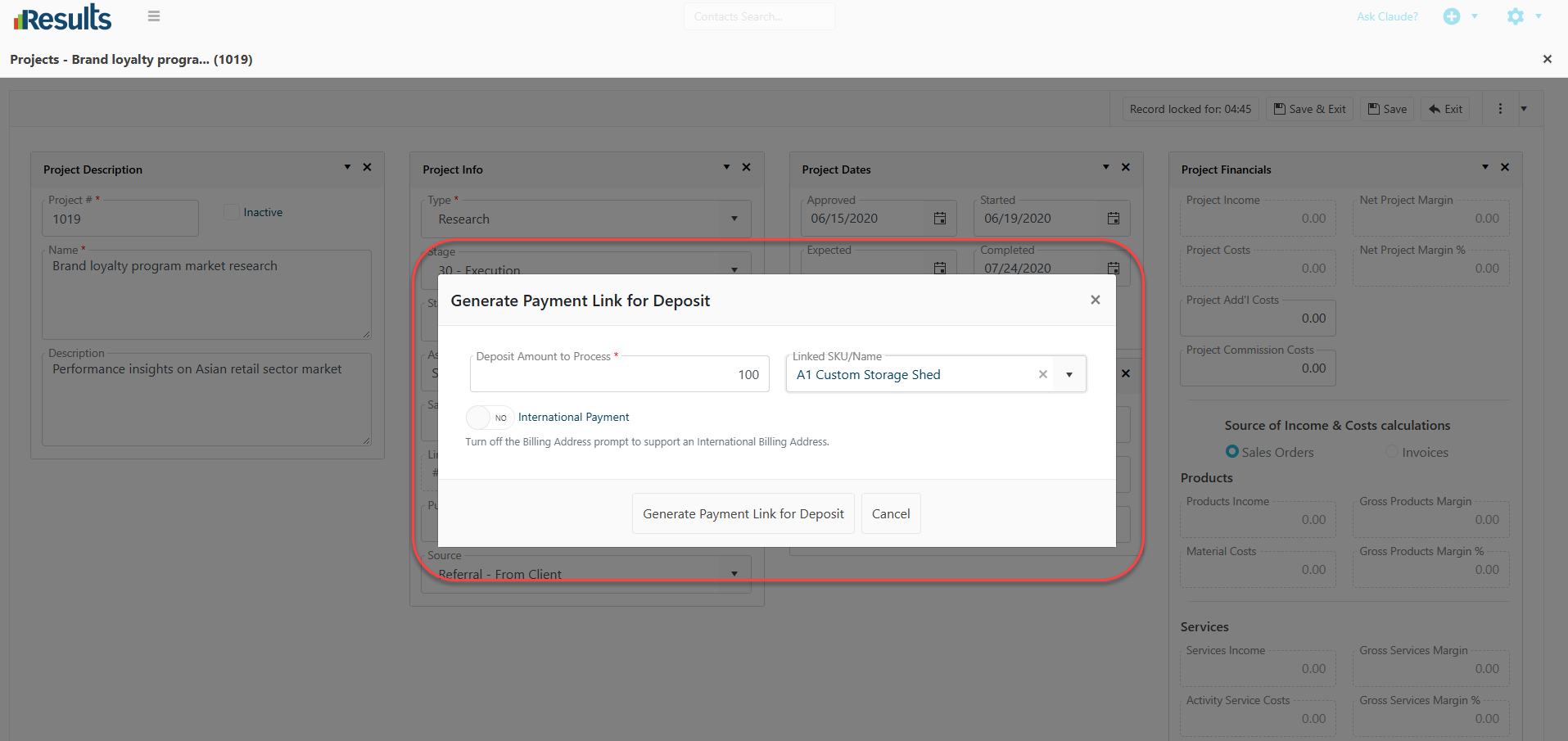
- Linked SKU – Optional field to associate a specific SKU with the deposit.
- Deposit Amount to Process – Required field to specify the deposit amount to be collected.
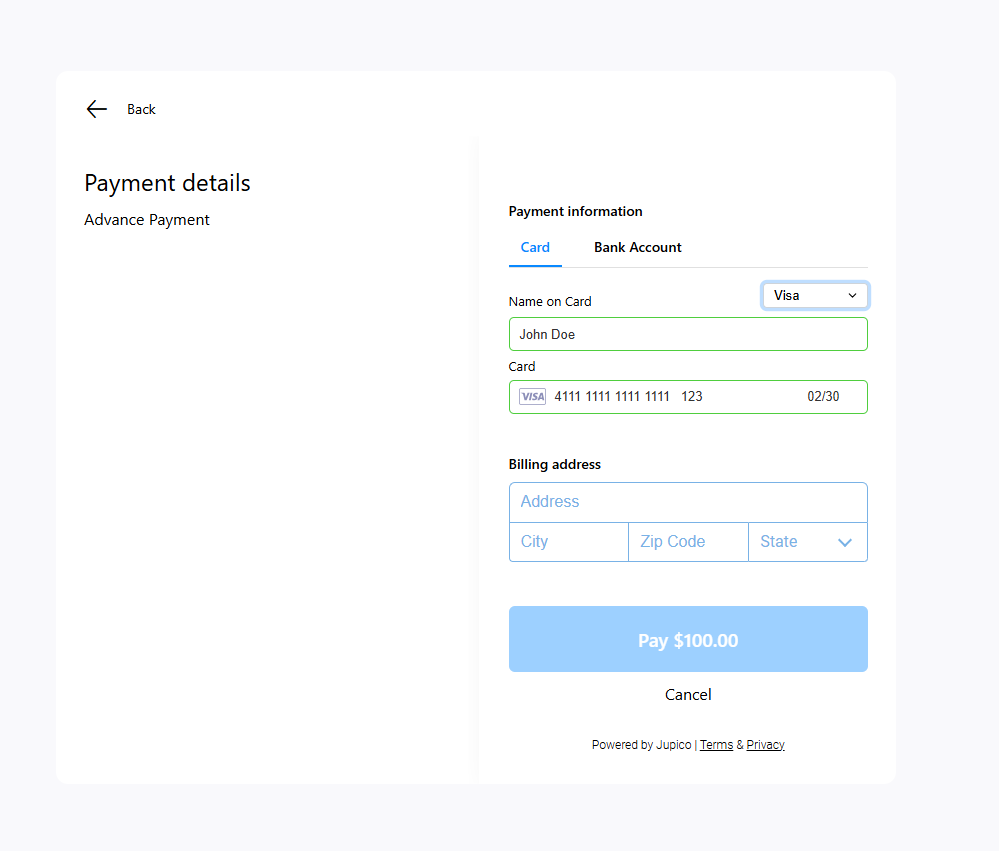
- International Billing Address – A new toggle is available to support international billing addresses.
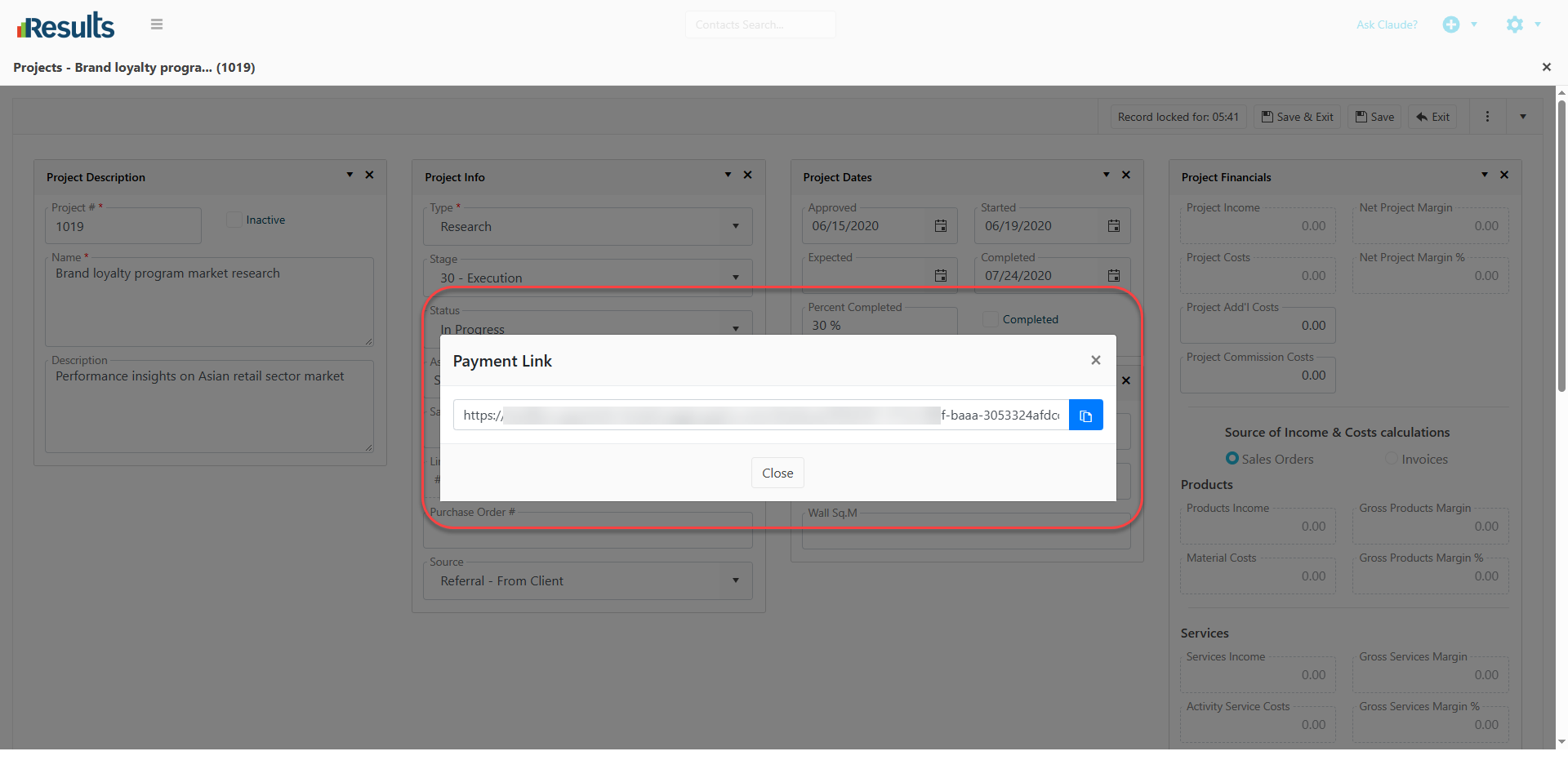
Once confirmed, Results generates a payment link for the specified deposit amount.
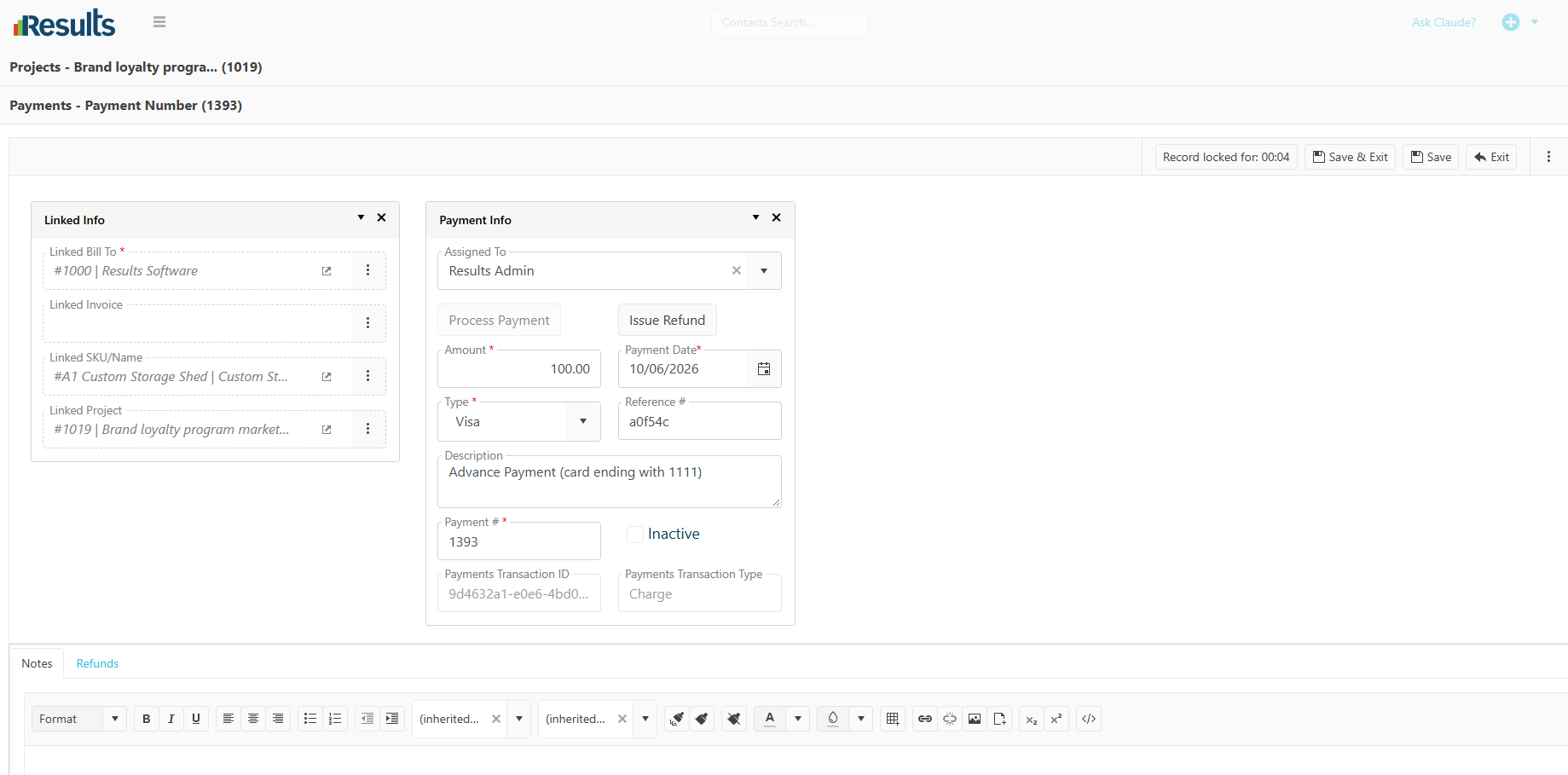
- Linked Bill To
- Linked Project
- Lined SKU (when provided)
- Payment Amount
- Other relevant payment details
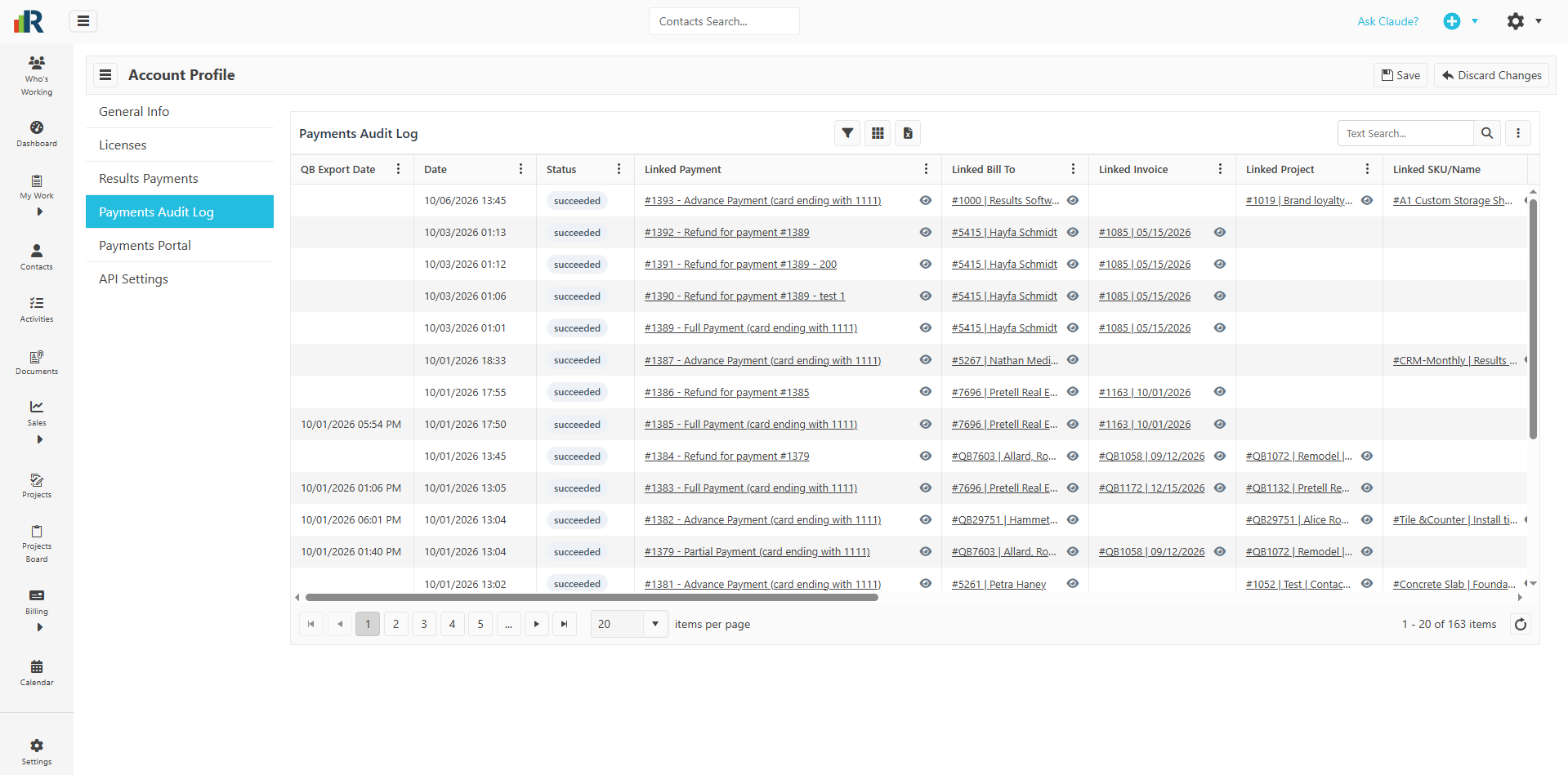
Payment Audit Tracking – A corresponding payment entry will also be created in the Audit Log, providing a clear record of the deposit payment and supporting improved payment tracking and visibility.
Why This Matters?
-
Simplify Deposit Collection – Generate a payment link directly from a Project, making it easier to collect deposits without additional manual steps.
-
Reduce Manual Data Entry – Project and billing information are automatically carried into the Payment record, reducing the need to manually enter or associate payment details.
-
Support Flexible Billing – The optional Linked SKU and International Billing Address toggle provide additional flexibility for different payment scenarios.
-
Improve Payment Tracking – Automatically created Payment records and Audit Log entries provide greater visibility into deposits collected through payment links.
-
Streamline the Payment Process – From generating the payment link to automatically recording the completed deposit, the enhanced workflow helps make payment collection faster and more efficient.
-
Proper Transfer of Deposit Information to QuickBooks – When the Deposit is received, it will be automatically sent to QuickBooks as a Sales Receipt with the Linked SKU for the line item, so it is captured properly in QuickBooks as a Deposit.