
Users can now visualize scheduled Activities with the new Show in Calendar option in the Projects and Sales Orders Activities Grid, with quick access to the Calendar View to see Activities enabled for calendar display.
What's New?
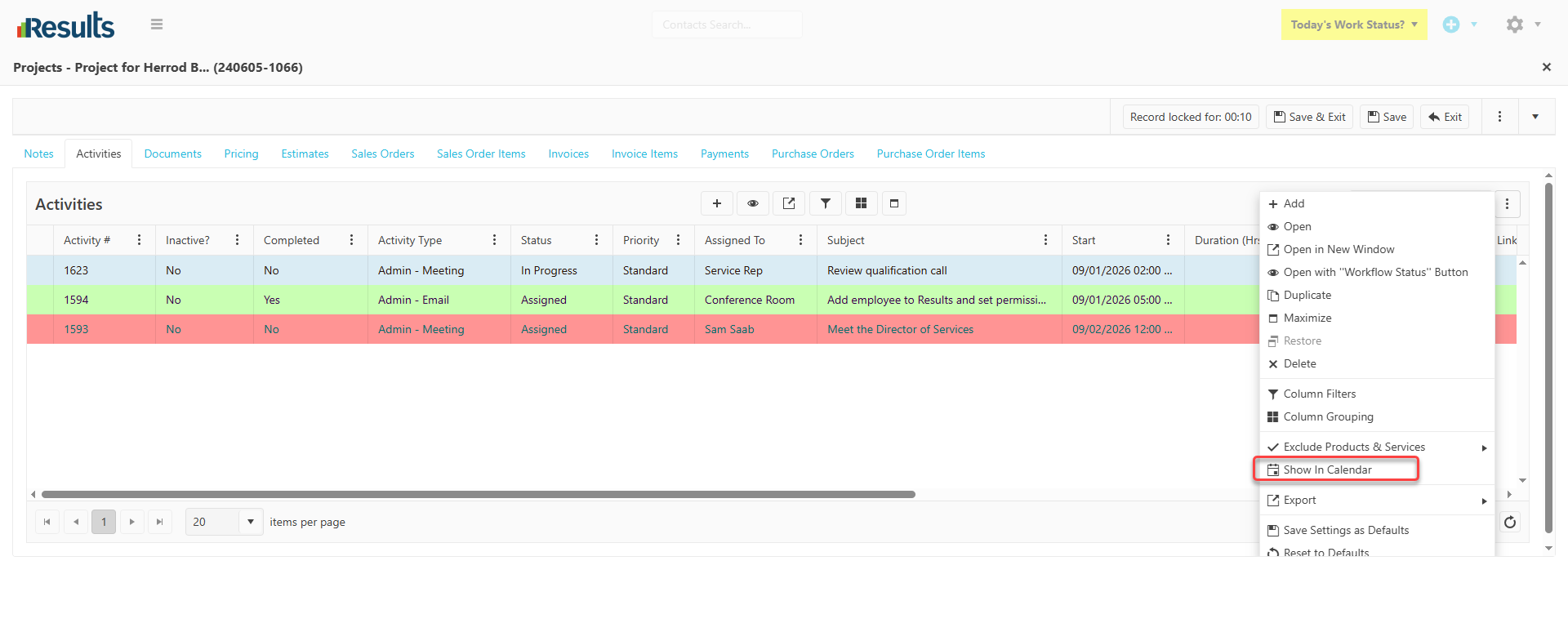
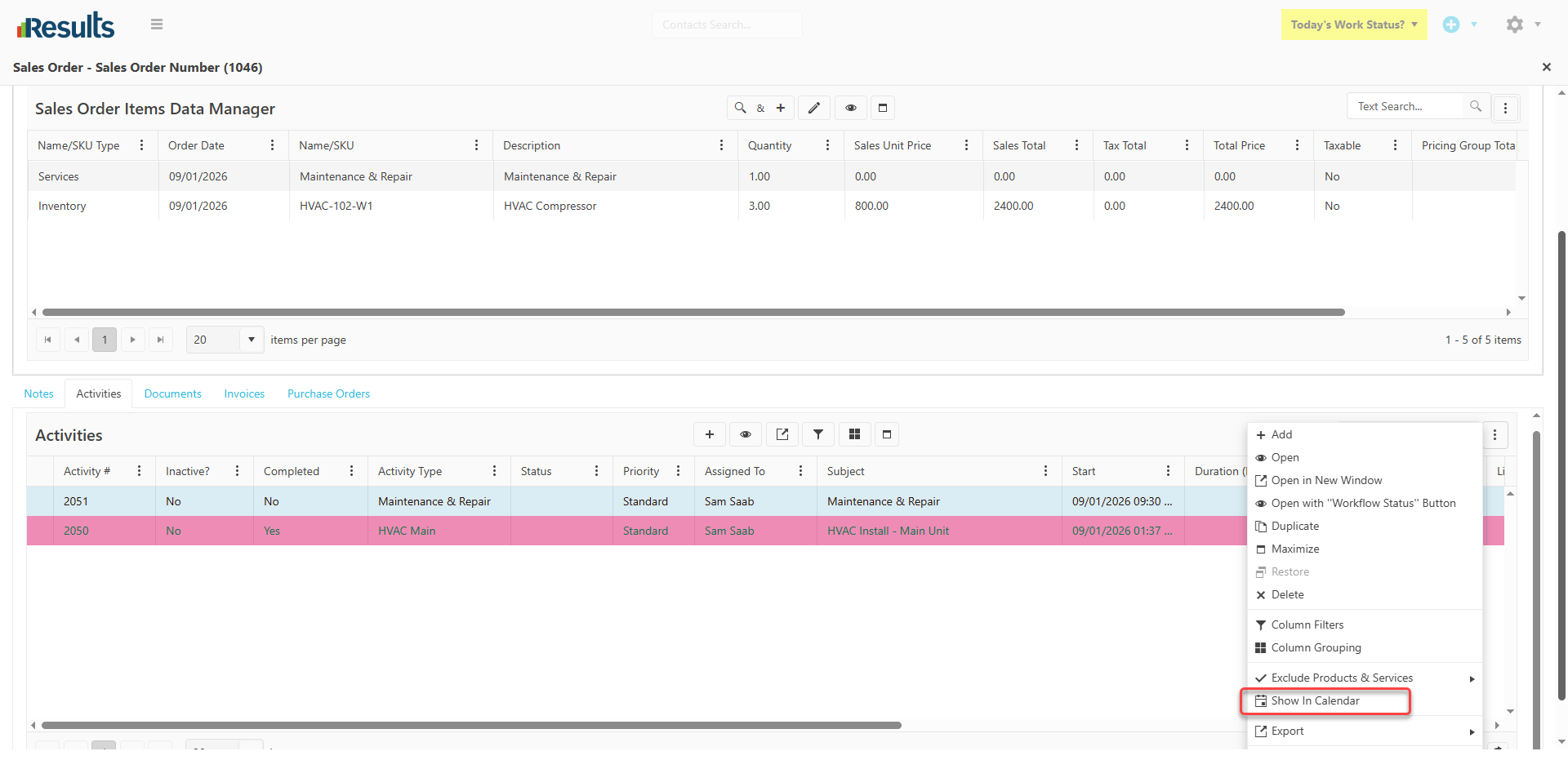
Show in Calendar Option – A new Show in Calendar option is available in the Activities Grid for both Projects and Sales Orders. When selected, Results will:
-
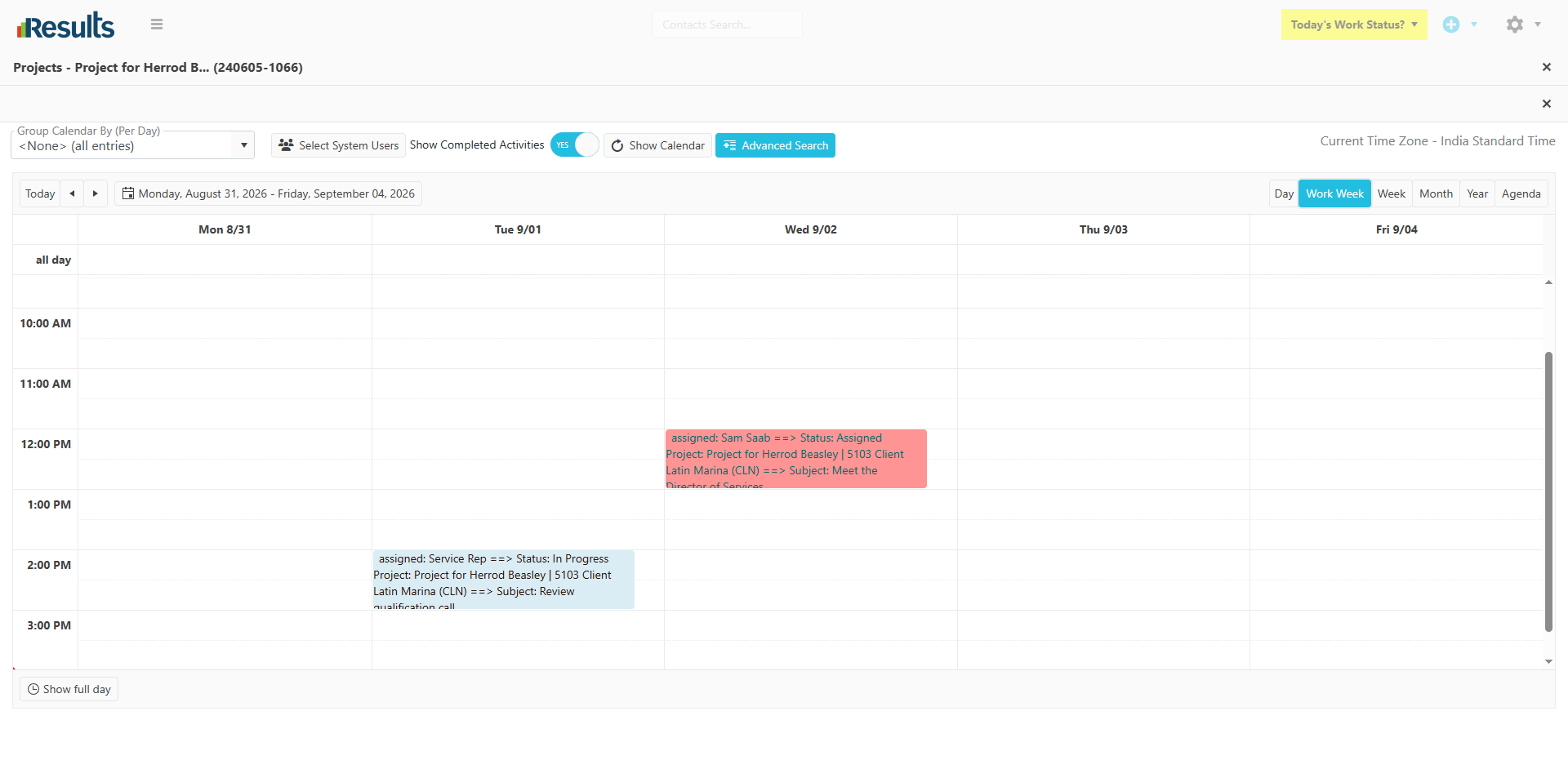
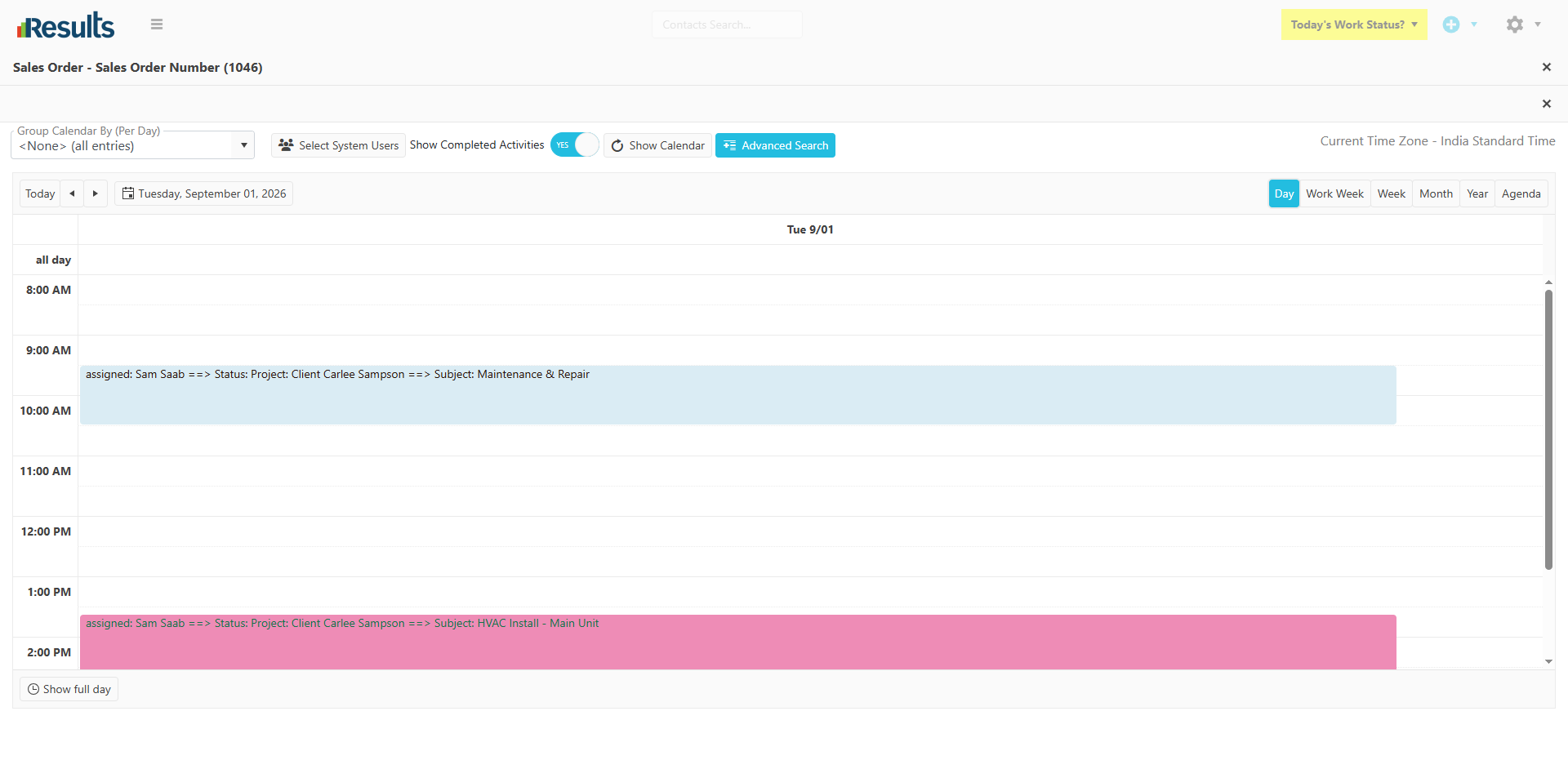
Open the Calendar View displaying the associated Activities from the grid.
-
Show only Activities where the Show in Calendar field is enabled.
-
Automatically carry the relevant Activities from the Project or Sales Order into the Calendar.
Pre-Populated Calendar Settings – When the Calendar View opens:
-
The Advanced Search criteria are automatically pre-populated based on the selected Project or Sales Order.
-
Grouping is automatically set to None for a clearer view of the Activities.
-
Show Calendar is automatically selected.
Why This Matters?
Quickly Visualize Activities – View relevant Project and Sales Order Activities in a calendar view without manually searching.
Save Time – Automatically applied search criteria eliminate the need to re-enter filters when moving from the Activities Grid to the Calendar.
Better Scheduling Visibility – Get a clear, calendar-based view of Activities configured to appear on the calendar.
Seamless Navigation – Move directly from the Projects or Sales Orders Activities Grid to the Calendar View for a more efficient scheduling workflow.