
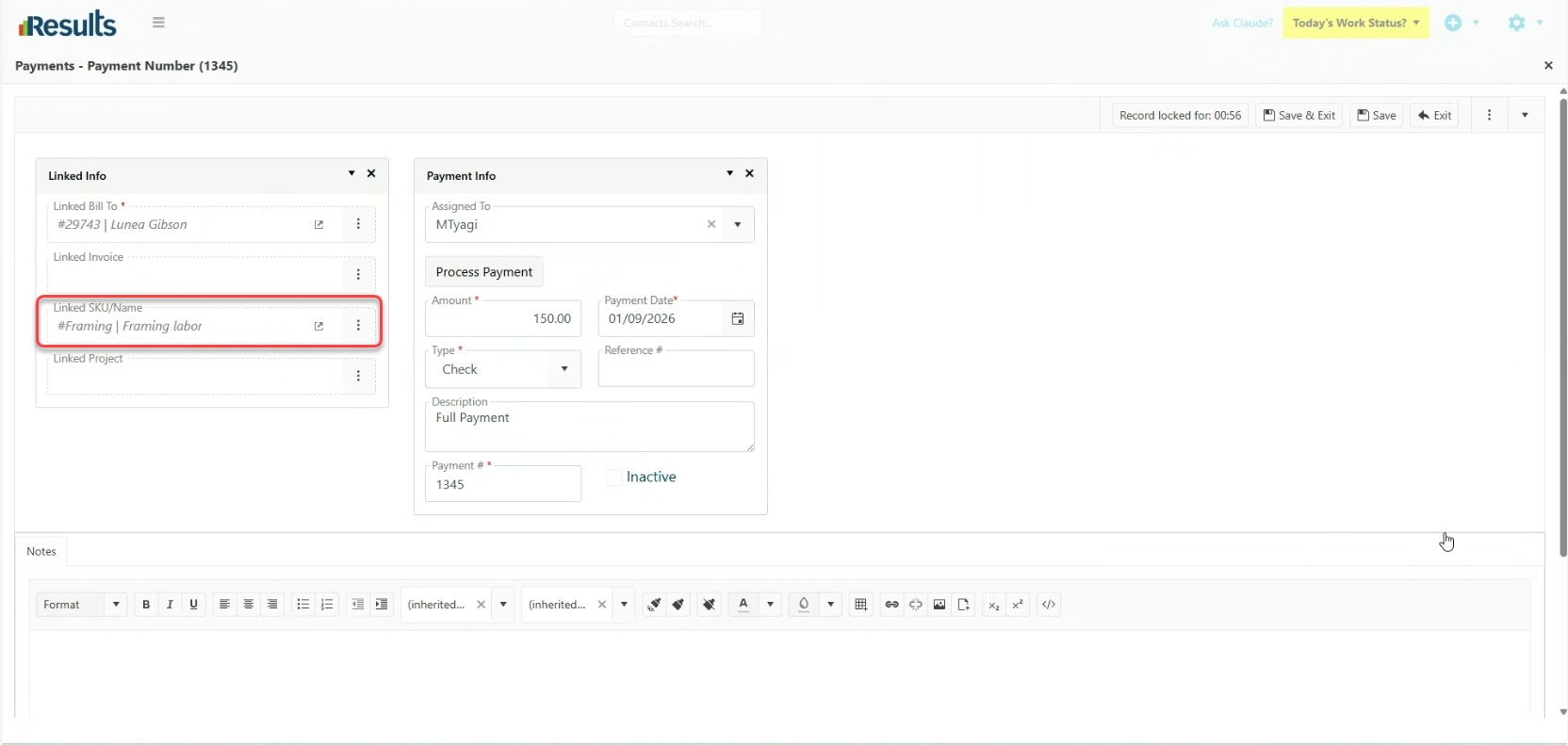
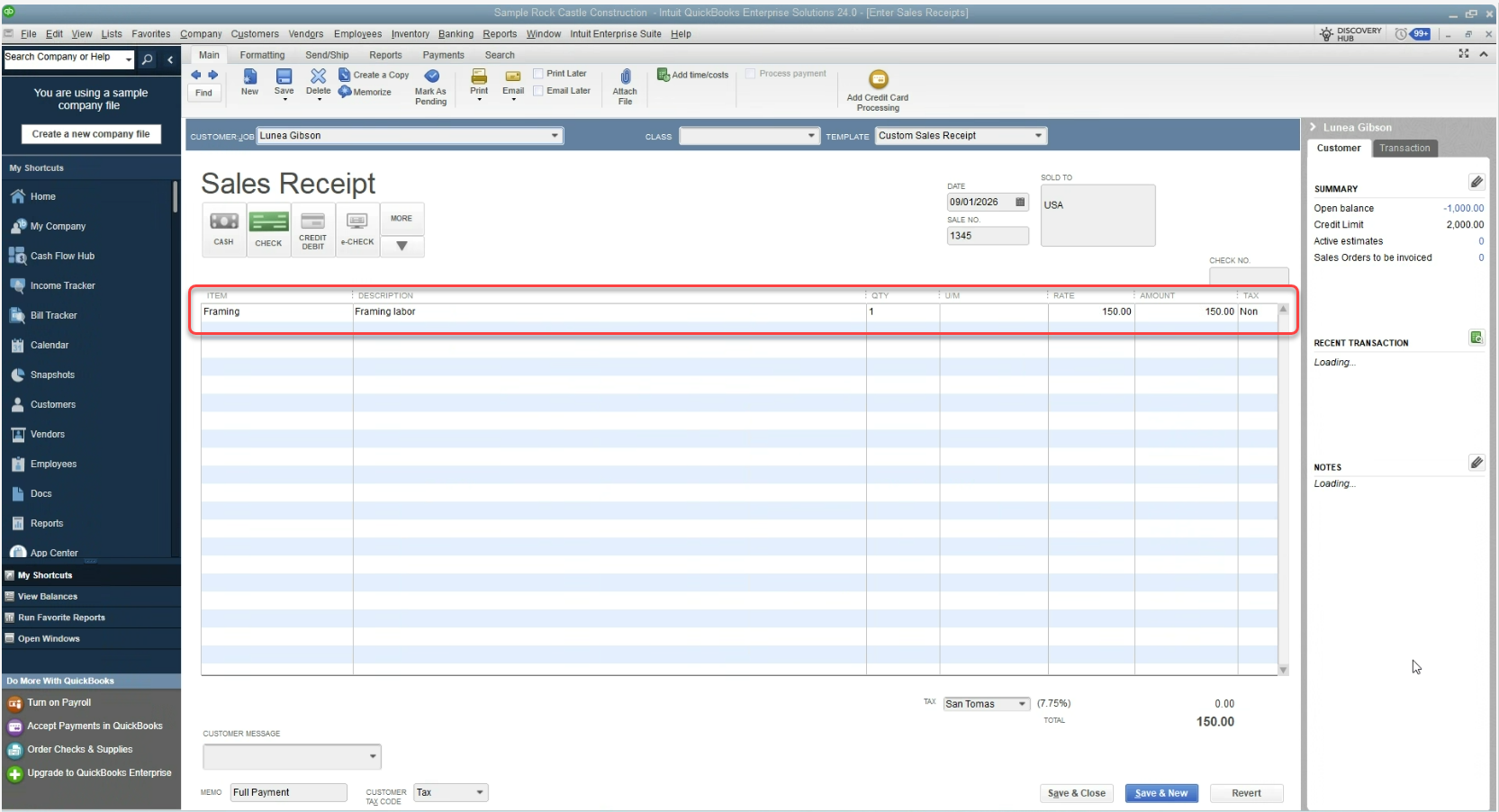
Results now allows submitting Deposit Payments directly to QuickBooks as Sales Receipts. A new Linked SKU/Name field has been added to the Payments data entry screen, allowing users to specify the SKU that should appear on the Sales Receipt.
What's New?
Linked SKU/Name on Payments – A new Linked SKU/Name field appears when entering a Payment. When you select a SKU/Name:
-
Record the payment in QuickBooks as a Sales Receipt rather than a standard Payment/Credit.
-
Generate the Sales Receipt with one Line Item based on the selected Linked SKU/Name.
-
The Sales Receipt amount is based on the Payment amount.
-
Results designed this feature as a one-way send transaction from Results to QuickBooks.
Update and Resend Option – If the Payment amount needs to be changed after submitting the Sales Receipt, users can select Update/Resend to send the corrected amount to QuickBooks.
Important: Sales Receipts Are Not Re-Imported – Sales Receipts created through this process will not be re-imported into Results. They are intended as a one-way transfer from Results to QuickBooks.
Why This Matters?
- Simplify Deposit Processing – Send Deposit Payments from Results to QBD as Sales Receipts without manually recreating the transaction.
- Accurate Line-Item Mapping – The selected Linked SKU/Name is used to generate a single, well-defined Line Item on the Sales Receipt.
- Easy Corrections – The Update/Resend option makes it easy to adjust and resend the Payment if the amount changes.
- Reduce Duplicate Transactions – Maintaining the Sales Receipt as a one-way transaction prevents the creation of unnecessary or incorrect Invoice records in Results during re-import.