
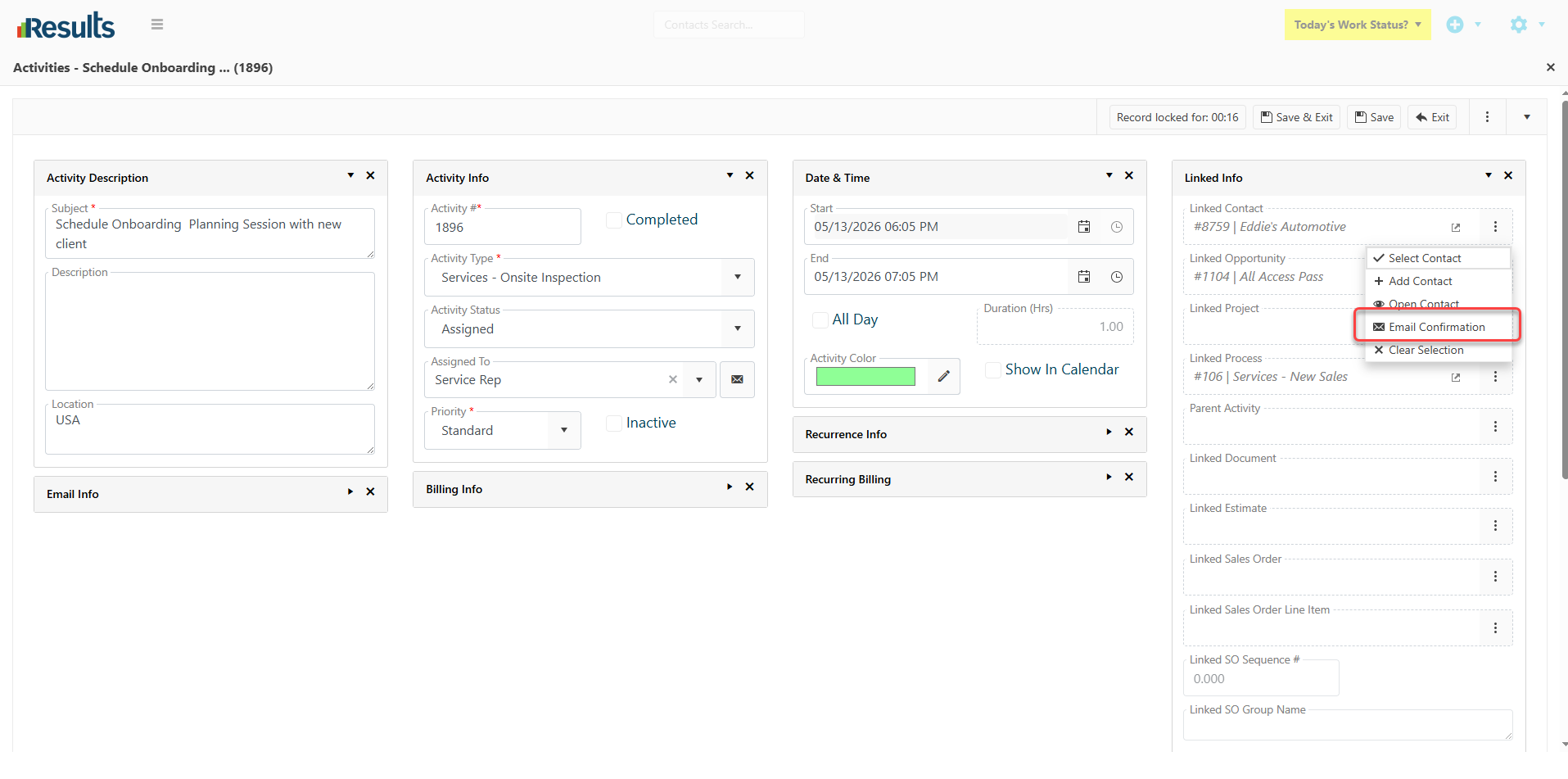
Results includes a new Email Confirmation option in the Linked Contact menu on an Activities data entry screen, giving users a faster way to communicate with clients while maintaining compliance with communication requirements. Before sending an email, Results validates Special Instructions on the Contact record, helping users identify communication restrictions before a confirmation message is sent.
The enhancement also streamlines communication tracking by attaching sent emails directly to the related Activity record, creating a complete history of client interactions without additional administrative effort.
What's New?
-
Email Confirmation from Activities – Users can send email confirmations directly from the Linked Contact menu within an Activity data entry screen.
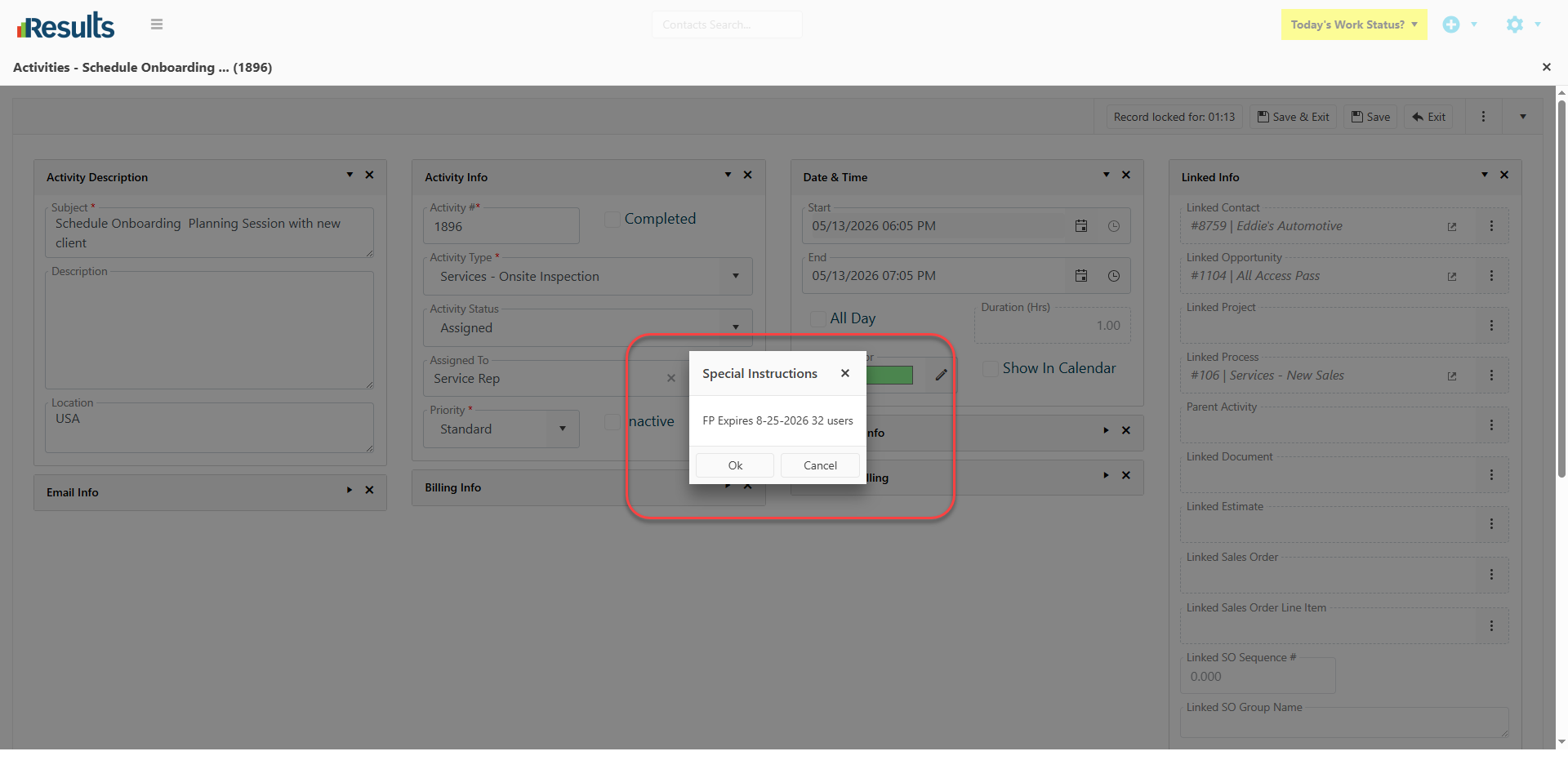
- Special Instruction Validation – Before the email process begins, Results checks the Contact record for Special Instructions. If communication restrictions or alerts exist, and Results is configured to display any Special Instructions to the User, the system displays a warning message that requires user acknowledgment before proceeding.
-
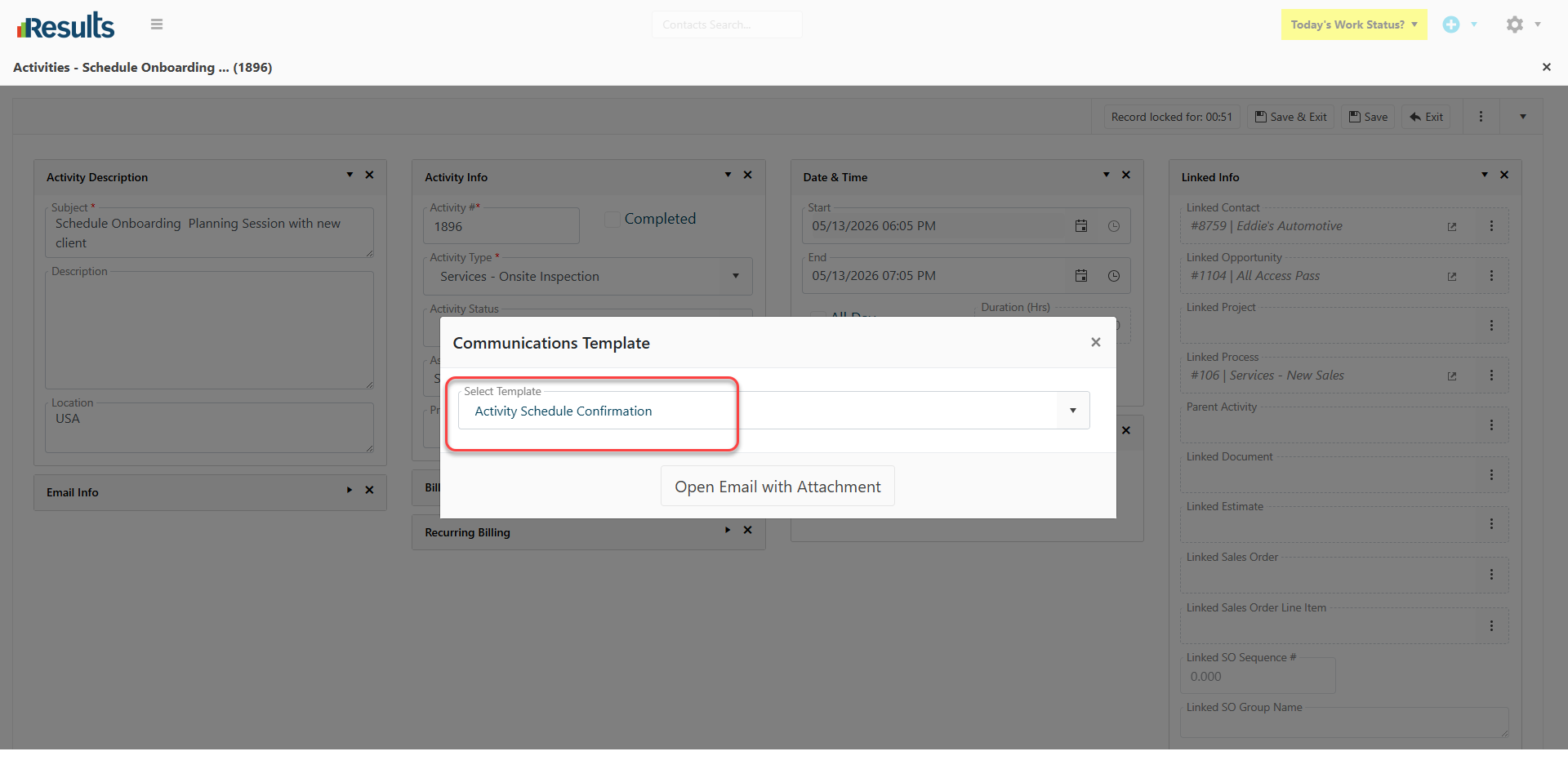
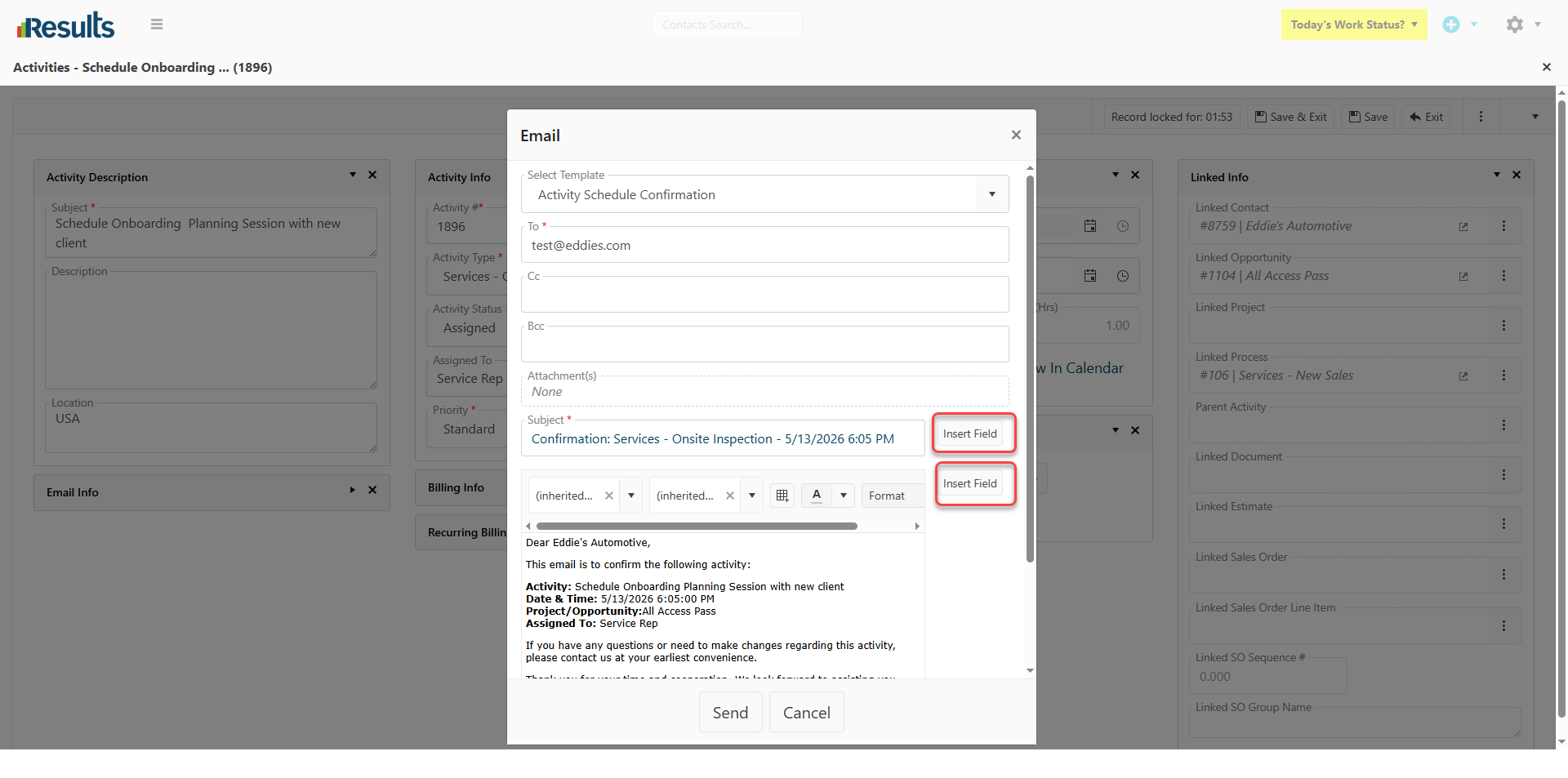
Activity Communication Templates – Users can select from available Activity Communication Templates that support merge fields, making it easy to create personalized and consistent communications.
- Direct Contact Email Delivery – Results sends confirmation emails to the email address(es) stored on the Contact record without opening the Linked Contact first, while maintaining full access to the Activity details for which the confirmation is being sent.
- Automatic Communication Logging – Results attaches and logs the sent communication under the related Activity record automatically, providing complete visibility into client interactions.
Why This Matters?
-
Improved Communication Control – Special Instruction validation helps prevent communications that may violate client-specific instructions, requirements or restrictions.
-
Faster, More Consistent Client Emails – Predefined templates and merge field support reduce manual effort while maintaining consistent messaging.
- Better Activity Tracking – Automatic communication logging ensures Activity records contain a complete history of related client communications.
- Reduced Risk of Errors – Results validates communication requirements before sending and delivers emails directly to Contact record email addresses, helping reduce the risk of unauthorized or misdirected communication.