
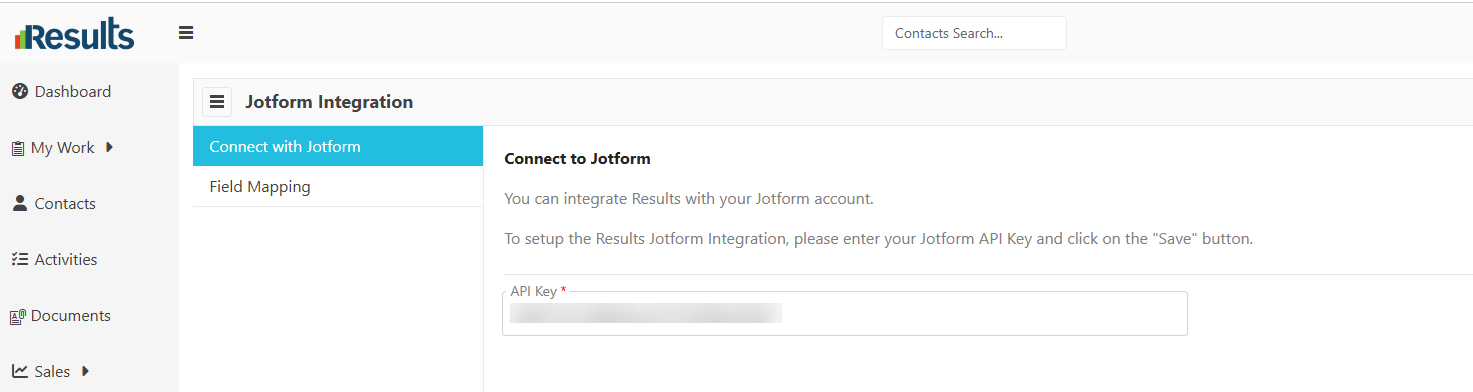
An enhanced JotForm Integration allows organizations to connect up to six separate JotForm forms and automatically create Contact records as soon as a form is submitted. Each form can be independently configured with its own field mappings, Contact Type, and automated business processes, making it easy to streamline lead capture and customer onboarding.
What's New?
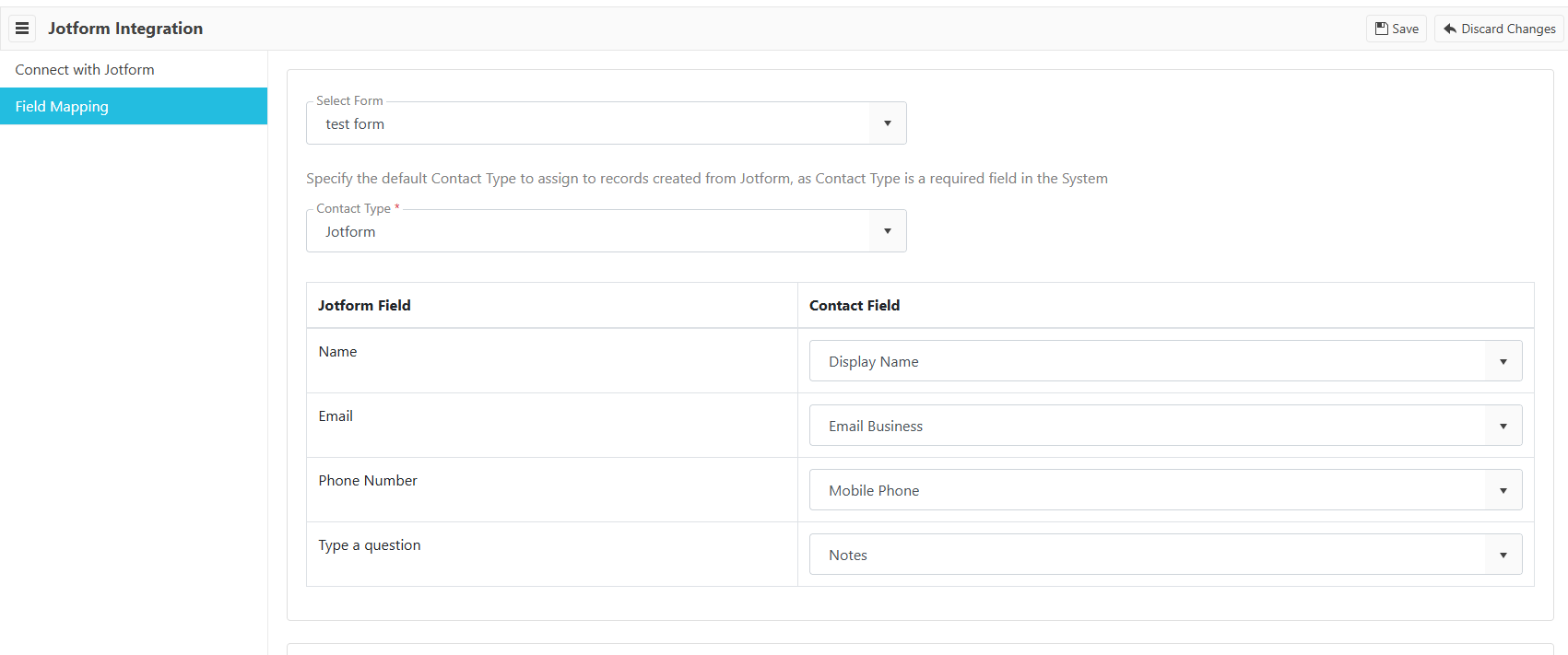
- Support for Up to Six JotForm Forms – Configure and connect up to six distinct JotForm forms, each with its own integration settings.
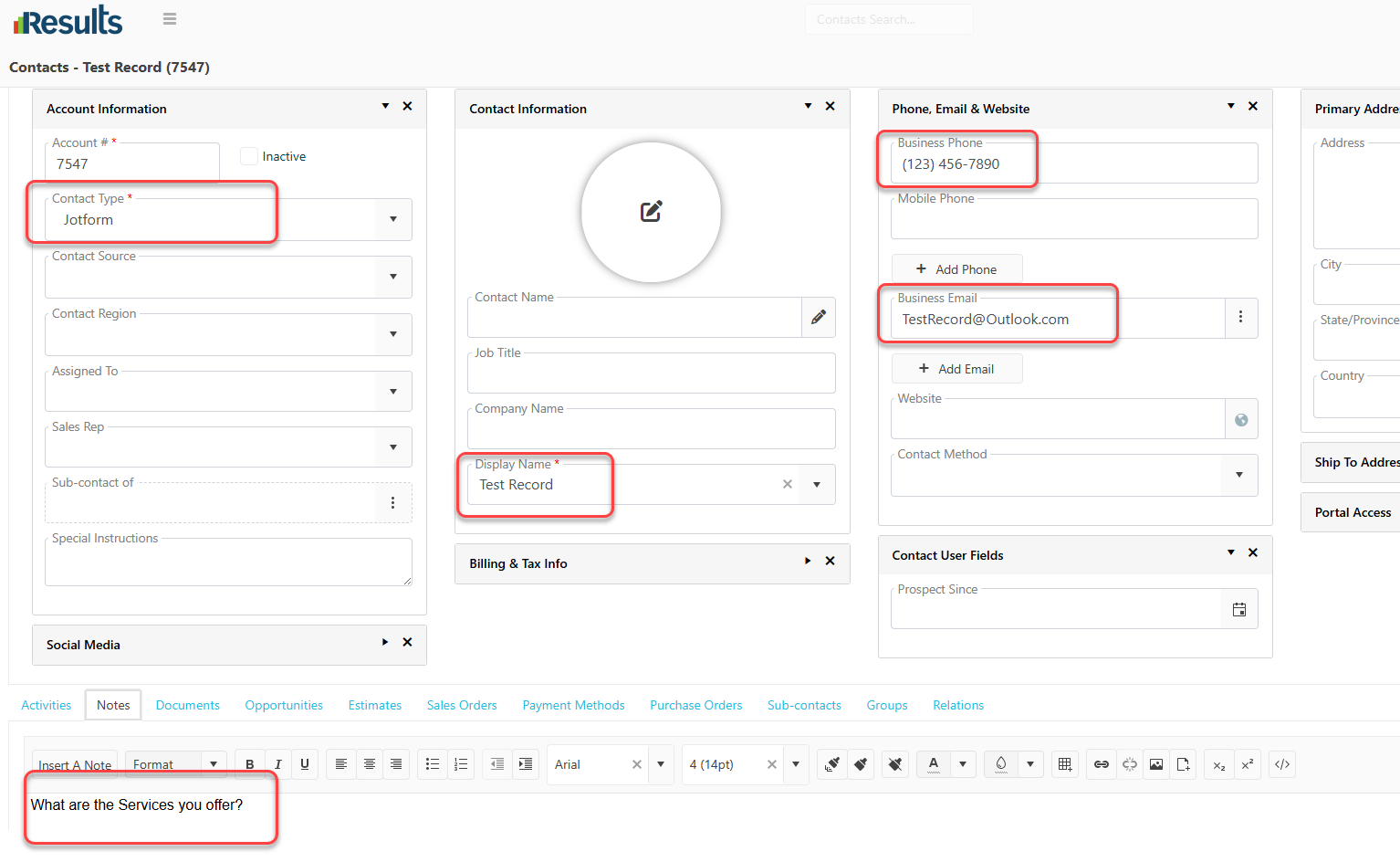
- Comprehensive Field Mapping – Map as many fields as each JotForm form contains, including various User Fields with different data types, ensuring all submitted information is captured accurately within Results.
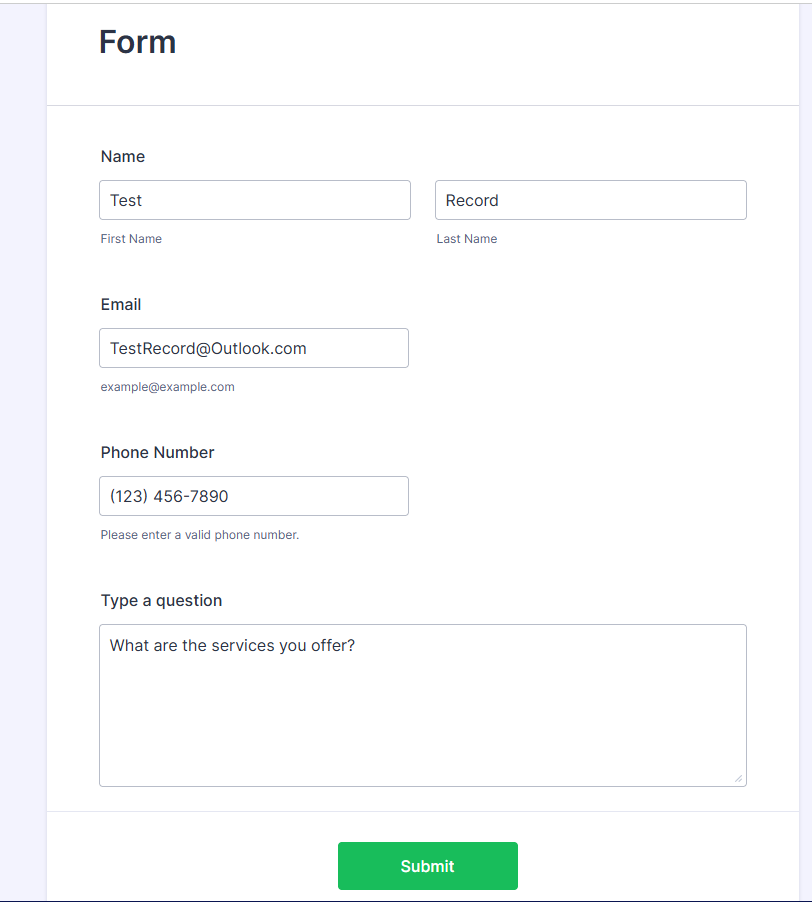
- Automatic Contact Creation – A new Contact record is created immediately whenever a JotForm form is submitted, regardless of where the form is published, such as your website or landing pages.
- Configurable Contact Types – Assign a specific Contact Type to each JotForm submitted form, allowing different forms to create different types of Contacts based on your specific form design and business requirements.
-
Automatic Process Triggering – Fully supports automatic Process execution based on the assigned Contact Type, enabling workflows such as notifications, follow-ups, task creation, and other automated actions to begin immediately after the Contact is created.
Why This Matters?
-
Capture Leads Instantly – New inquiries submitted through JotForm are automatically added to Results without manual data entry.
-
Flexible Form Configuration – Each JotForm can be configured independently with its own mappings and Contact Type, supporting multiple business processes from a single Results environment.
-
Eliminate Manual Entry – Automatically transferring submitted form data into Results reduces administrative work and minimizes the risk of data entry errors.
-
Accelerate Business Processes – By automatically triggering Processes based on the assigned Contact Type, your team can respond faster to new inquiries, ensuring timely follow-up and a more efficient customer experience.