
The Maximize/Restore option across Tab Data Managers and Financial Line-Item Grids makes it easier to work with large datasets by expanding the grid to display more records at once. In addition, the header section of expanded grids now remains fixed, ensuring important actions and menus are always accessible while scrolling through these lists.
What's New?
-
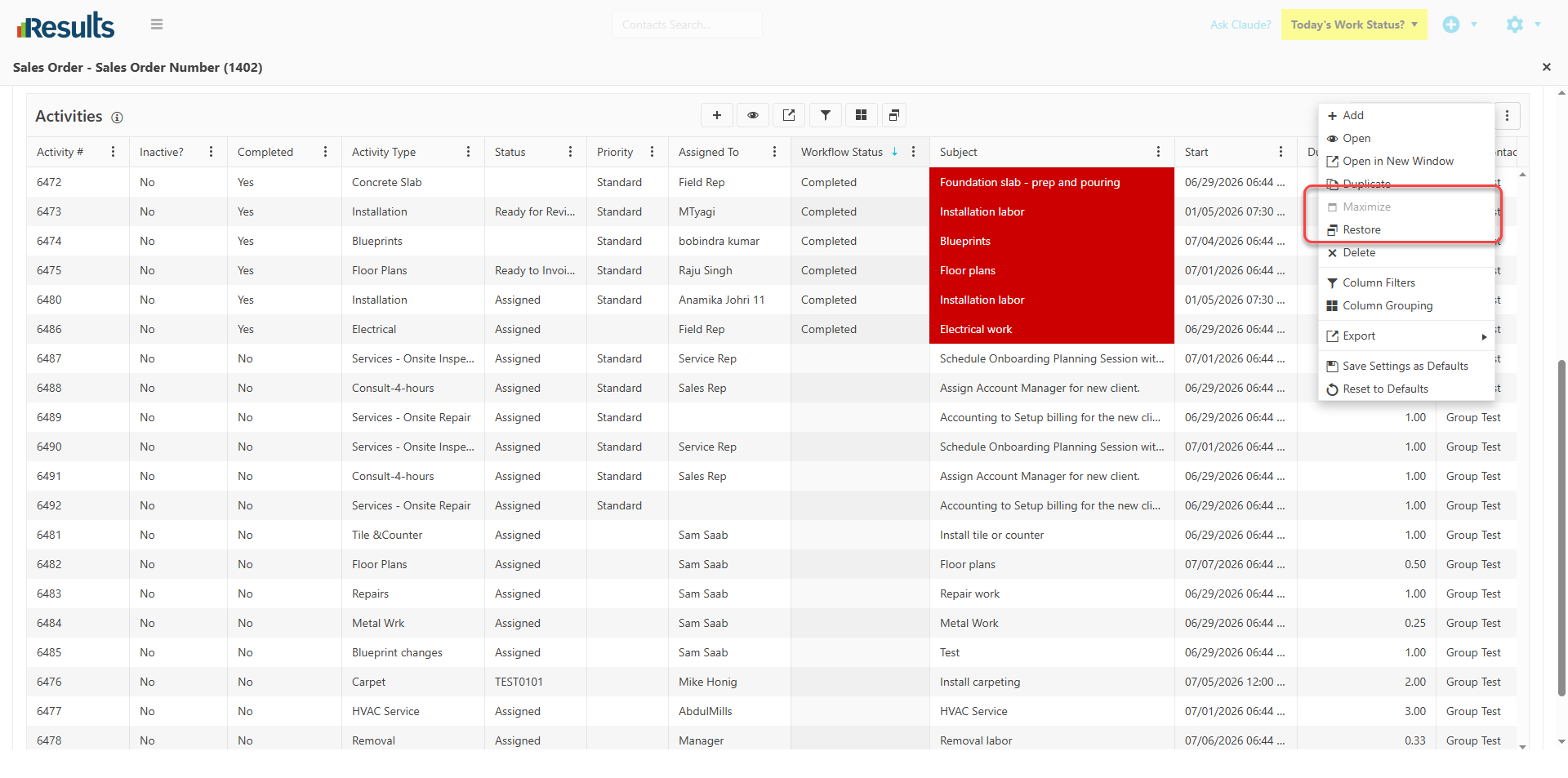
Maximize/Restore Grid Option – A new Maximize/Restore button is available to all Tab Data Managers in every module and to Financial Line-Item Grids. Selecting Maximize expands the grid to show the maximum number of rows, while Restore returns the grid to its original size.
-
Sticky Grid Header in Expanded View – When the grid is maximized, the upper part of the Data Manager remains fixed as users scroll through records. This design allows quick access to the column headers, the grid action buttons, the 3-dot menu, and other controls at the top of the Tab or Grid.
Why This Matters?
-
More Workspace, Less Scrolling – Maximizing the grid allows users to view and work with more records at once, improving productivity when managing large datasets.
-
Always-Accessible Actions – With the Tab/Grid header visible, users can access common actions and menu options without scrolling back to the top of the grid.
-
Improved Navigation – Keeping key controls within reach creates a smoother, more efficient experience when reviewing or updating records.
-
Enhanced Usability – The combination of an expanded viewing area and a sticky header makes working in Data Managers and Line-Item Grids faster, more convenient, and more user-friendly.