
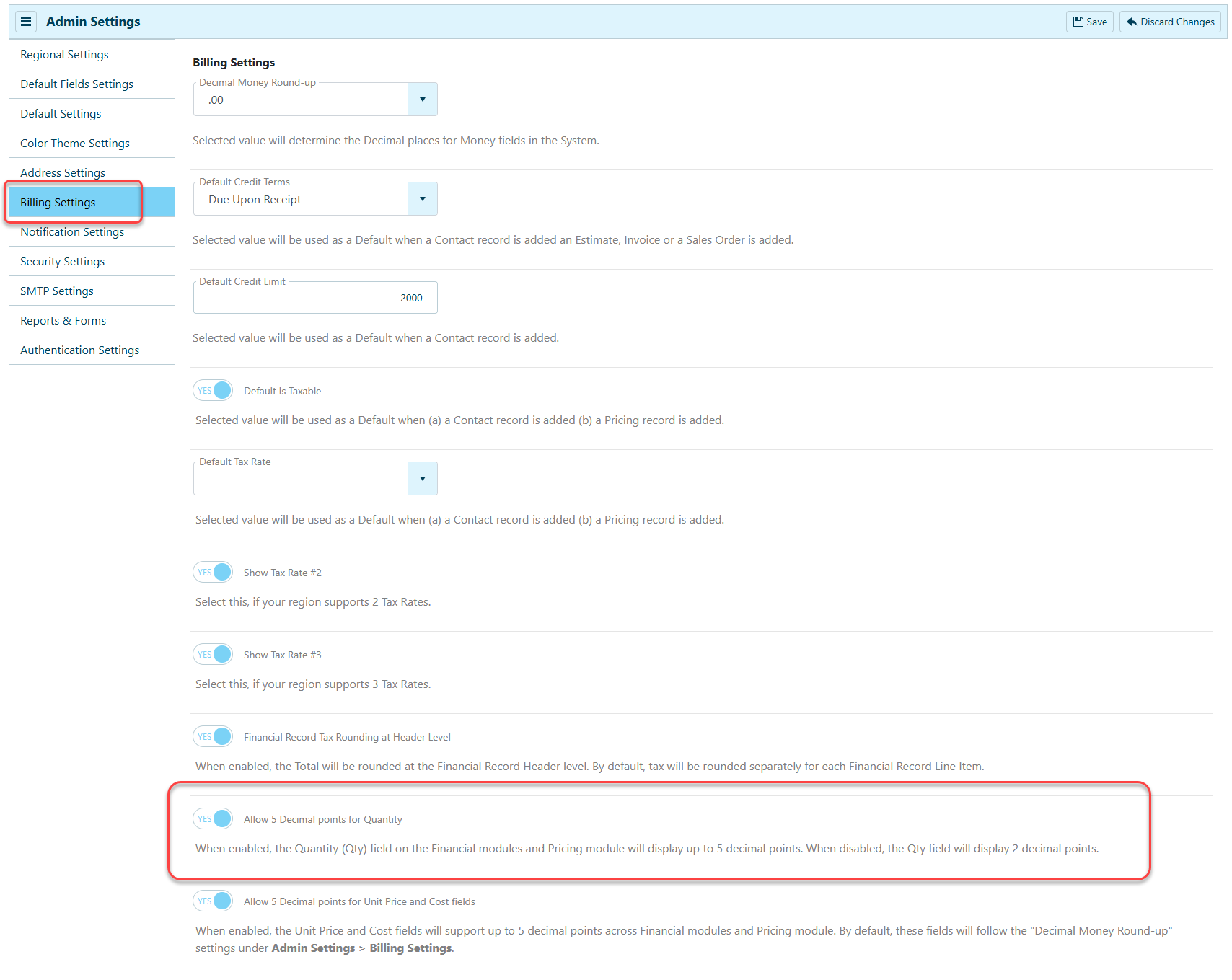
Greater precision and flexibility in managing quantities are available in Admin Settings > Billing Settings. This enhancement allows users to configure the number of decimal places displayed for Quantity (Qty) fields across the Financial and Pricing modules. The financial record import process for QuickBooks Desktop (QBD) and QuickBooks Online (QBO) now supports up to five decimal places for Quantity.
What's New?
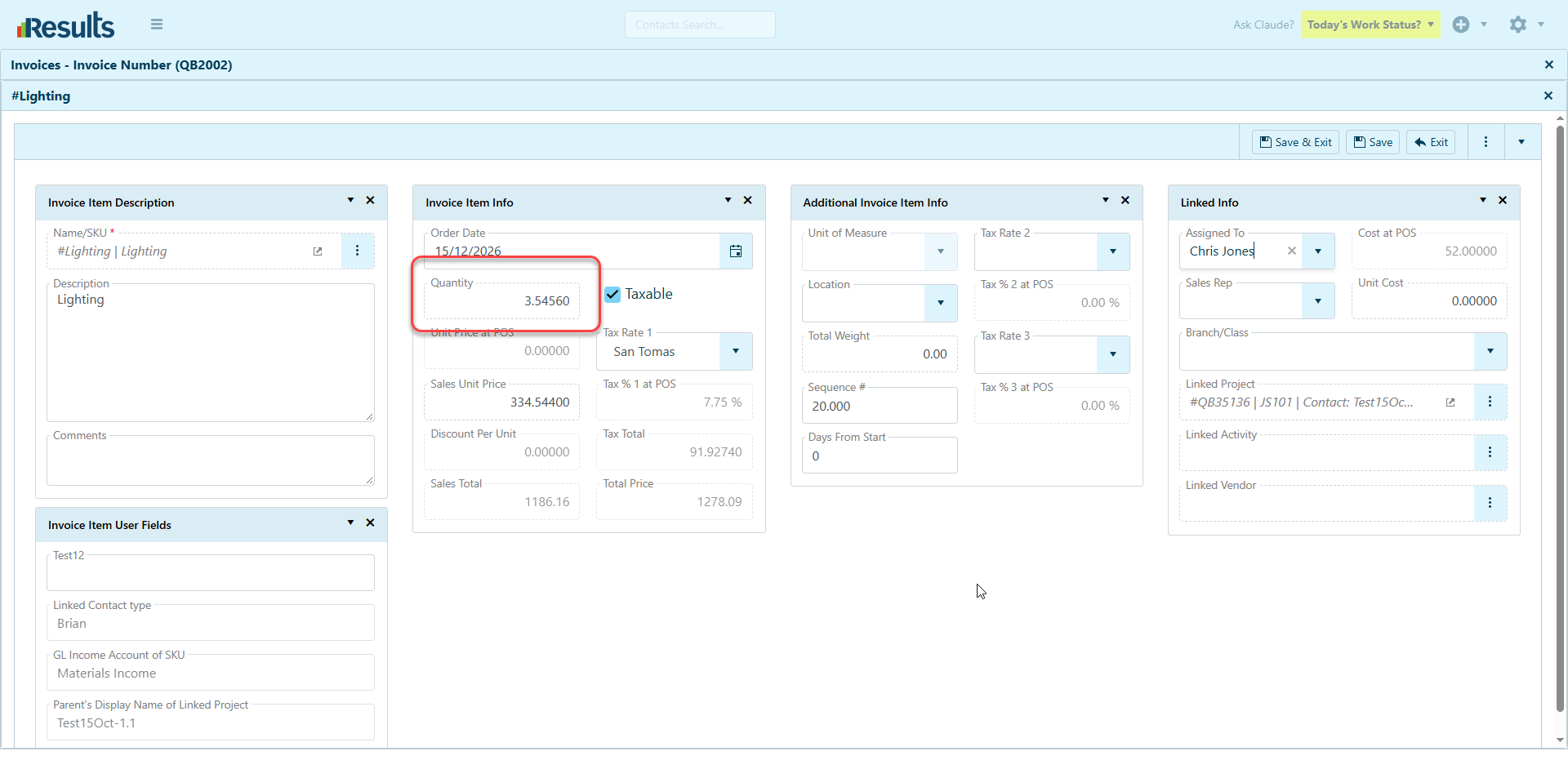
- When enabled: Quantity (Qty) fields in the Financial and Pricing modules display up to 5 decimal places.
-
When disabled: Quantity (Qty) fields display 2 decimal places, maintaining the existing behavior.
This setting gives administrators greater control over quantity precision based on their business requirements.
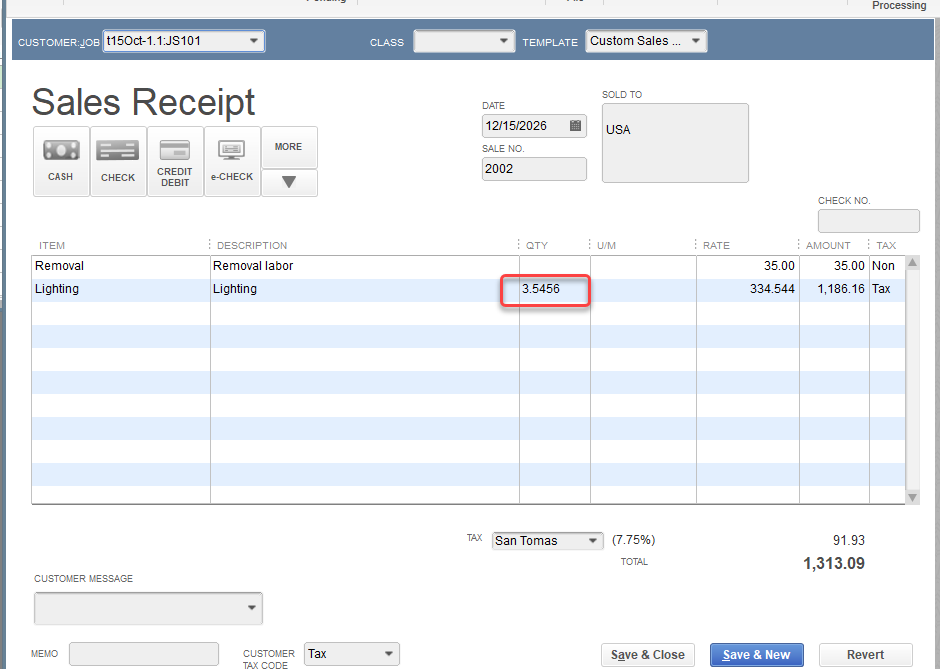
QBD/QBO Import Enhancements – The financial record import process for QuickBooks Desktop (QBD) and QuickBooks Online (QBO) now supports up to 5 decimal places for Quantity. This enhancement lets you import quantities with greater precision into Results when using supported decimal settings.
Why This Matters?
Greater Accuracy – Support for up to five decimal places helps businesses manage fractional quantities more precisely and reduces rounding differences when greater precision is needed.
Flexible Configuration – Administrators can choose between two- and five-decimal quantity display options based on their business needs.
Improved QuickBooks Integration – Enhanced QBD and QBO import processes support greater quantity precision, helping maintain consistency when importing financial records from QuickBooks into Results.
Consistent Quantity Handling – With configurable decimal precision across the Financial and Pricing modules, users can work with quantities at the level of detail their workflows require.