
What's New?
-
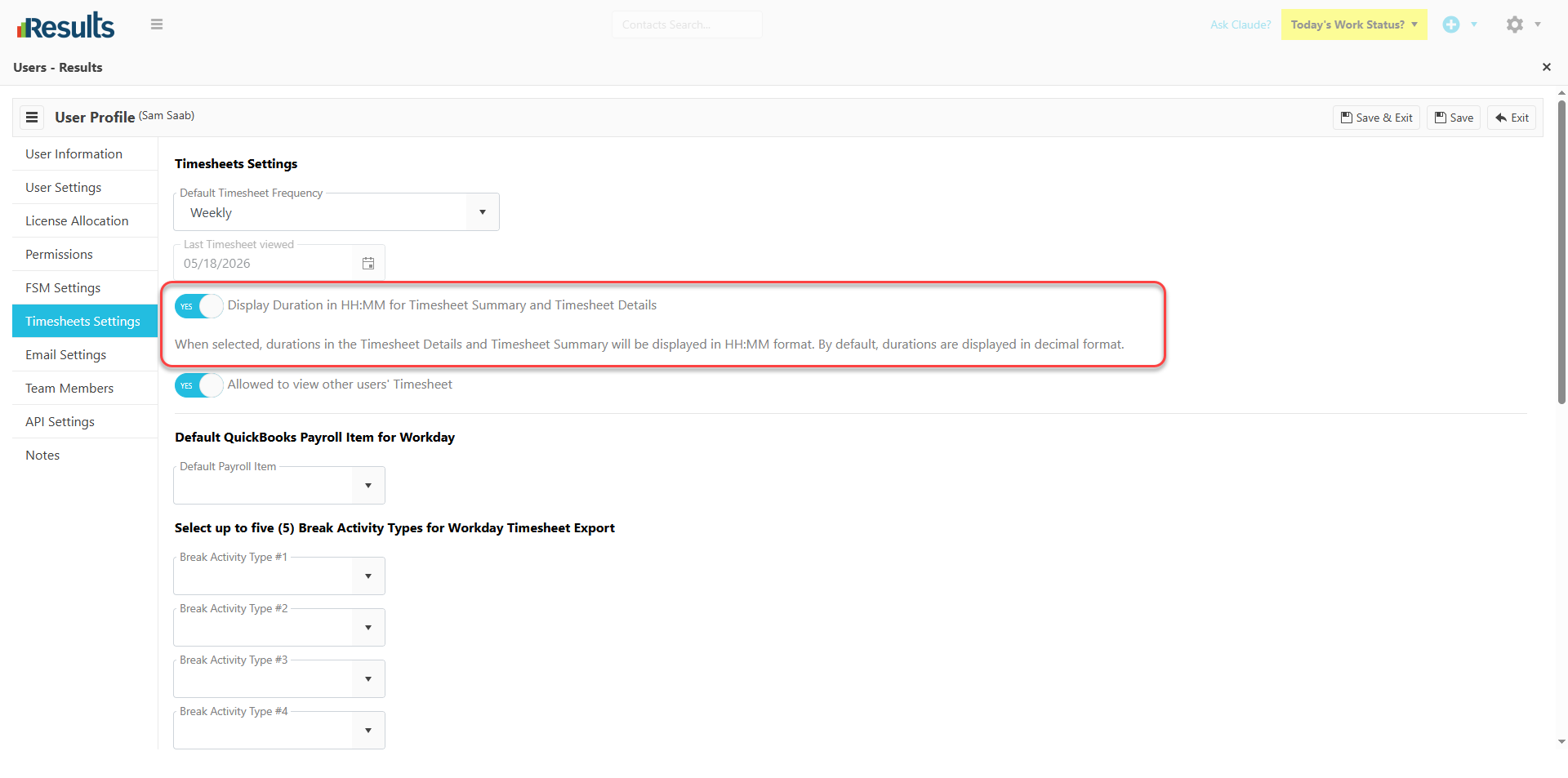
Time Display Format Setting – Users can toggle the Timesheet Settings to configure their preferred time display format.
-
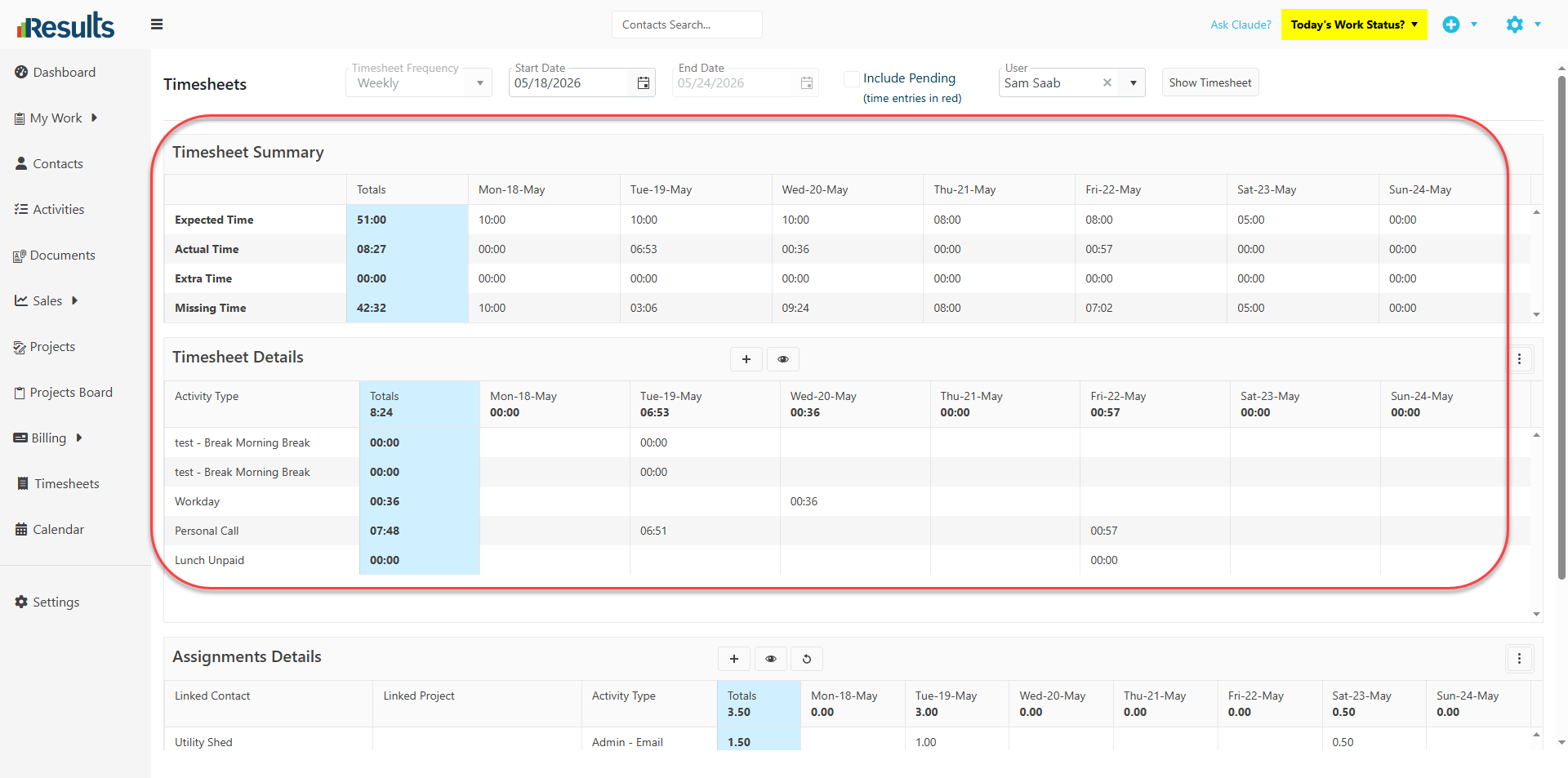
Sticky Two Display Options – Users can now choose between two time formats: the default Decimal Hours (e.g., 1.50) or Hours and Minutes (HH:MM) (e.g., 1:30). The default display format remains Decimal Hours, ensuring existing workflows continue without interruption.
-
Applies to Timesheet Screens – The selected format appears on the Timesheet Summary and the Timesheet Details sections of the Timesheets module..
-
Calculation-Based Screens Unchanged – To maintain consistency in calculations and data aggregation, the following areas will continue to display Decimal Hours regardless of the selected format, whether in Assignment Details or Activities Data Manager.
Why This Matters?
-
Improved Readability – Users who prefer a traditional time format can now view hours in HH:MM format, making timesheet entries easier to interpret.
-
Flexible User Experience – Organizations can configure the display format to better match user preferences and business practices while preserving the default decimal format where preferred.
-
Maintains Calculation Accuracy – Calculation-driven screens continue to use decimal hours to ensure that reporting, aggregations, and system calculations remain accurate and consistent.
-
Seamless Adoption – Because Decimal Hours remains the default format, existing users can continue working as usual while organizations adopt the new display option at their own pace.