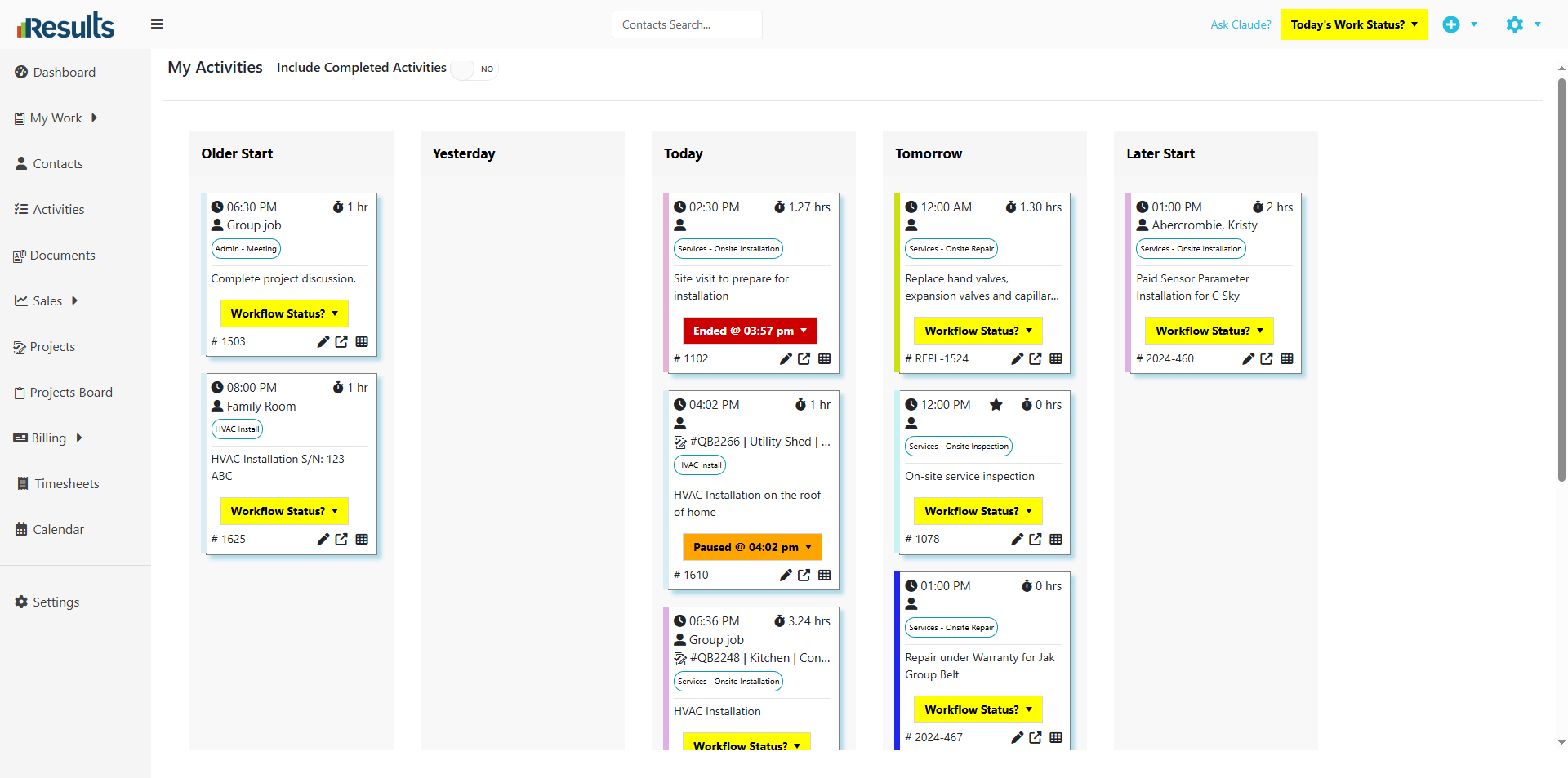
Results includes a Workflow Status button directly on Activity cards within the My Activities Board, giving users quicker access to workflow information and actions. The enhancement brings the My Activities Board in line with the FSM & Team Portal Board, creating a more consistent experience across activity management tools.
Users can now review workflow status details and manage activity progression directly from the board without opening individual Activity records.
What's New?
-
Workflow Status Button on Activity Cards – A new Workflow Status button appears on Activity cards within the My Activities Board. Users can:
• View current workflow status information
• Access workflow-related actions directly from the card
• Manage activity progression without opening the Activity record
Consistent Functionality Across Boards – The My Activities Board now provides the same Workflow Status functionality available in the FSM & Team Portal Board.
Why This Matters?
-
Improved User Experience – Users see only the Activities that are relevant to their role, reducing clutter and improving navigation.
- Better Portal Control – Workflow controls at the board level help users update and track Activities more quickly throughout the day.
- Consistent User Experience – Matching functionality across boards creates a more intuitive and predictable workflow.
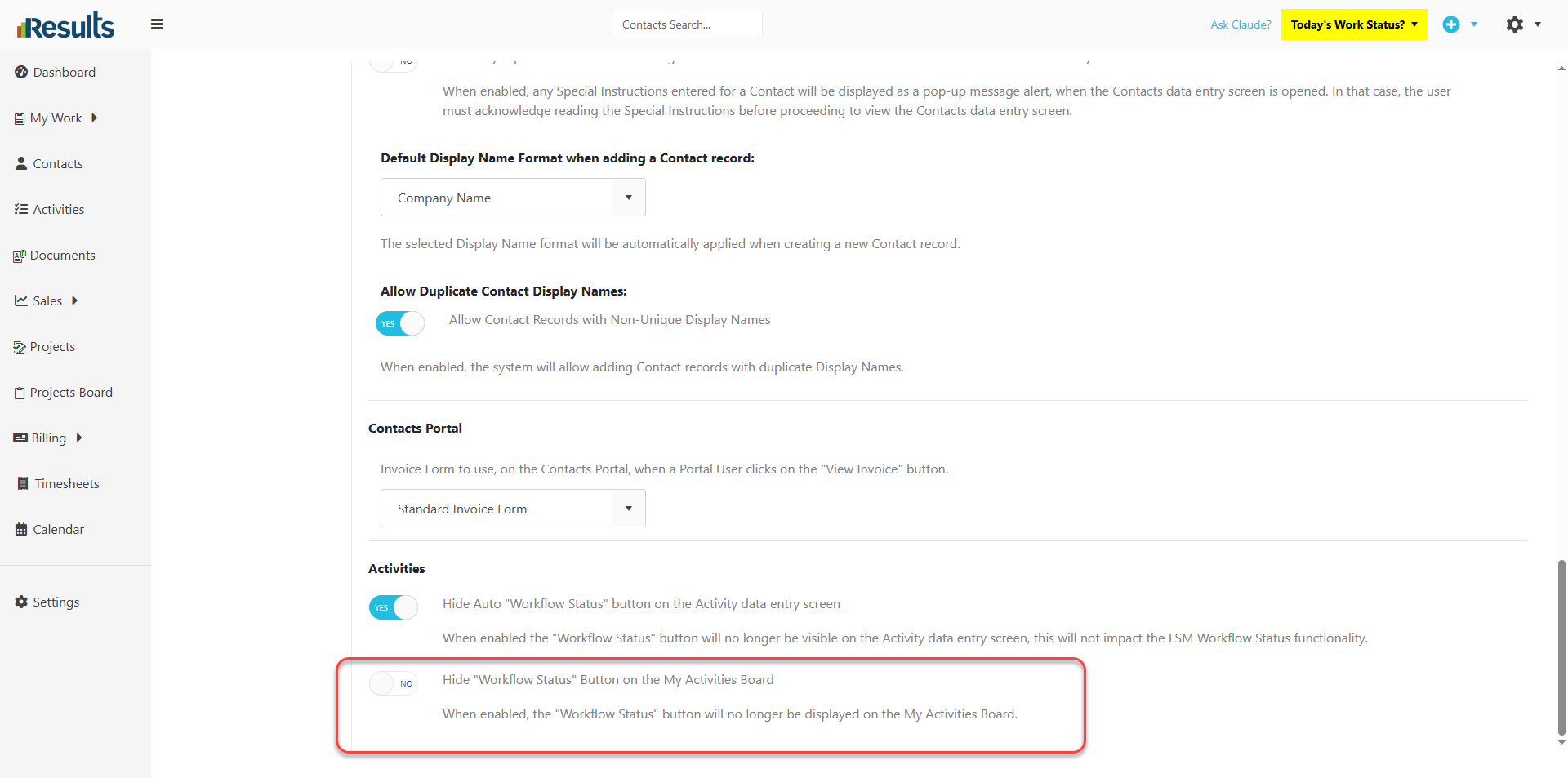
- Greater Administrative Flexibility – Organizations can decide whether Workflow Status controls appear on the My Activities Board based on their operational preferences.