
What’s New?
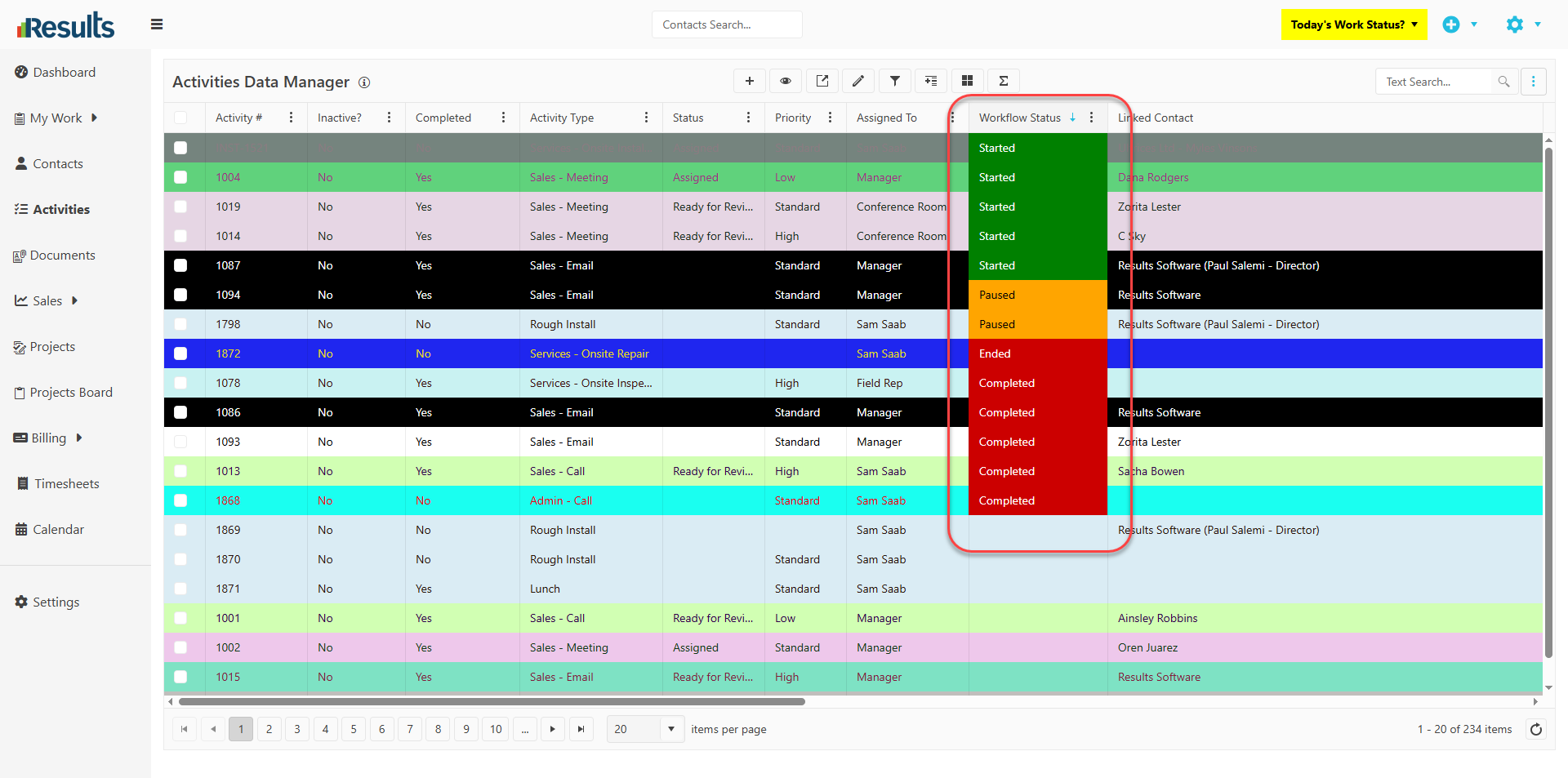
Color-Coded Workflow Status – The Workflow Status field in the Activities Data Manager now includes cell-level color coding, allowing users to instantly identify the status of an activity or job
- Started → Green
- Break → Orange
- End/Completed → Red
This visual enhancement improves readability and helps users quickly assess progress without opening individual records.
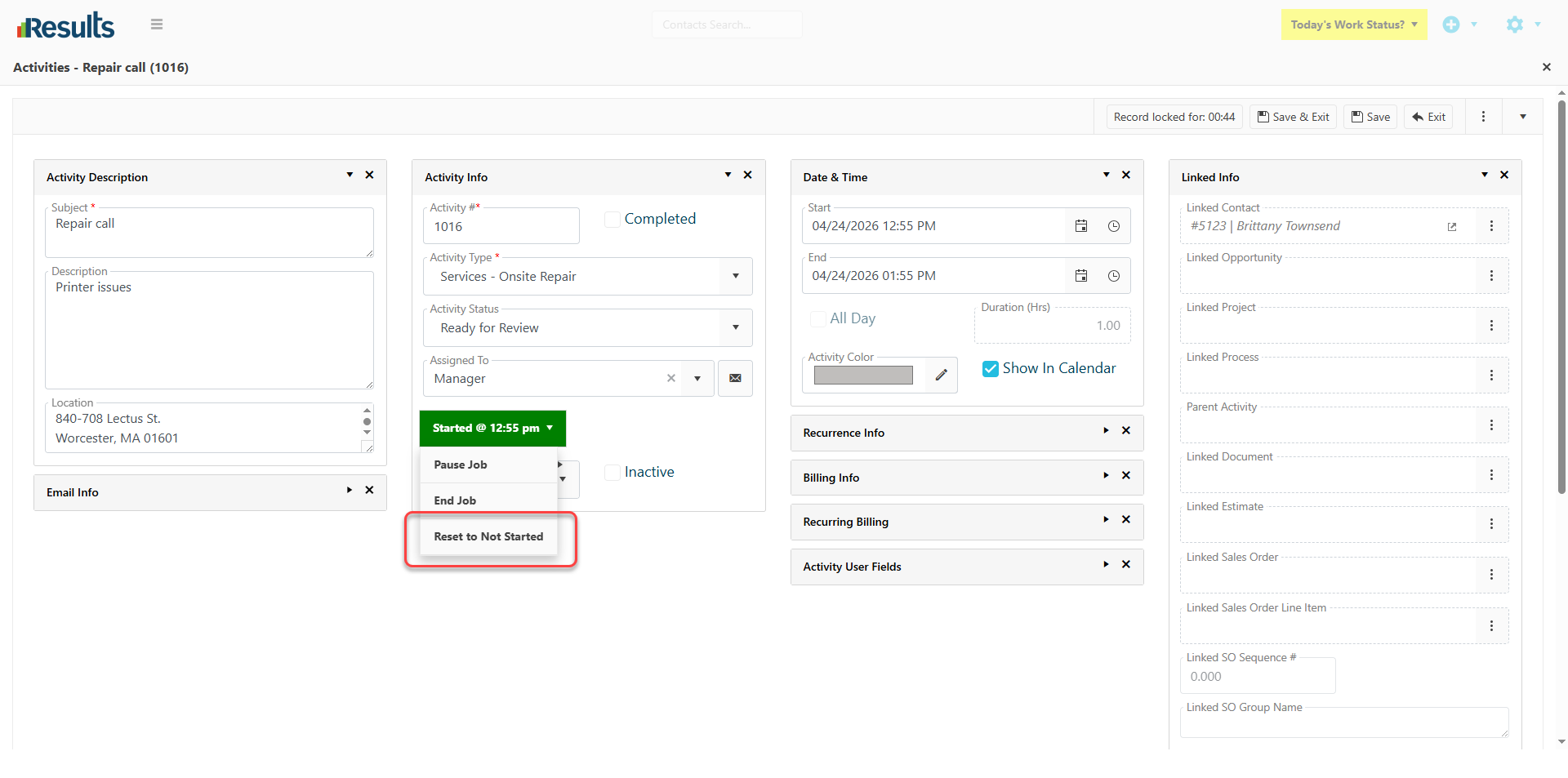
Reset Workflow Status to “Not Started” – A new addition to the Workflow Status dropdown is “Reset to Not Started.” This option is available only when the status is Started, Ended, or Completed. This option is hidden when the status is already set to Not Started or Blank. When selected:
- The Workflow Status is cleared and reset to Not Started, which is shown in yellow.
-
Any greyed-out or locked Start and End dates are cleared, and the controls become available.
Why Does This Matter?
Improved Visibility: Color-coded statuses make it easy to track activity progress at-a-glance, reducing the need for manual checks.
Greater Control: Users can now reset workflows as needed, ensuring flexibility in handling real-world rescheduling or reassignment.
Better Data Accuracy: Clearing locked dates and resetting statuses helps keep activity records clean and accurate.