
What’s New?
-
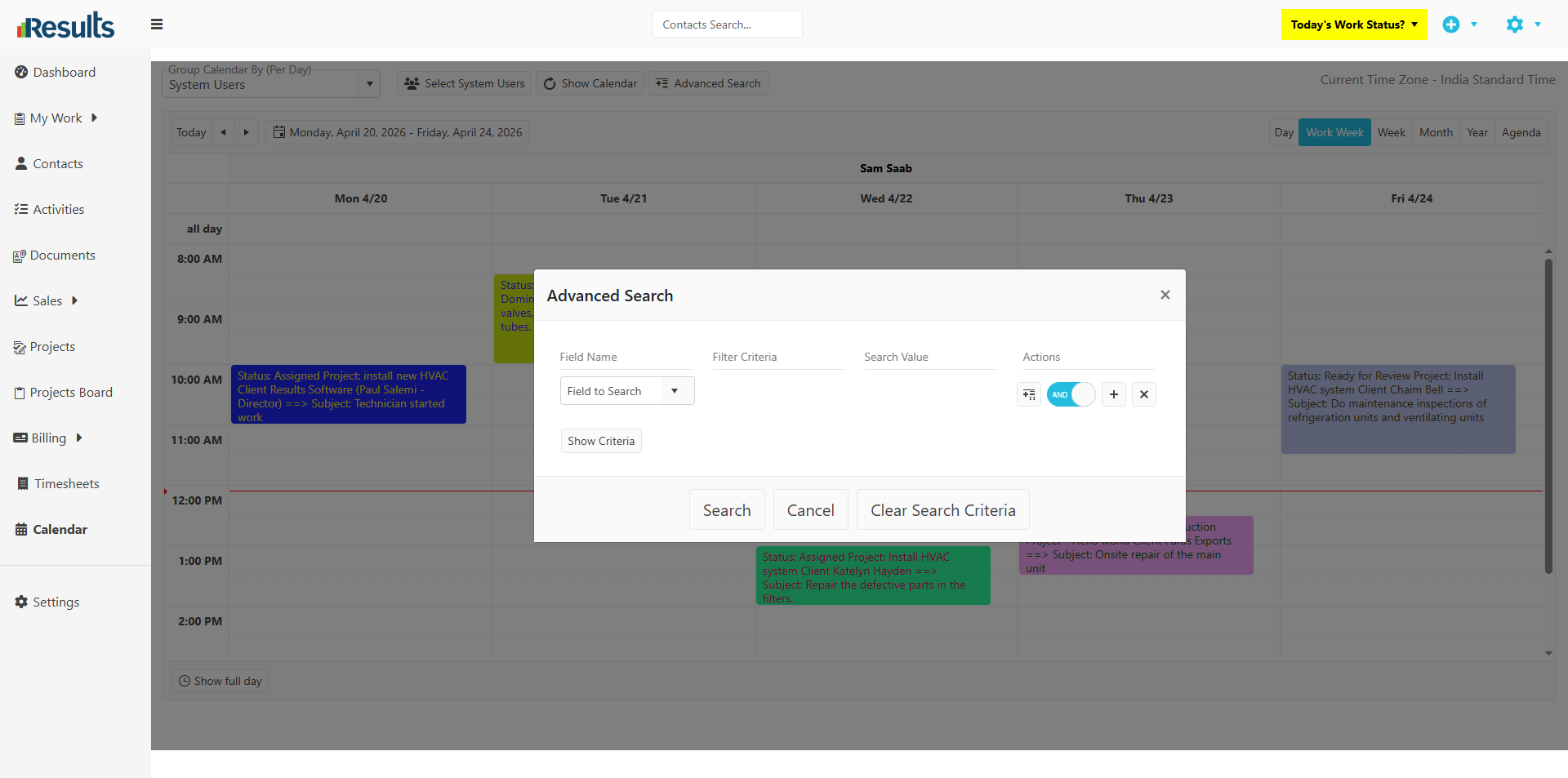
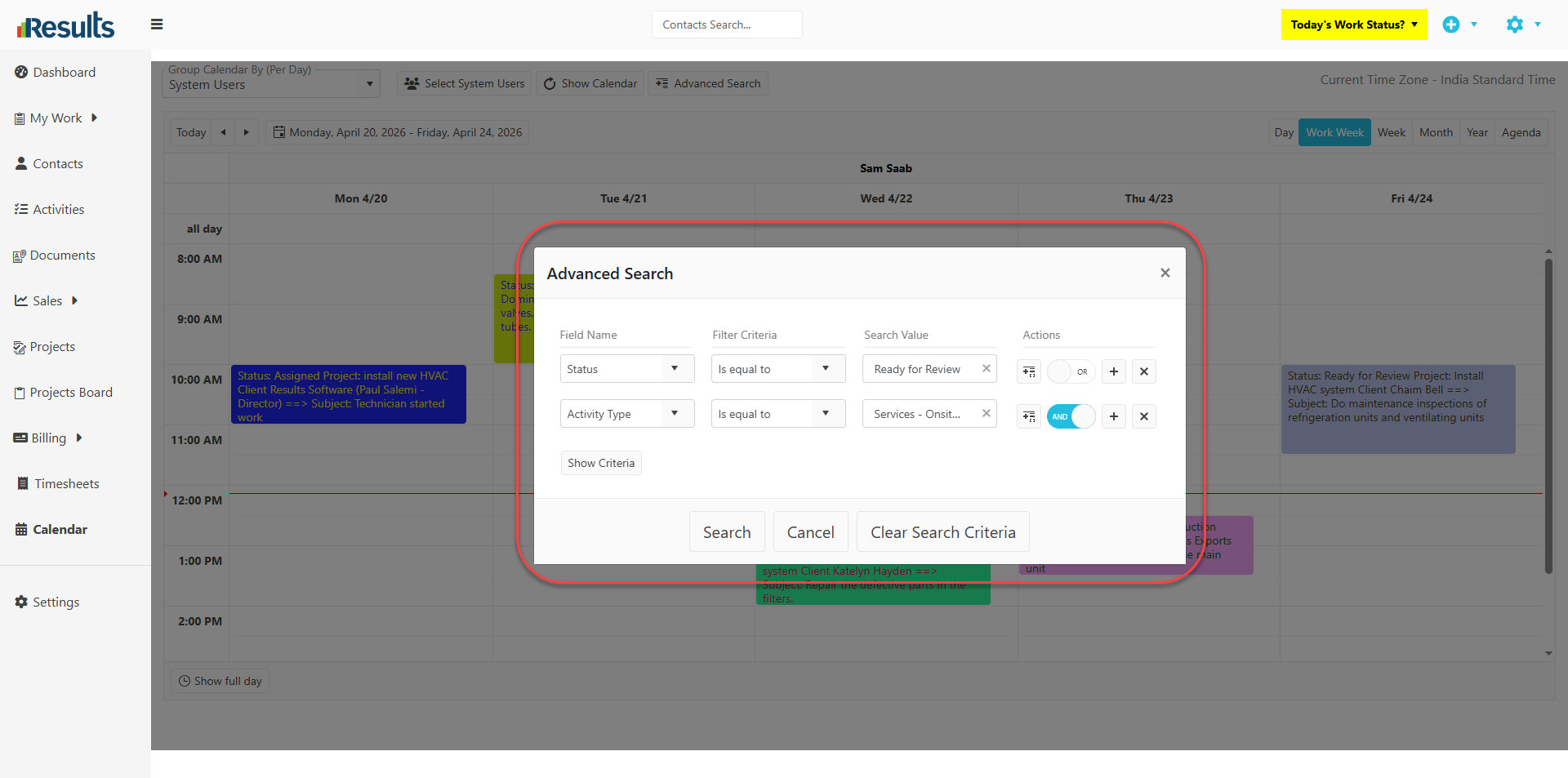
Field Name displays Activity fields (e.g., Activity #, Status, Activity Type, Assigned To, Completed) as well as linked information such as Projects, Opportunities, Estimates, and Sales Orders.
-
Select Filter Criteria to define how to apply the search.
-
Search Value allows users to enter a specific value to filter results.
-
Use AND/OR operators to combine multiple conditions.
-
Use the Add Group option to create grouped criteria for more complex filtering scenarios.
This allows users to build highly specific and structured queries directly within the Calendar.
Why Does This Matter?
Faster Activity Tracking: Quickly locate specific activities without manually scanning the calendar. For example, have the calendar display all activities for one or more specific projects, regardless of who the work is Assigned To.
Improved Productivity: Filter and find relevant data in just a few clicks, reducing time spent navigating across modules.
Enhanced Flexibility: Combine multiple filters to create highly targeted searches tailored to your workflow.
This update makes the Calendar module more powerful and user-friendly, giving users greater control and visibility into their scheduled activities.